nooraha53130887
Participant
June 7, 2020
Answered

photoshop problems

  • June 7, 2020
  • 4 replies
  • 1278 views

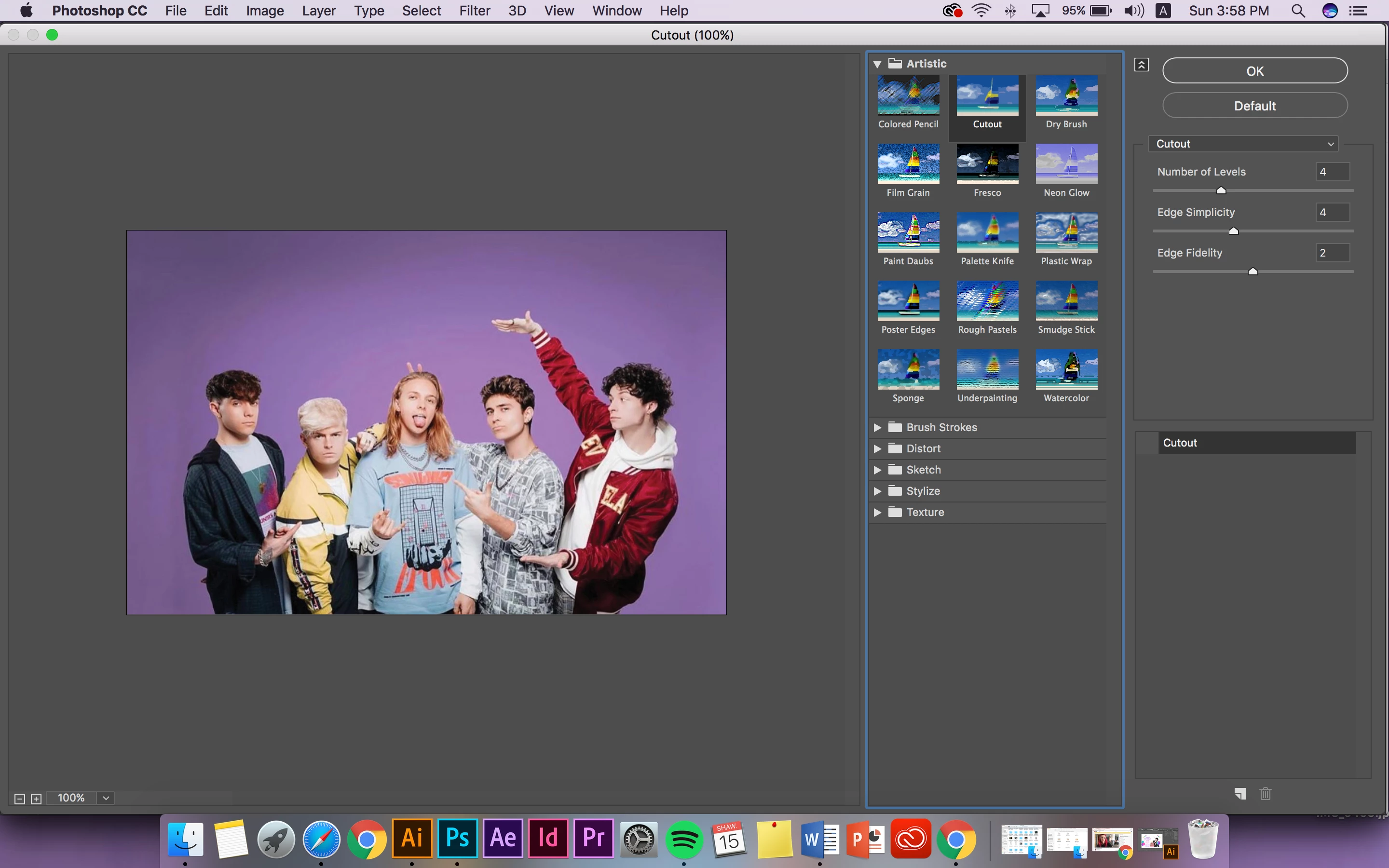
am trying to apply the Cutout filter to an image. The preview and actual image show no change. In fact, after playing around with it, none of the Filter Gallery filters work. I am in 8-bit using Photoshop CC (latest version 2019). I've tried resetting my preferences and no clue why this isn't working.


I also tried with other images of differing sizes, colors and resolutions. Still no change. 
This topic has been closed for replies.
Correct answer Tom Winkelmann

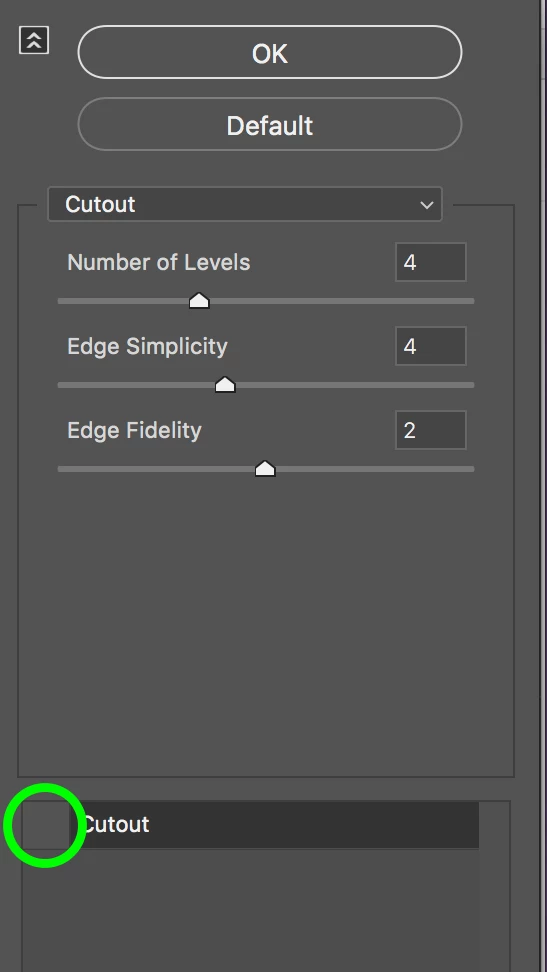
Your filter is deactivated...


4 replies

Participant
July 27, 2020

Awww thanks I was having the same issue. Happy days 🙂

nooraha53130887
Participant
June 7, 2020

thank you so much  now it's working xx

Kukurykus
Legend
June 7, 2020

Moderator remove 'Actions and scripting' label from this thread.

davescm
Community Expert
Community Expert
June 7, 2020

Done 🙂

Tom Winkelmann
Tom WinkelmannCorrect answer
Inspiring
June 7, 2020

Your filter is deactivated...


Participant
July 30, 2020

This little thing made me looking around the web for hours. Thanks for showing the root cause.

Dan North