laurenh80176988
Participant
March 15, 2019
Question

Photoshop rendering transparent when zoomed out to full screen but not when zoomed in

  • March 15, 2019
  • 1 reply
  • 638 views

Hi,

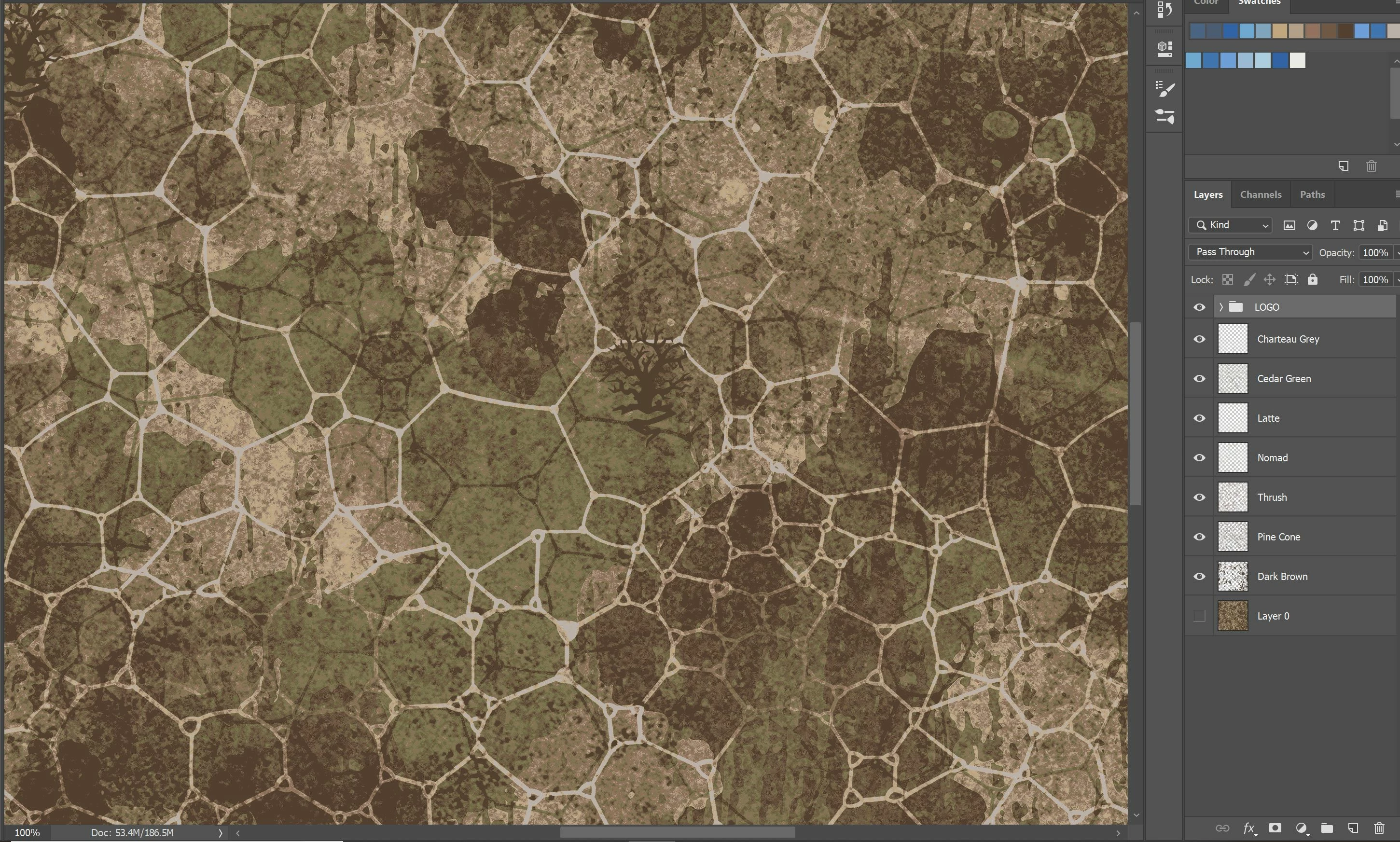
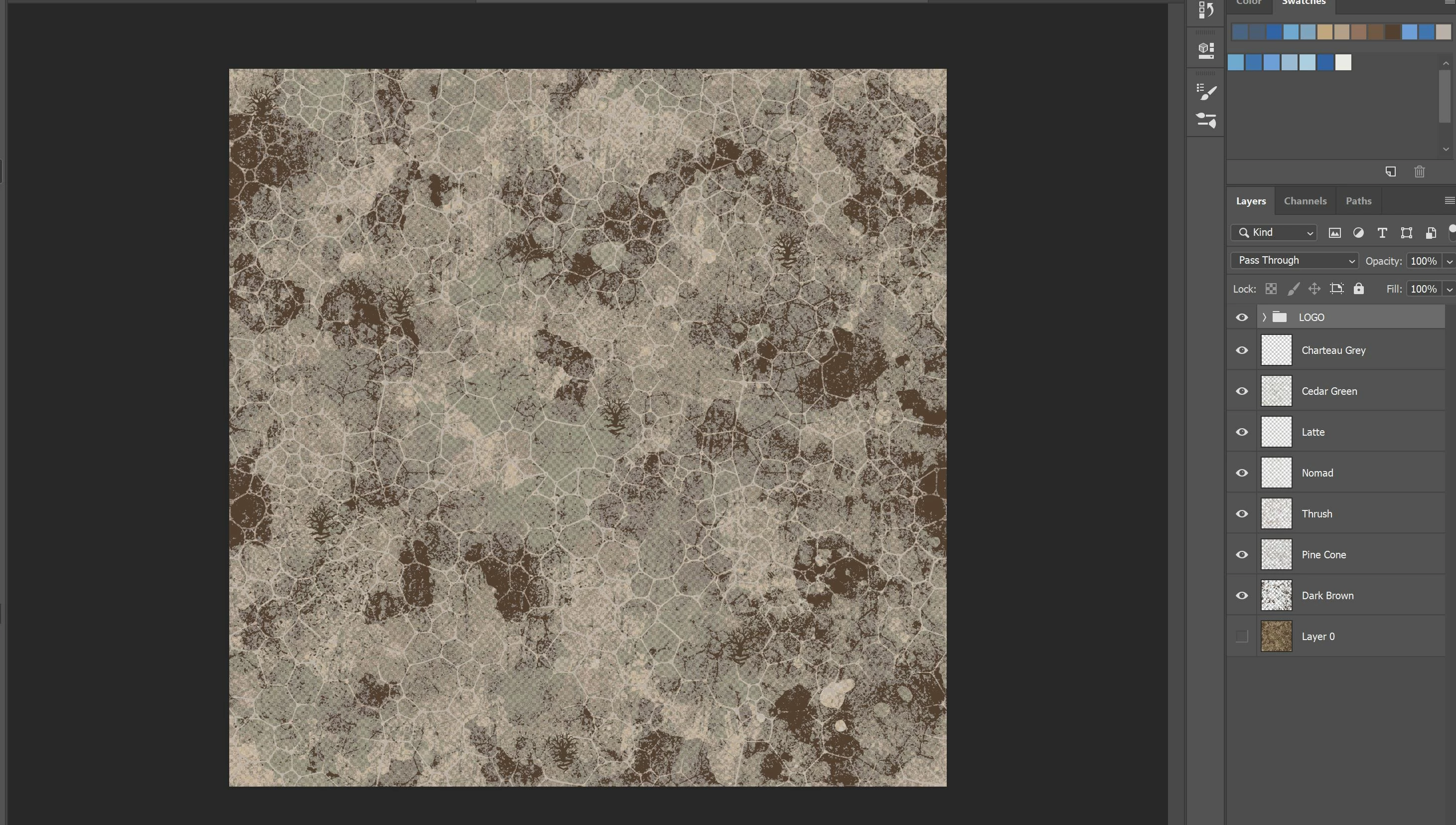
I'm trying to do some colour separations in Photoshop. I've separated the colours onto their own layers but when I view the image at full screen it is showing as partially transparent. When I zoom in it is fine and totally opaque as it should be. I've checked all the layers for transparency and blending mode etc but they are all fine. (Ignore the top layer - LOGO. This is not affecting it).
    This topic has been closed for replies.

    1 reply

    Sahil.Chawla
    Adobe Employee
    Adobe Employee
    March 15, 2019

    Hi there,


    Could you please try deselecting "Use Graphics Processor" located in Photoshop's Preferences > Performance, then relaunch Photoshop and let us know if it helps?

    Also, please let us know the exact version of Photoshop and operating system you're working on.

    Regards,
    Sahil

    laurenh80176988
    Participant
    March 16, 2019

    Hi,

    I tried your suggestion but it didn’t work.

    I’m using the latest version of Photoshop CC. I have a Microsoft Surface Book (i7 processor, 16GB of RAM, 64-bit operating system ) with windows 10.

    Many thanks for your help.

    Lauren

    Sent from Mail<https://go.microsoft.com/fwlink/?LinkId=550986> for Windows 10