
brandonk32665514
Participant
July 31, 2019
Question

Photoshop saving additional files with random names

  • July 31, 2019
  • 3 replies
  • 1245 views

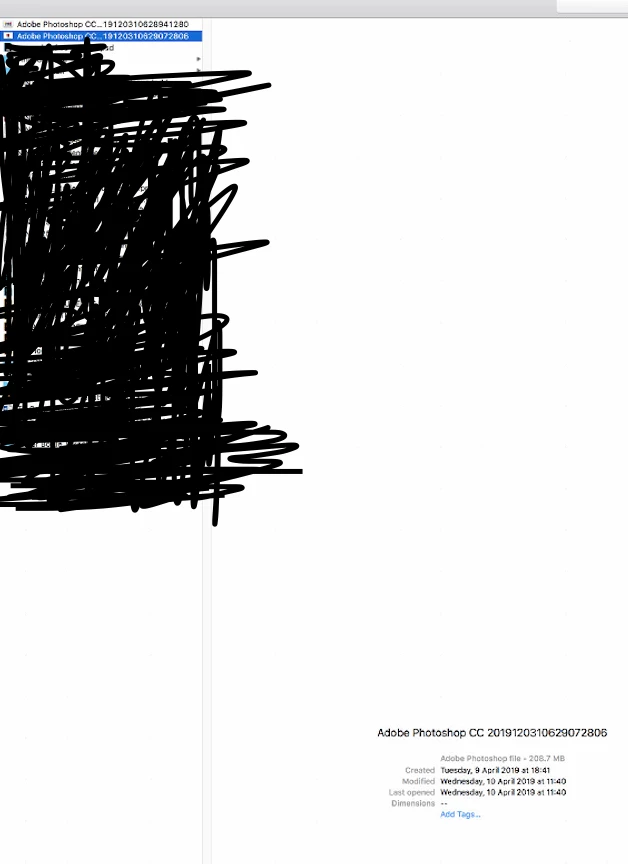
There is an issue with one of my clients servers at the moment, it seems that for months now when the users are saving their Photoshop files it sometimes generates additional Photoshop files with seemingly random names along the lines of Adobe Photoshop CC 2019****** an example of which I have placed below.

This looks to have been happening since before using 2019 as there are also a few files with the same name but 2018 instead, I was wondering if anyone had come across this before as it seems to be temporary files of some sort I am just unsure of how they are being generated at the moment.
    This topic has been closed for replies.

    3 replies

    JJMack
    Community Expert
    Community Expert
    July 31, 2019

    What is that screen capture part of. It seems down sized not very readable does not show  file paths and extension. What OS are you running? Was Photoshop up and running when you captured that? Photoshop does create some temp files when it runs they should get deleted when Photoshop is closet down. Has your machine been crashing?

    Now I close PS and its gone.

    JJMack
    c.pfaffenbichler
    Community Expert
    Community Expert
    July 31, 2019

    Adobe’s position is that saving across a network involves too many variables for them to meaningfully support.

    If one insists on doing it one should be aware of the risks.

    Troubleshoot issues with networks, removable media in Photoshop

    If I remember correctly Mr.Cox elaborated on Photoshop’s safe-save occasionally – Photoshop does not destroy the original file on disk before writing it anew but it creates a new file and only when that has been written successfully it does remove the old one.

    This seems to be a case where Photoshop writes the file but is refused to remove the old version by the OS (or another application).

    This looks to have been happening since before using 2019 as there are also a few files with the same name but 2018 instead

    Then they may be using both Photoshop versions.

    Akash Sharma
    Legend
    July 31, 2019

    Hi Brandonk,

    Sorry that Photoshop is saving files with some unwanted random names. That shouldn't be happening, let us help make this right.

    Are your client(s) saving the files on a NAS? Which file type are they working with and how are they saving the file(workflow)?

    Could you please ask them for some more info like the system specifications and exact Photoshop version(like 20.0.5)?

    Thanks,

    Akash

    brandonk32665514
    Participant
    July 31, 2019

    Thank you for the reply Akash

    The two users that have reported the issue are running version 20.0.4 and 20.0.5 between them.

    They are connecting to a Windows server via AFP provided by a program called Acronis, the users machines being iMacs

    I will need to find out if there seems to be any pattern with these files being generated and the file type that they are saving as at the time, I will reply with that detail once I have it!