johnw40285944
Participating Frequently
October 15, 2019
Question

Photoshop saving dark images on Surface Book 2

  • October 15, 2019
  • 16 replies
  • 1553 views

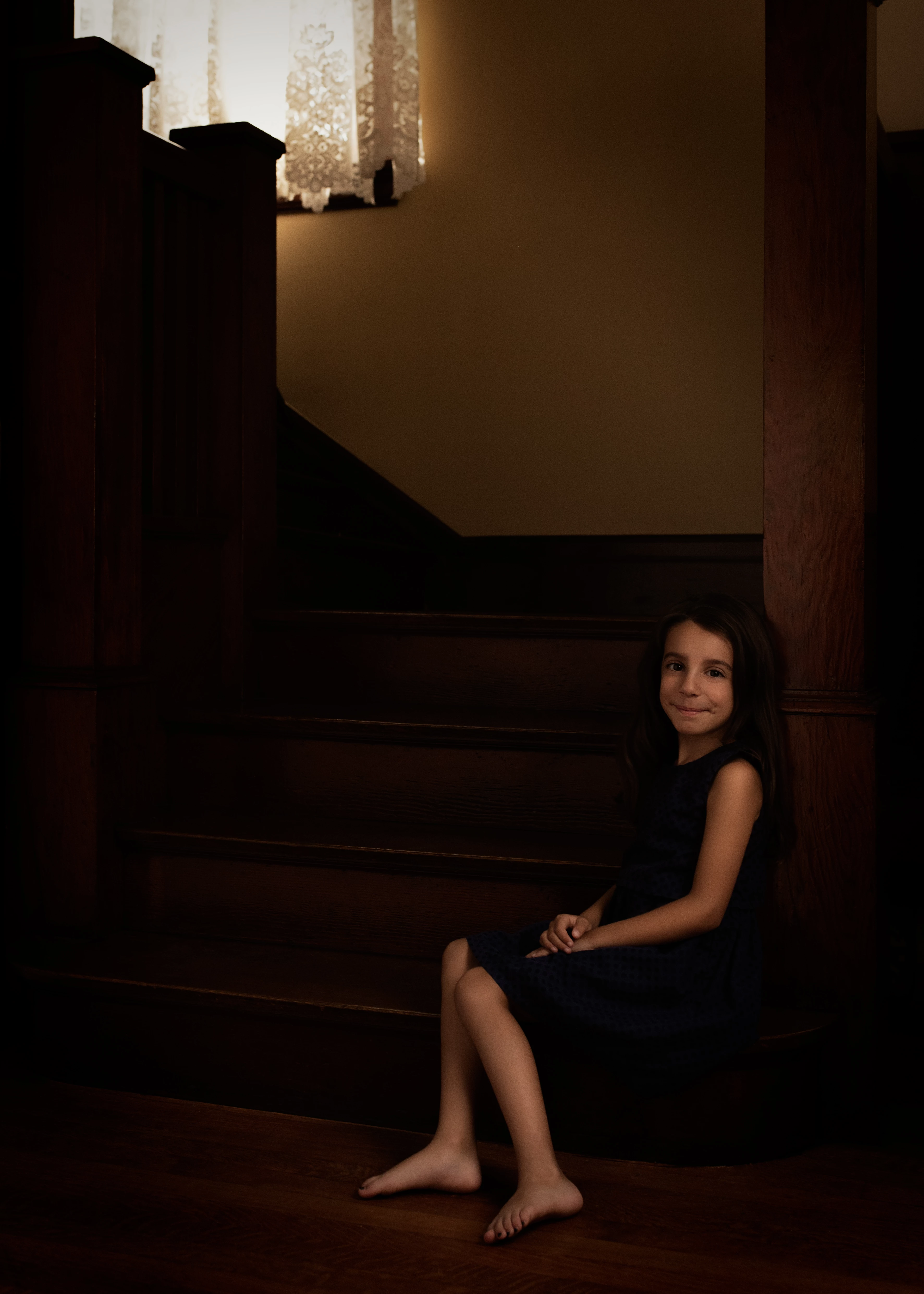
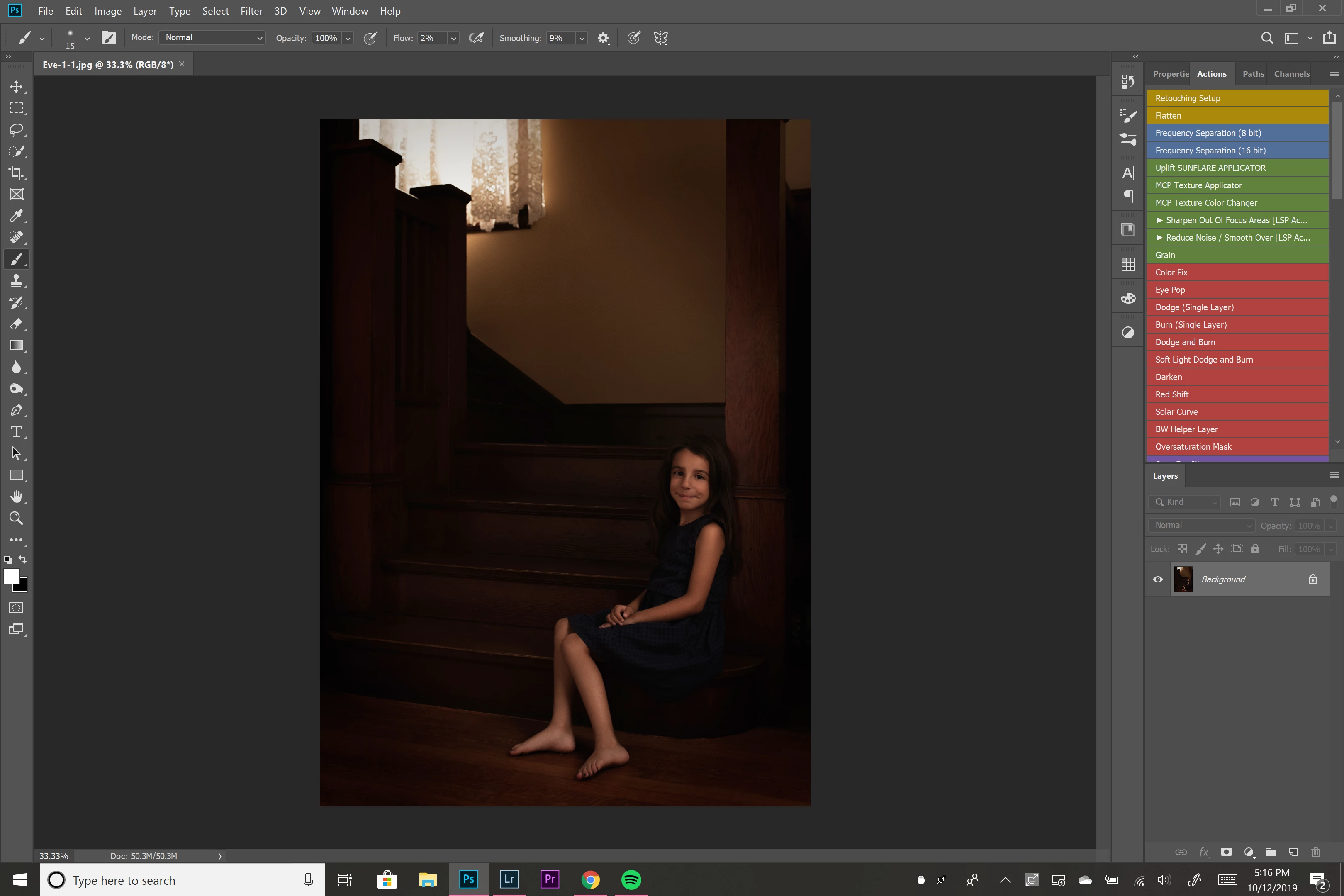
I am having an issue with my Surface Book 2 that I've never had with any other computer before. When I save a RAW image as a jpeg in the correct color profile of sRGB the image is significantly darker. I've included an example of a screen shot of the image in photoshop and the saved version. I didn't think it was a photoshop issue since I didn't encounter this on my Macbook Pro. I contacted Microsoft and they were pretty useless. I'm at a complete loss of what to do. 


This topic has been closed for replies.

16 replies

D Fosse
Community Expert
Community Expert
October 16, 2019

I went back to your original two screenshots at the top, and the difference is entirely consistent with viewing in a color managed vs. a non-color managed application. This is how that looks and the difference is expected and predictable.


In any case - this cannot happen if both displays are calibrated to the same parameters. If it does, something is interfering and changing settings after the calibration is done. To get a full visual match you may need to tweak the settings slightly on either one, but there is no way you can get this dramatic difference.


You will still see a difference between color managed and not - but the same application will not display that differently on the two units.


Some people seem to think that MacBooks "don't need" to be calibrated and profiled. But it's just a laptop with a laptop display.

Participating Frequently
May 19, 2020

I am having exactly the same problem. Did you ever find a working solution?


To avoid confusion I am not using any non-colour-managed software so please don't bother telling me not to use Photos or Edge or something.


A sRGB photo edited in Photoshop or ACR (and saved as sRGB) appears much darker when viewed in Chrome or Firefox, on a Surface Book 2.

D Fosse
Community Expert
Community Expert
May 23, 2020

Your images are likely untagged. You have to manually embed the profile in Export and Save For Web. You need to check both "convert to sRGB" and "embed profile". Both are unchecked by default.


Firefox by default does not color manage untagged material. To do that, it has to be configured to "color management mode 1". This assigns the sRGB profile to all untagged material. Google it.


Chrome is supposed to color manage everything out of the box, but we've had so many posts recently about failing color management in Chrome that it's apparently not so simple. I have never used Chrome so I don't have any specifics. Just that it doesn't always work.


One more thing to note is that these browsers will use the monitor profile for the primary display exclusively, even if the browser window is on the secondary display. They don't have multi-display support.

johnw40285944
Participating Frequently
October 15, 2019
My Surface Book is calibrated
My Macbook is calibrated with brightness control.

If this means that the two computers are calibrated with different settings, recalibrate with the same settings, and images should display the same.


  • They are calibrated the same using ColorMunki
When viewing the jpeg on a color managed screen the image is too dark. 

 Is this just on the Mac, or on the Surface book as well? And in what application?

On the Surface book, you have to stay away from Photos, Edge, etc, they are not color managed.

A good color managed image viewer for Windows is FastStone, free for personal use. You have to turn on color management under Settings, and both checkboxes must be checked.


  • This is when viewing on literally everything except in photoshop. I haven't checked in Lightroom. I will try FastStone
this is for work I'm sharing on instagram and facebook where I don't have control over the brightness or how this photo is viewed. 

I don't use Instagram or Facebook, but I wouldn't have thought that they change the brightness of posted images.  But he brightness and/or colors might change if you use the Edge browser or Internet Explorer, or use a phone or a tablet.

  • I don't believe they change the brightness of images and when looking on Instagram it is on my phone. When I adjust the brightness it doesn't suddenly change the image to look as it should either. 
I'd hate to think that there is no solution here. 

It's easy enough to make images display correctly on your own computers.

But you have absolutely no control over how your images display on other people's computers, not to mentions tablets and phones that are not color managed at all. 

If this is your main concern, stop worrying, there is nothing you can do about it. (except telling clients and friends to use color managed applications on calibrated screens)

  • I do understand this but this isn't a simple difference in the images. Its the difference of an image looking good vs. barly able to see an image. Here the first image was edited on my Surface Book the second was on my Macbook. 
  •  
Per Berntsen
Community Expert
Community Expert
October 15, 2019
My Surface Book is calibrated
My Macbook is calibrated with brightness control.

If this means that the two computers are calibrated with different settings, recalibrate with the same settings, and images should display the same.


When viewing the jpeg on a color managed screen the image is too dark. 

 Is this just on the Mac, or on the Surface book as well? And in what application?

On the Surface book, you have to stay away from Photos, Edge, etc, they are not color managed.

A good color managed image viewer for Windows is FastStone, free for personal use. You have to turn on color management under Settings, and both checkboxes must be checked.


this is for work I'm sharing on instagram and facebook where I don't have control over the brightness or how this photo is viewed. 

I don't use Instagram or Facebook, but I wouldn't have thought that they change the brightness of posted images.  But he brightness and/or colors might change if you use the Edge browser or Internet Explorer, or use a phone or a tablet.


I'd hate to think that there is no solution here. 

It's easy enough to make images display correctly on your own computers.

But you have absolutely no control over how your images display on other people's computers, not to mentions tablets and phones that are not color managed at all. 

If this is your main concern, stop worrying, there is nothing you can do about it. (except telling clients and friends to use color managed applications on calibrated screens)

johnw40285944
Participating Frequently
October 16, 2019
I downloaded FastStone, turned on color management under settings with both boxes checked. The image is showing up much darker than it does in photoshop.
johnw40285944
Participating Frequently
October 15, 2019

I use ColorMunki Display to calibrate my screens. Is there something better? 

D Fosse
Community Expert
Community Expert
October 15, 2019

OK, maybe the monitor profile on the Surface is bad. It happens. It can also be that you're not controlling screen brightness well enough.


What you need to do is to get a calibrator and run it on both the Surface and the MBP. Not just to be sure you have a good monitor profile for both, but also to control screen brightness. Most monitors/laptops/other devices are way too bright out of the box. Set a brightness value that approximates white paper in good lighting. That's relative to your environment, but as a starting point try 100 - 120 cd/m². In most situations that will be about right.


You can never control how others see your images, and it's an exercise in futility to worry about it. It's their problem, not yours. No matter how wrong, keep in mind that they see everything this way. If it hasn't bothered them before, it won't when they see your images.


What you can do is get it right. For that, you use a calibrator with sensible calibration targets, and Photoshop.

PECourtejoie
Community Expert
Community Expert
October 15, 2019

What are your Photoshop color settings on the surface? How did you calibrate it? What is the compression setting of the JPG?

how is the JPG in Photoshop on the Mac? Did you try to record the values with color sampler on the raw, the edited file, the jpeg?

johnw40285944
Participating Frequently
October 16, 2019
I calibrated using the x-rite color munki display. I can't say I'm sure of the compression settings except that I usually save at quality of 12. When you say record the color samples on the files what should I do with them?
PECourtejoie
Community Expert
Community Expert
October 16, 2019
Could you post the color settings? I wondered if it would give us information if you compare the color samplers, to see if the numbers differ...
johnw40285944
Participating Frequently
October 15, 2019

"If I understand you correctly, you are editing the image on a Surface book, then export a jpg, and view it on a Macbook.

If the jpg displays darker, it probably means that the screen brightness is lower on the Mac. If the colors are OK, just increase the screen brightness."


Yes, I am saying that but this is where I get stuck: 


  • My Surface Book is calibrated
  • My Macbook is calibrated with brightness control.
  • I understand that this sounds like a problem with color space and the way diferent apps/screens show an image but I've never had this problem before switching to the Surface.
  • When viewing the jpeg on a color managed screen the image is too dark. 

I would love to say ok, I will just change the brightness but this is for work I'm sharing on instagram and facebook where I don't have control over the brightness or how this photo is viewed. 


I'd hate to think that there is no solution here. 


Per Berntsen
Community Expert
Community Expert
October 15, 2019

If I understand you correctly, you are editing the image on a Surface book, then export a jpg, and view it on a Macbook.

If the jpg displays darker, it probably means that the screen brightness is lower on the Mac. If the colors are OK, just increase the screen brightness.

If you have a hardware calibrator, you can calibrate both to the same screen brightness.  (100 - 120 cd is recommended)


Please use the BLUE reply button when replying, it ensures that posts appear in chronological order. 

johnw40285944
Participating Frequently
October 15, 2019

Ok, I'm looking at the image in google photos, in google chrome, on my macbook and it is still too dark. I know what you all are saying is true but my images do not look correct. I'm at a complete loss on how I'm supposed to solve this. 

Per Berntsen
Community Expert
Community Expert
October 15, 2019
Also, how come I never noticed this when I was working on a Macbook Pro? It's only since working on the Surface Book that I'm having this problem.

This is because all native Mac software is color managed, and displays the same as Photoshop.

On Windows it's the other way round – no native software is color managed. That includes Internet Explorer, Edge, Photos, Paint and the File explorer.


If I need to post on Instagram, for example, then what you are saying is that it doesn't work.

It works if you use a color managed browser, like Firefox, Chrome or Opera.


Please use the BLUE reply button when replying, it ensures that posts appear in chronological order.