
Participant
October 10, 2021
Answered

Photoshop smallest unit is pixel?

  • October 10, 2021
  • 3 replies
  • 2998 views

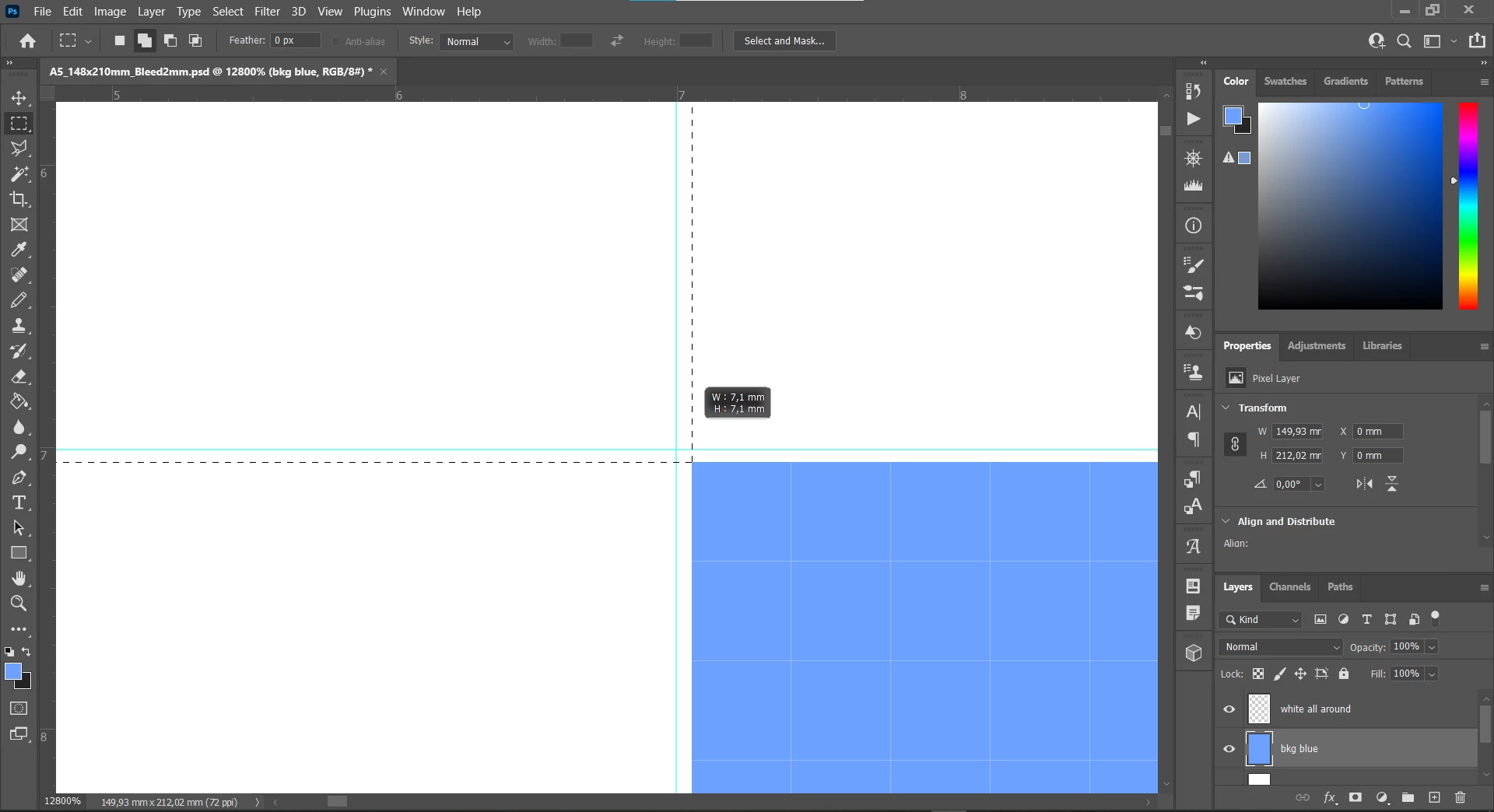
I'm trying to do graphic design in Photoshop, a flyer, and I would like to align things with precision to millimeters (mm).
Let's imagine a 148 x 210 mm .PSD document.
If you make maximum zoom to the doc and put a guideline at 7mm, and try to align or draw something right glued to it, YOU CAN'T! You can't because from the start of the document to the guideline you wouldn't get a precise number of pixels, you would get a float number of pixels. Like 1 mm is 2,8 px (or whatever). As much as I try, I can't align in-between pixel measures! I can't align to millimeters (mm)!

Is this just the way it is? Or is there a workaround? 
 

This topic has been closed for replies.
Correct answer Bojan Živković11378569

In Photoshop (and not only) smallest unit is pixel. Pixel can not be divided. Pixel can have only one color. Similarly if you want to paint half pixel red and half blue because precision in some other measurement unit, it won't work.


There is option in Preferences > Tools > Snap Vector Tools and Transforms to Pixel Grid. Even if you turn this option off it won't be very useful becuse there isn't smaller unit and anti-aliasing will be introduced as already explained by D Fosse.

3 replies

Bojan Živković11378569
Community Expert
Community Expert
October 11, 2021

In Photoshop (and not only) smallest unit is pixel. Pixel can not be divided. Pixel can have only one color. Similarly if you want to paint half pixel red and half blue because precision in some other measurement unit, it won't work.


There is option in Preferences > Tools > Snap Vector Tools and Transforms to Pixel Grid. Even if you turn this option off it won't be very useful becuse there isn't smaller unit and anti-aliasing will be introduced as already explained by D Fosse.

D Fosse
Community Expert
Community Expert
October 11, 2021

Still, Photoshop works in pixels. It cannot output anything smaller than a pixel. Everything you do will eventually snap to the nearest full pixel.


It's possible to set vector tools to work independently of the pixel grid, but in that case you get anti-aliasing in the final result (bleeding into neighboring pixels to simulate the in-between position).

Nancy OShea
Community Expert
Community Expert
October 11, 2021

Pixel is a screen measure.  1 pixel = 1 dot on your display screen.

Inches, Centimeters and Milimeters are print measures.


Go to Preferences.  Change Units & Rulers also Guides, Grids & Slices to whichever measurement is best for your project.


Nancy O'Shea— Product User & Community Expert