Inspiring
February 2, 2023
Answered

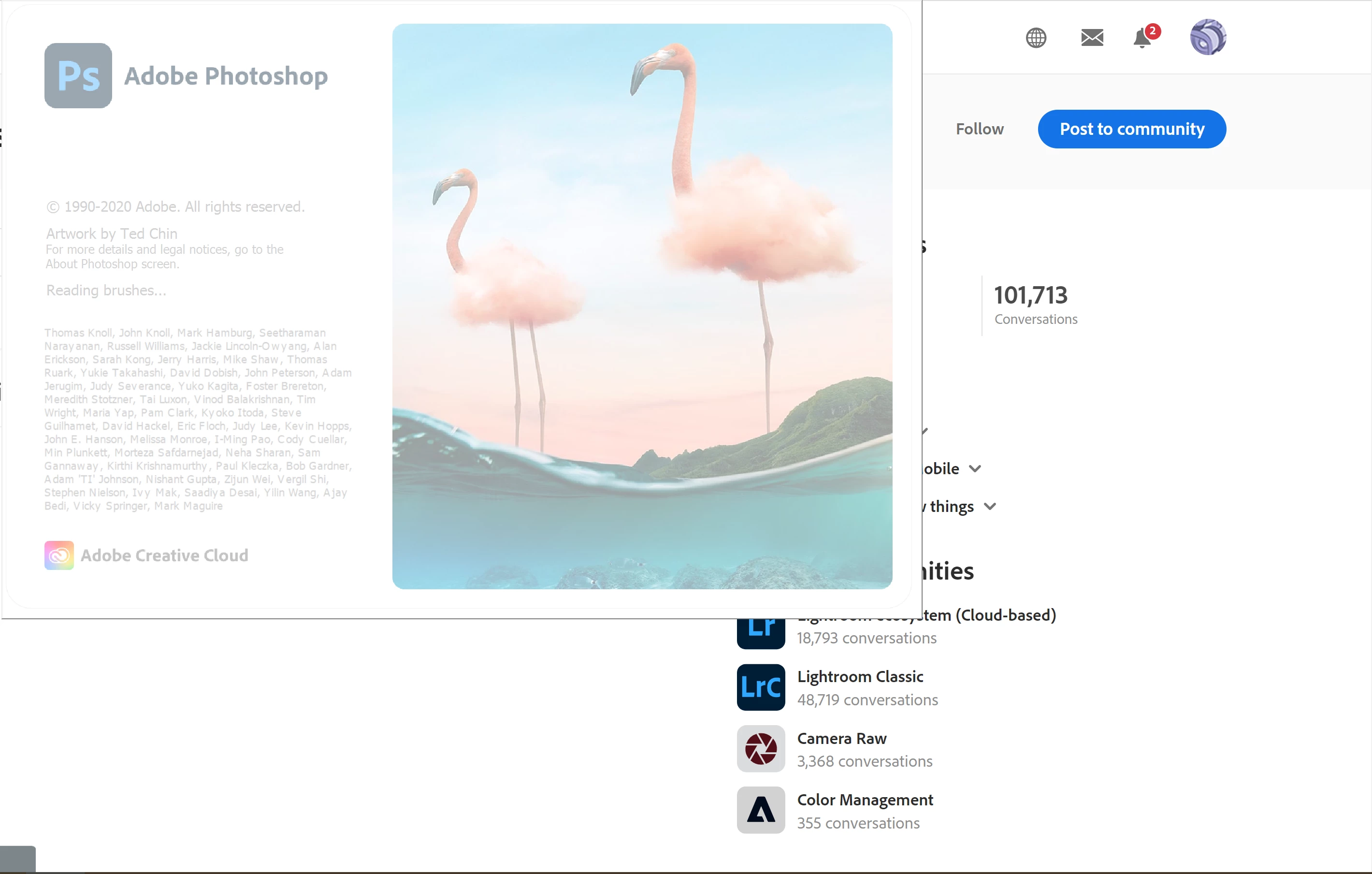
Photoshop stucks while launching

  • February 2, 2023
  • 17 replies
  • 1654 views

Hello,
I am using photoshop 22.2.0 and everytime when I start photoshop stucks on reading brushes part of launching. After several crushes it opens but that is really annoying. How can I solve this problem? 

Thanks.


This topic has been closed for replies.
Correct answer CShubert

One last thing to try @cemc18303069  would be the manual prefs trash and see if the loading of Ps is getting hung up on a pref..


Let's make sure we're in a default state and there are no stale settings somewhere: 

Restore your preferences using this manual method:  

https://helpx.adobe.com/photoshop/using/preferences.html#Manually 

Does it work correctly? 

If that doesn't solve it, you can quit Photoshop and put the Settings folder back. 


Thank you,

Cory

17 replies

Kevin Stohlmeyer
Community Expert
Community Expert
February 2, 2023

Hi @cemc18303069 one thing you can try once you get into Photoshop is to go to Preferences/Technology Preview and try activating "Older GPU Mode (2016)" some users with Nvidia cards have noted improvement even with newer cards.

Besides your system specs - what do you have allocated for Scratch Disk (Photoshop Preferences/Scratch Disk).

You list a 512 GB HD but how much is actually available/Free?

The other thing is to check for updated drivers for your card.

Inspiring
February 2, 2023

Hello,

Here is my system info;
CPU: Intel Core i7 7700HQ Kaby Lake

GPU: Nvidia GTX 1050 2GB
RAM:16GB DDR4 
512 GB SSD

CShubert
Community Manager
Community Manager
February 2, 2023

Thank you for the update @cemc18303069 


What is your systems info? What OS, what processor, RAM, video card, etc.  If you could open Ps there is a way to get all this info, but since you can't launch Ps....


Let's make sure you system is up to specs for Ps:

https://helpx.adobe.com/photoshop/system-requirements.html


Thank you,

Cory

Inspiring
February 2, 2023

Hello,

I removed PS with Cleaner tool and reloaded latert version. Still got this issue but now it stucks shorter than previous version. 

Mohammad.Harb
Community Expert
Community Expert
February 2, 2023

Are you on Mac or window ? 

Have you tried reseeting the preferences settings ? 

Kevin Stohlmeyer
Community Expert
Community Expert
February 2, 2023

Hi @cemc18303069 

Try holding ctrl + alt + shift and then launch Photoshop. This will ask if you want to reset your preferences. Click Yes.


Note: you wont be able to reinstall v22.2.0 without contacting Adobe Support - currently only versions 23.x and 24.x are available in the Creative Cloud Desktop app/

CShubert
Community Manager
Community Manager
February 2, 2023

Hi @cemc18303069 sorry to hear you are having issues. Have you tried unintalling and then reinstalling Ps?


https://helpx.adobe.com/creative-cloud/kb/cc-cleaner-tool-installation-problems.html


Thank you,

Cory