rebeccac27185262
Participant
January 23, 2018
Question

Photoshop templates in New-Document do not load

  • January 23, 2018
  • 2 replies
  • 438 views

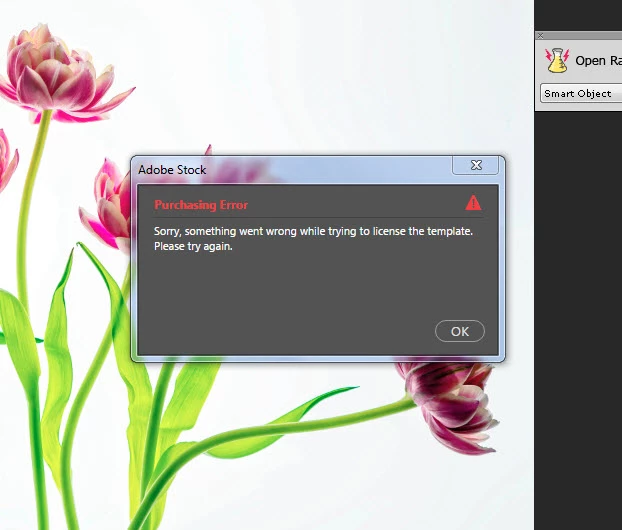
I use Photoshop CC latest version 2017.  I wanted to try some of the new templates.  I opened a photo, went to New-document and selected one of the free templates to download.  I received a "sorry something went wrong while trying to license the template. Please try again".  The templates are marked as FREE.  Every template I clicked on in every category gave me the same message.

Does anyone know why or what I can do to make these work?

Thanks

Rebecca
    This topic has been closed for replies.

    2 replies

    hahnsmith
    Participant
    June 4, 2018

    I have the 2018 version, have logged out and back in ans still get this message.  Using Windows 10

    Sahil.Chawla
    Adobe Employee
    Adobe Employee
    January 31, 2018

    Hi Rebecca,

    we're sorry that you're receiving this error while trying to download a free template, could you try closing Photoshop, signing out and back into the Creative Cloud desktop app and try downloading the template again?

    To sign out of CC app, open it, click on the gear icon, select Preferences... in the menu, then click on the Sign Out button.

    Also, please let us know which operating system are you working on?

    Regards,

    Sahil