Answered
Photoshop Tools switching without pressing shortcut
When I'm using Tool B (brush) and E (erase), they are switching automatically without me pressing the shortcut, what's happing?

When I'm using Tool B (brush) and E (erase), they are switching automatically without me pressing the shortcut, what's happing?
Hi @andrez20371307 Curious if you have tried changing the springboard keyboard shortcuts time? By default it is set to 200ms which is what it has been for years so if that doesn't work for your workflow, increase the timing or uncheck that option so that spring-loaded keyboard shortcuts are disabled if that fits your workflow.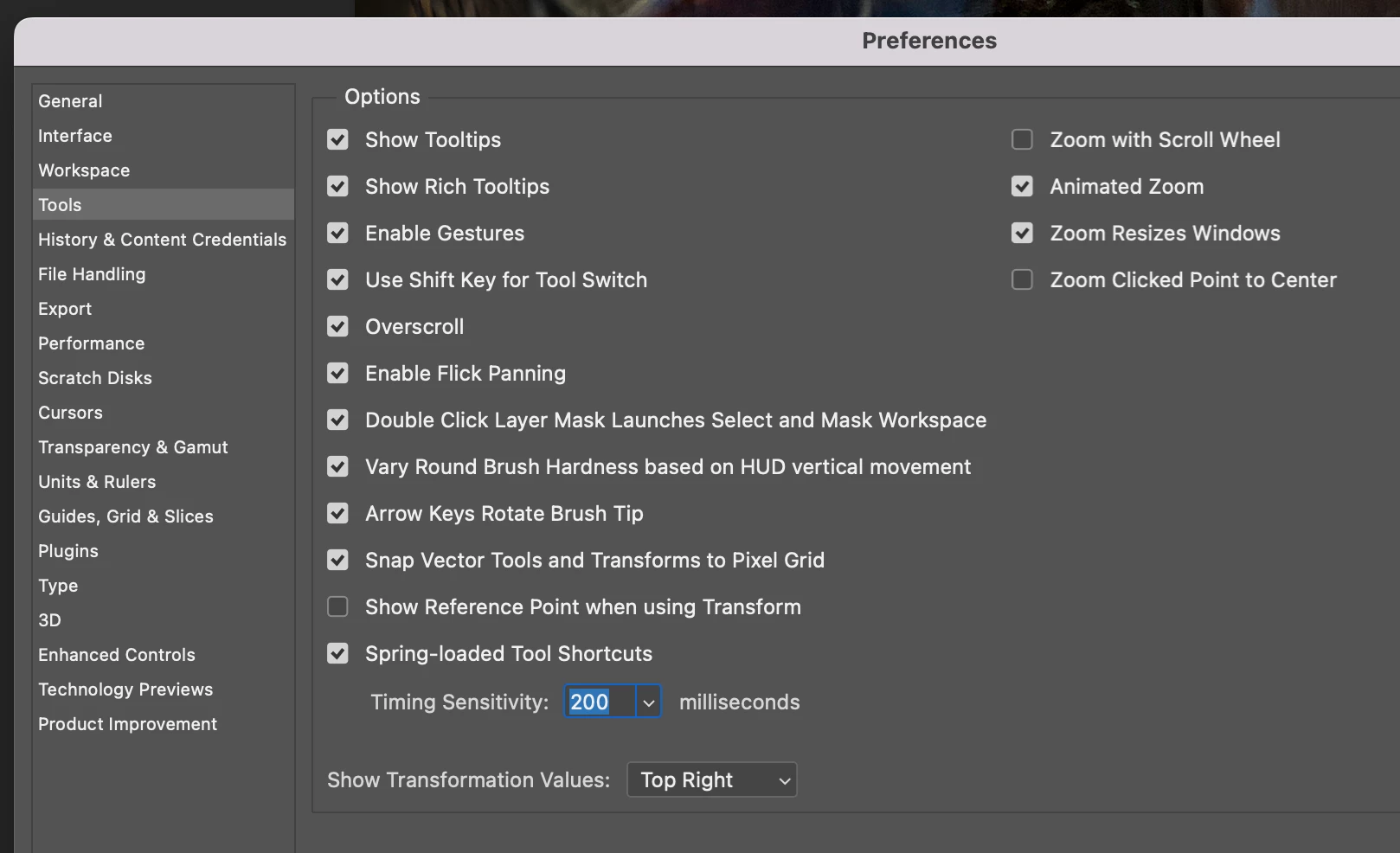
Thank you,
Already have an account? Login
Enter your E-mail address. We'll send you an e-mail with instructions to reset your password.
 AdChoices