Participant
May 18, 2019
Answered

Photoshop: Unwanted opaque background lines in drawings

  • May 18, 2019
  • 1 reply
  • 534 views

I've been messing around on Photoshop with drawings, and on all of my files, I get these unwanted lines that cut through my work.
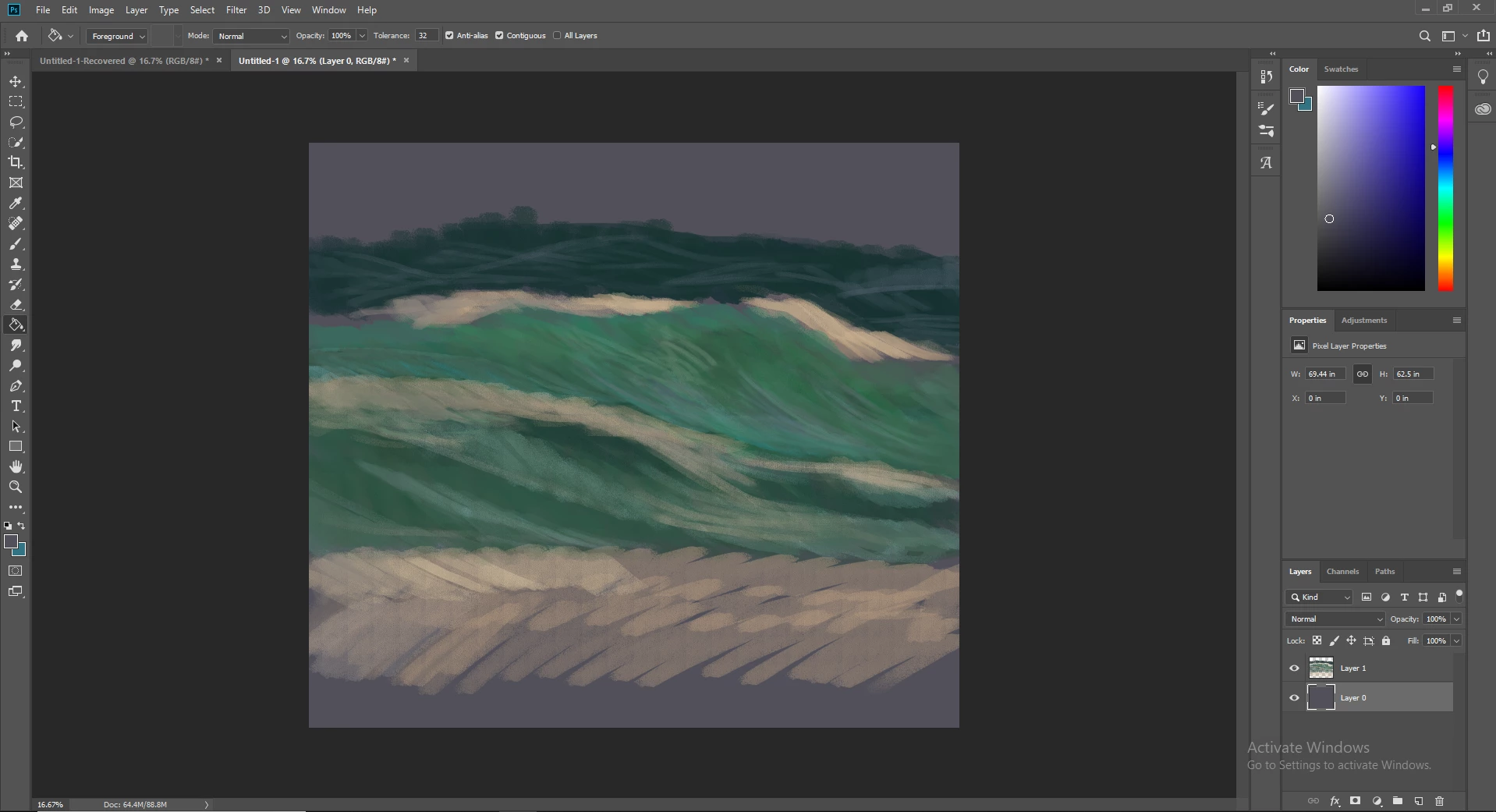
It is particularly obvious towards the bottom. I think it may have something to do with the Opacity of my brush, combined with the dark background. I don't think its my brush strokes as Ive drawn the image diagonally. Any help to figure out a fix would be greatly appreciated.

Cheers, Sam

This topic has been closed for replies.
Correct answer c.pfaffenbichler

The texture seems to be seamless (as far as one can tell based on the small preview).

Does unchecking »Texture« change the brush’s behaviour when you paint new strokes?

The next suspect might be »Dual Brush« – if you uncheck that do the patterns appear in new brush strokes?

If that doesn’t help could you provide an abr-file of just the affected brush for testing?

1 reply

c.pfaffenbichler
Community Expert
Community Expert
May 18, 2019

Please post a screenshot of the Brush Settings Panel for the Brush.

Is »Texture« checked? If so please post the texture.

saml96Author
Participant
May 18, 2019

Here is the screenshot for the texture settings.

Here is a screenshot of the brush settings.

Thanks!

c.pfaffenbichler
Community Expert
c.pfaffenbichlerCommunity ExpertCorrect answer
Community Expert
May 18, 2019

The texture seems to be seamless (as far as one can tell based on the small preview).

Does unchecking »Texture« change the brush’s behaviour when you paint new strokes?

The next suspect might be »Dual Brush« – if you uncheck that do the patterns appear in new brush strokes?

If that doesn’t help could you provide an abr-file of just the affected brush for testing?