
jtilling345
Participant
December 28, 2018
Answered

Photoshop white gradients/greys turning brown.

  • December 28, 2018
  • 6 replies
  • 2317 views

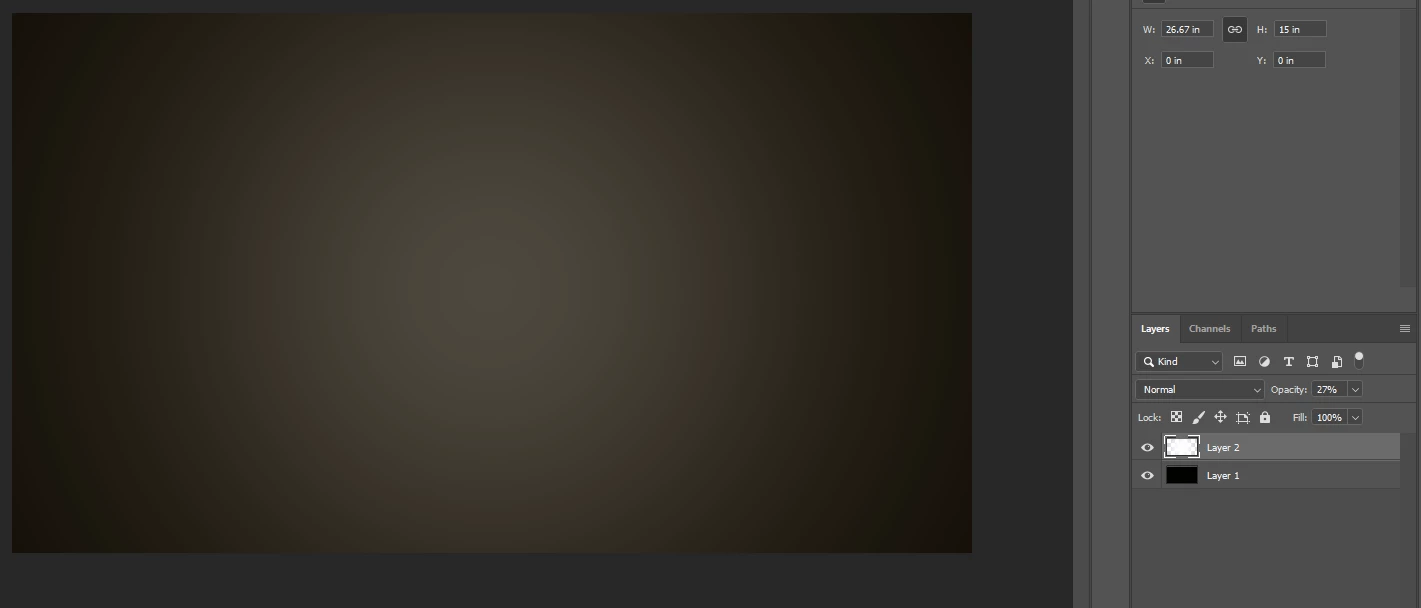
My photoshop was working perfectly and now my gradients don't seem to work and everything (Mainly greys) has a weird brown color to it. please help! The second picture is of a white radial gradient that looks brown.
This topic has been closed for replies.
Correct answer D Fosse

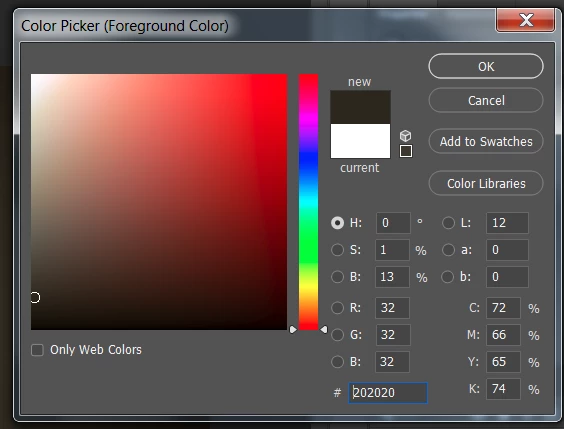
When the color picker looks like that, it's a broken monitor profile.

6 replies

D Fosse
Community Expert
D FosseCommunity ExpertCorrect answer
Community Expert
December 28, 2018

When the color picker looks like that, it's a broken monitor profile.

jtilling345
Participant
December 29, 2018

How do I reset monitor profile to fix it?

Norman Sanders
Legend
December 28, 2018

This Lab reading confirms the brown result you are seeing. The a and the b channels should each read zero. Currently the  a. channel is reporting a tinge of magenta and the b channel reports a stronger yellow.

jtilling345
Participant
December 29, 2018

I'm not sure exactly what your saying here, when i go to the "color picker" to change foreground or background color it looks like this. It's a brownish where my grey colors should be.

andreamaestri
Participating Frequently
December 28, 2018

Did you updated Windows recently? It seems that some users have some problems with color profiles lately, might be worth to revert before the last update.

D Fosse
Community Expert
Community Expert
December 28, 2018

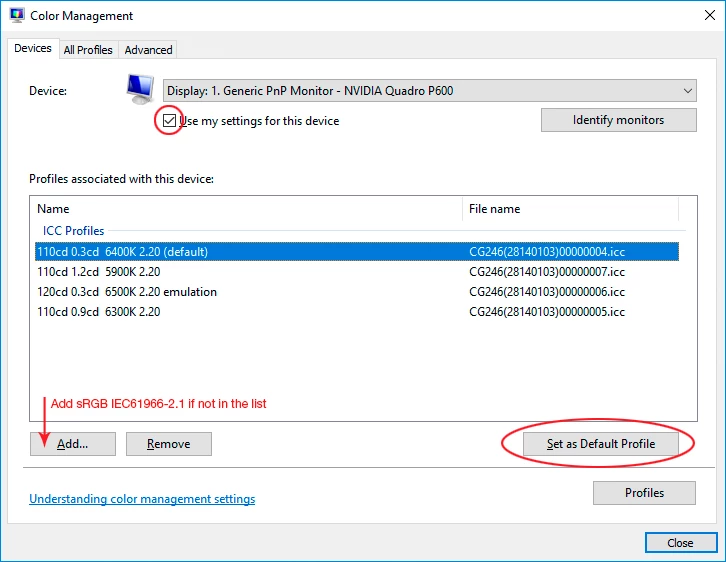
This is a defective monitor profile, most likely delivered through Windows Update. Replace it with sRGB IEC61966-2.1 if you don't have a calibrator to make a new one.

rob day
Community Expert
Community Expert
December 28, 2018

What color profile is assigned to the gradient document?

December 28, 2018

Hi

Have you tried resetting the Tools

If that doesn't help try resetting PS preferences

jtilling345
Participant
December 29, 2018

didn't work. Thank you though