Participant
April 3, 2020
Answered

Photoshop: Why does my "Add Layer Mask" Button always look like it is selected?

  • April 3, 2020
  • 2 replies
  • 1095 views

Hello! I have been using Photoshop for a few years now, and all of the sudden, my "Add Layer Mask" Button is always selected. Anyone know how to fix this? I have already tried hitting Q on my keyboard, but that does not help. Thank you!
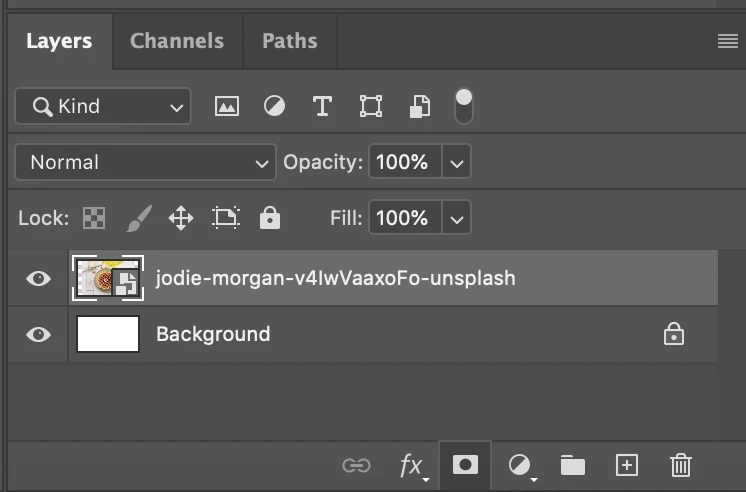
This topic has been closed for replies.
Correct answer PECourtejoie

Hello, it is a bug that is fixed in the just released Ps 21.1.2, see:  https://helpx.adobe.com/photoshop/kb/fixed-issues.html#photoshop-desktop-fixed-issues

2 replies

Participant
December 12, 2022

 I have the same problem version 23.5.3 and I can't update anymore coz my mac is old

melissapiccone
Community Expert
Community Expert
December 12, 2022

I can't upgrade on my old iMac either - just have to live with the old quirks. 

Melissa Piccone | Adobe Trainer | Online Courses Author | Fine Artist
PECourtejoie
Community Expert
PECourtejoieCommunity ExpertCorrect answer
Community Expert
April 14, 2020

Hello, it is a bug that is fixed in the just released Ps 21.1.2, see:  https://helpx.adobe.com/photoshop/kb/fixed-issues.html#photoshop-desktop-fixed-issues

Participant
April 14, 2020

Thank you! It seemed to fix itself!