
Participating Frequently
September 24, 2017
Answered

Photoshop will not open or create new documents

  • September 24, 2017
  • 1 reply
  • 1782 views

Opened Photoshop today and tried to open some images.  It acts like it's doing it for a minute, then it just pops the recent splash screen up again.  Will not open or create new documents.  If I try to create a new document, it won't even respond to mouse clicks on the create button.  I even uninstalled and reinstalled photoshop with the same result.

I am annoyed and stumped.
    This topic has been closed for replies.
    Correct answer JJMack

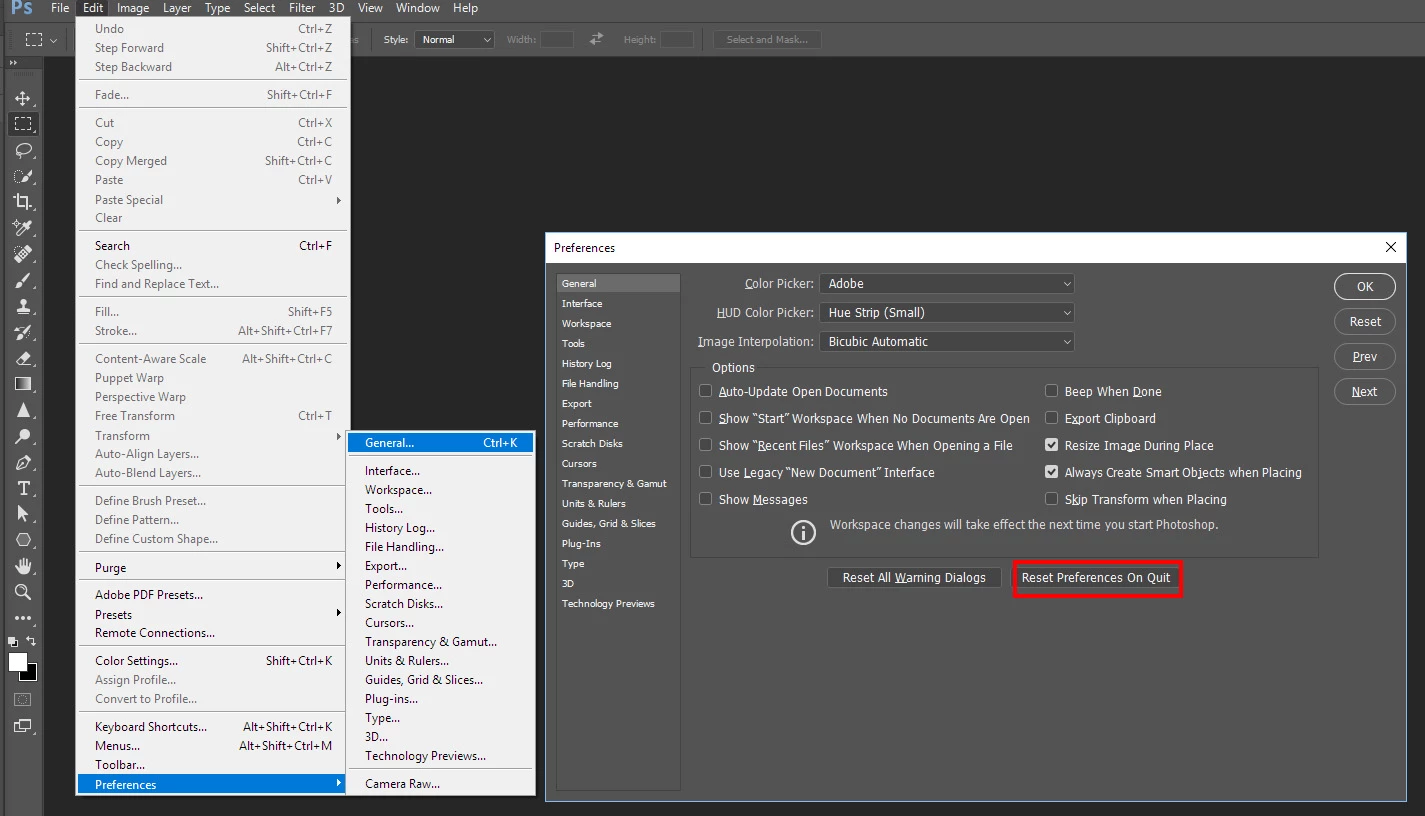
    What version of Photoshop.  If you using CC 2017 and it opens you can use menu Edit>Preferences>General.

    1 reply

    JJMack
    Community Expert
    Community Expert
    September 24, 2017

    Try resetting you user ID Photoshop Preferences if Photoshop use to work work for you.  Uninstalling and reinstalling Photoshop does not change your user id current Photoshop preferences.  If they were corrupted they will still be corrupted.  Corrupted Photoshop Preferences file can cause all sorts of problems

    JJMack
    Participating Frequently
    September 24, 2017

    Where is that at?

    JJMack
    Community Expert
    JJMackCommunity ExpertCorrect answer
    Community Expert
    September 24, 2017

    What version of Photoshop.  If you using CC 2017 and it opens you can use menu Edit>Preferences>General.

    JJMack