
Participant
April 3, 2018
Answered

Photoshop windows 'dragging' after High Sierra update?

  • April 3, 2018
  • 1 reply
  • 477 views

Hi everyone,

I've never posted in here before, but have googled myself crazy and cannot find the solution to my problem anywhere.

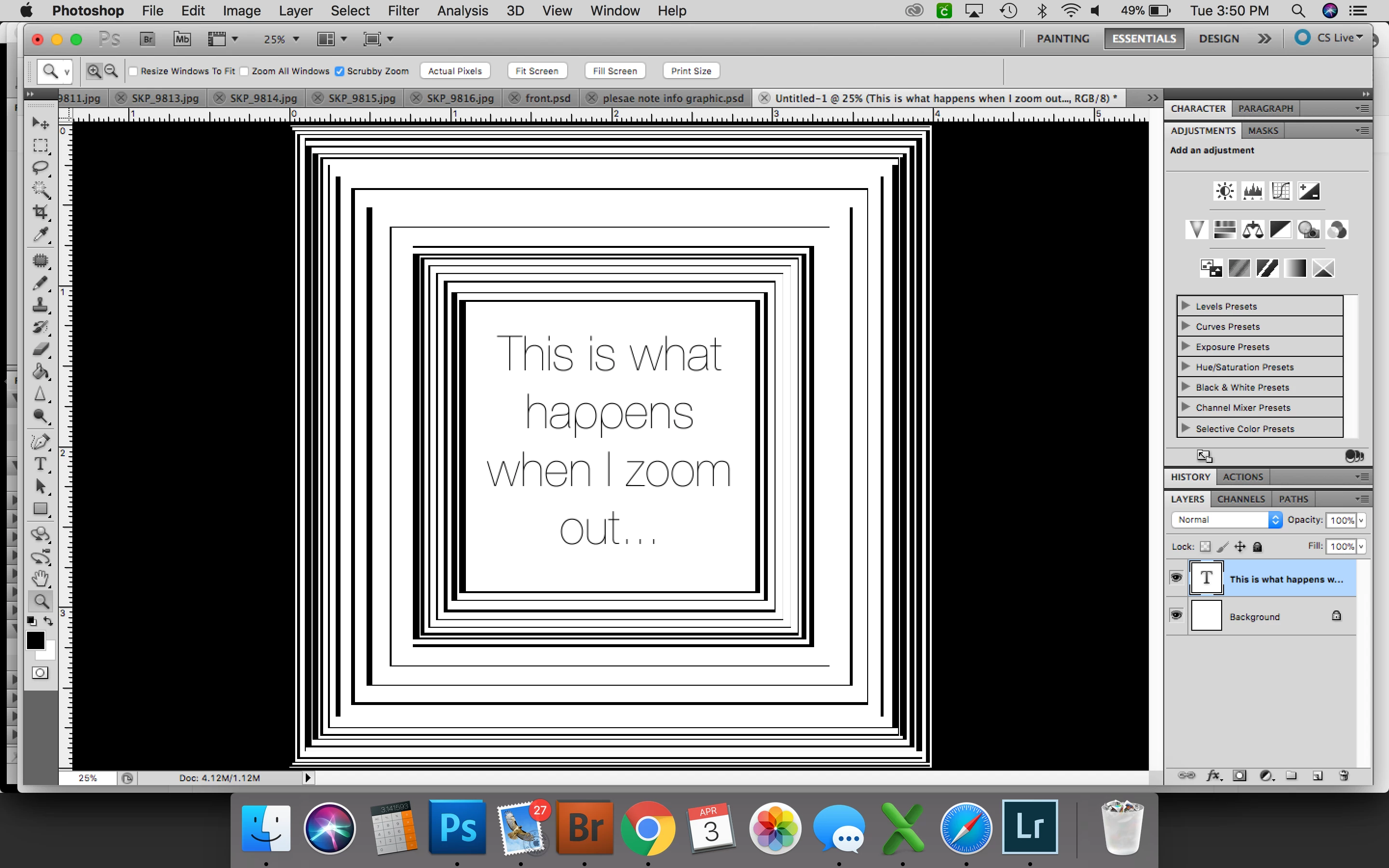
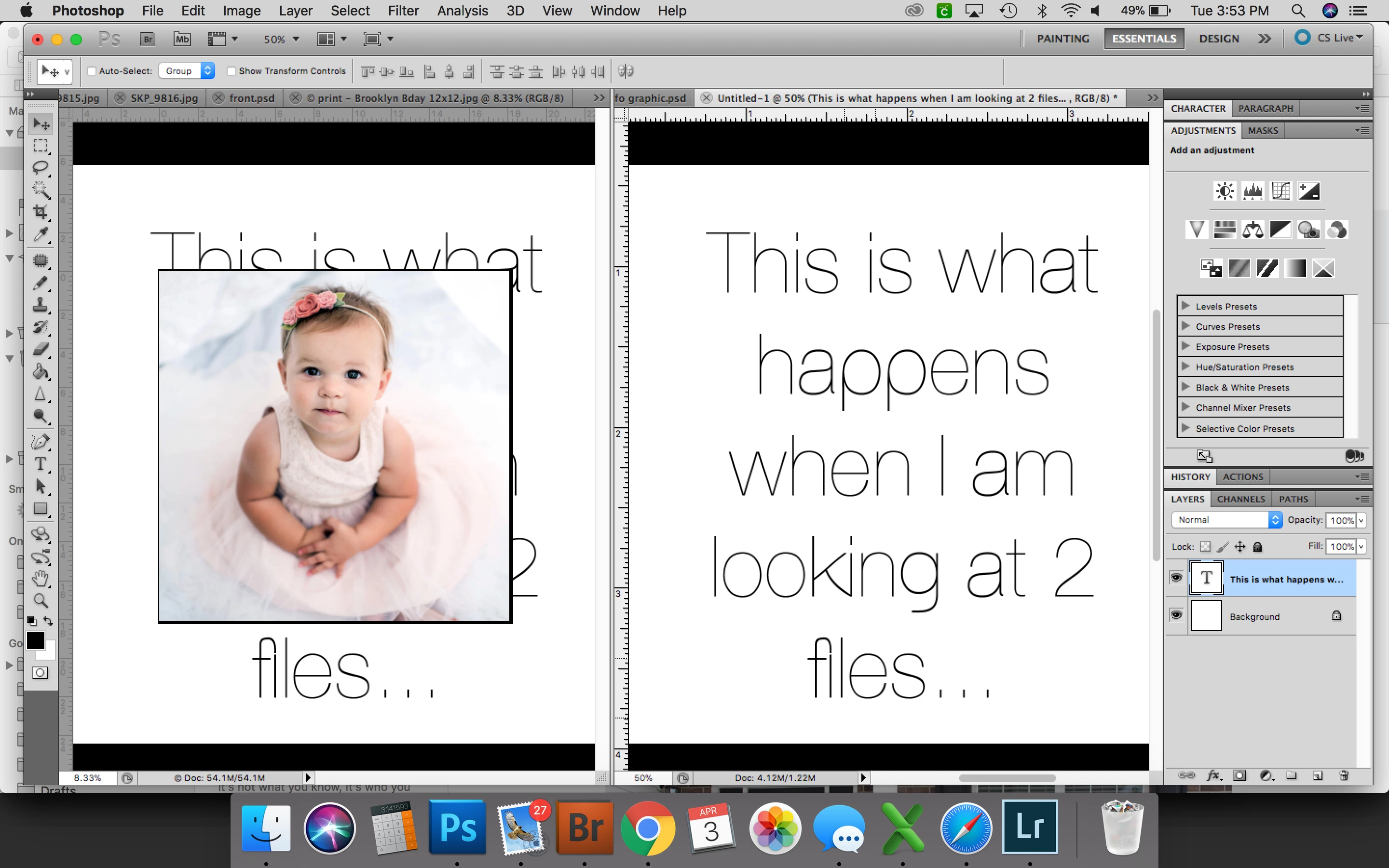
I was SO reluctant to update my macbook to High Sierra, but several things just made it necessary. As soon as I started it back up after the update, things started acting weird with photoshop. The most annoying one that I cannot seem to fix is the 'dragging' of the window when I zoom in or out or if I'm looking at two files, whichever file I'm looking at has the second file in the background. I've attached a few pictures. Any suggestions at all would be amazing. This is driving me nuts!
    This topic has been closed for replies.
    Correct answer gener7

    It should not happen, so first thought is to reset preferences.

    Hold down cmd-opt-shift, start Photoshop, and Yes to delete the settings file.

    Also paste your Photoshop System Info in your reply. Go to help > System Info, click Copy and Cmd v the results if the reset does not work.

    1 reply

    gener7
    Community Expert
    gener7Community ExpertCorrect answer
    Community Expert
    April 3, 2018

    It should not happen, so first thought is to reset preferences.

    Hold down cmd-opt-shift, start Photoshop, and Yes to delete the settings file.

    Also paste your Photoshop System Info in your reply. Go to help > System Info, click Copy and Cmd v the results if the reset does not work.

    Participant
    April 4, 2018

    That worked! You have saved my sanity!!! Thank you!