
Participant
November 13, 2016
Pregunta

Photoshop won't load.

  • November 13, 2016
  • 2 respuestas
  • 905 visualizaciones

Hello, when I turned my computer on this morning, and tried to open the psd file I was working on yesterday, It opened photoshop with a blank screen:
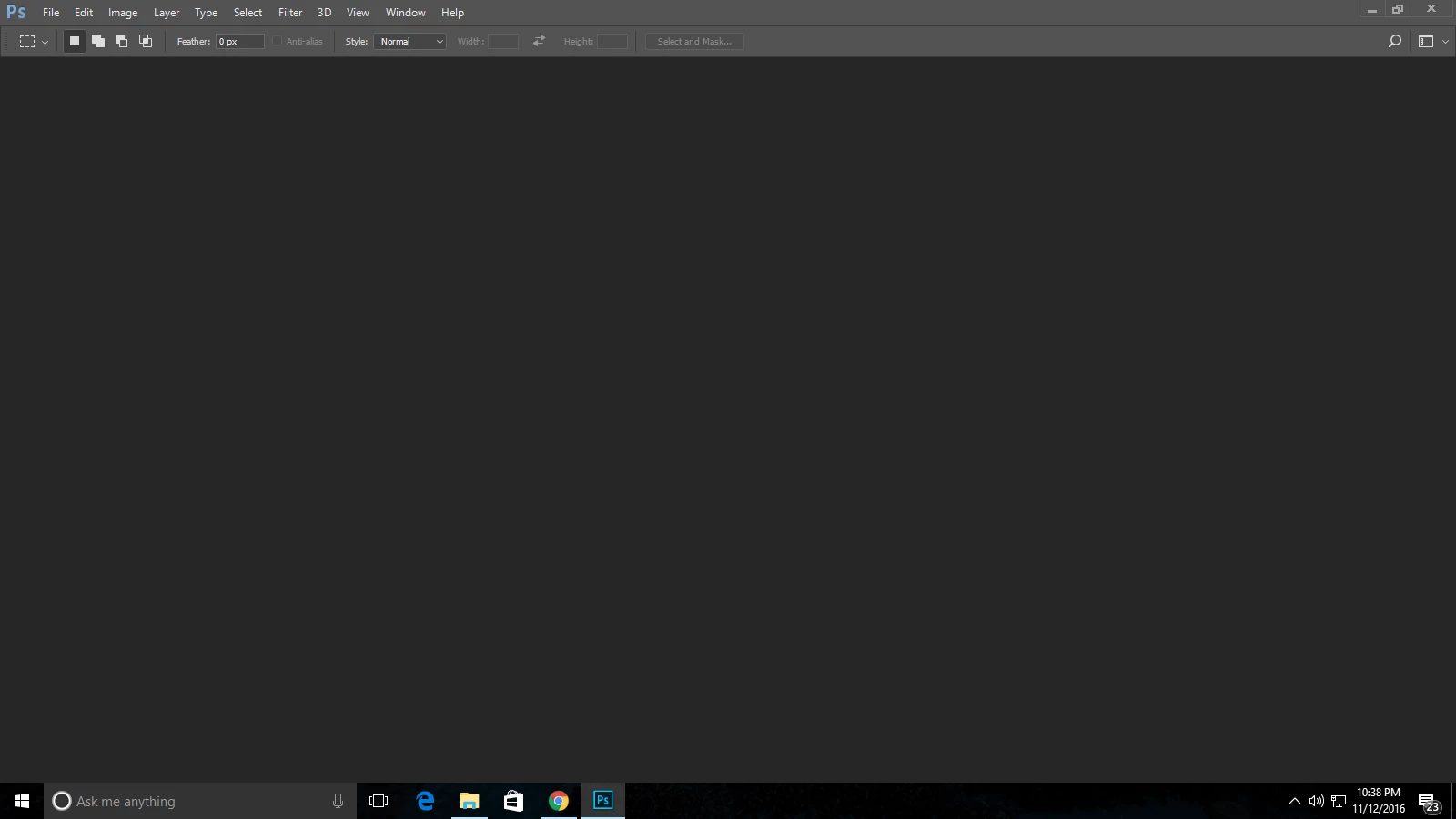
Photoshop was working fine yesterday. It lets me make a new document and save it, but when I close it, it won't let me open it again. Also when I try to make a change, for instance, fill the background red. Here's a short video.

Photoshop Specs:

Adobe Photoshop Version: 2017.0.0 20161012.r.53 2016/10/12:23:00:00 CL 1094006  x64

Number of Launches: 1

Version: 10 or greater

System architecture: AMD CPU Family:15, Model:4, Stepping:3 with MMX, SSE Integer, SSE FP, SSE2, SSE3

Physical processor count: 4

Processor speed: 3215 MHz

Built-in memory: 6143 MB

Free memory: 2912 MB

Memory available to Photoshop: 5159 MB

Memory used by Photoshop: 70 %

Alias Layers: ^0

Modifier Palette: Enabled.

3D Multitone Printing: Disabled.

Highbeam: Enabled.

Image tile size: 1028K

Image cache levels: 4

Font Preview: Medium

TextComposer: Latin

Display: 1

Display Bounds: top=0, left=0, bottom=900, right=1600

OpenGL Drawing: Enabled.

OpenGL Allow Old GPUs: Not Detected.

OpenGL Drawing Mode: Basic

OpenGL Allow Normal Mode: False.

OpenGL Allow Advanced Mode: False.

AIFCoreInitialized=1

AIFOGLInitialized=1

OGLContextCreated=1

NumGLGPUs=1

NumNativeGPUs=0

Hope you can help!

    Este tema ha sido cerrado para respuestas.

    2 respuestas

    Participant
    November 13, 2016

    BUMP

    Michael Riordan
    Inspiring
    November 13, 2016

    Hi Jake

    haven’t seen this particular issue, but when Photoshop freaks out on me in some way I trash its preferences.

    To restore preferences quickly using a keyboard shortcut: Press and hold Alt+Control+Shift (Windows) or Option+Command+Shift (Mac OS) as you start Photoshop. You are prompted to delete the current settings. The new preferences files are created the next time you start Photoshop.

    This is a little tricky to do. You can’t hold the keys down and then start photoshop, you have to start photoshop and the IMMEDIATELY mash the 3 keys down in order to beat Photoshop’s startup routine to the next step. So, hold your fingers at the ready above the keys, launch Photoshop and MASH! if you do NOT get a dialogue box asking if you want to trash the preferences then you were too slow, quit photoshop, and try again. and again.

    Hope that helps

    Michael Riordan

    Owner/Adobe Certified Instructor

    Digital DesignLab

    Oak Park, IL

    http://www.learnadobesoftware.com

    Participant
    November 13, 2016

    I tried uninstalling it, and when it prompted me to uninstall preferences, I pressed yes. It still doesn't work when I reinstall it.