
Participant
April 29, 2018
Answered

Photoshop won't open file

  • April 29, 2018
  • 1 reply
  • 3373 views

My photoshop app on my laptop has always been fine. Yesterday though, I tried to work on a file, and when I tried to open it with photoshop, I got a message, "cannot open file because photoshop cannot find file." It says that with everything, including files I have already worked on in photoshop.

What should I do?
    This topic has been closed for replies.
    Correct answer

    Hi

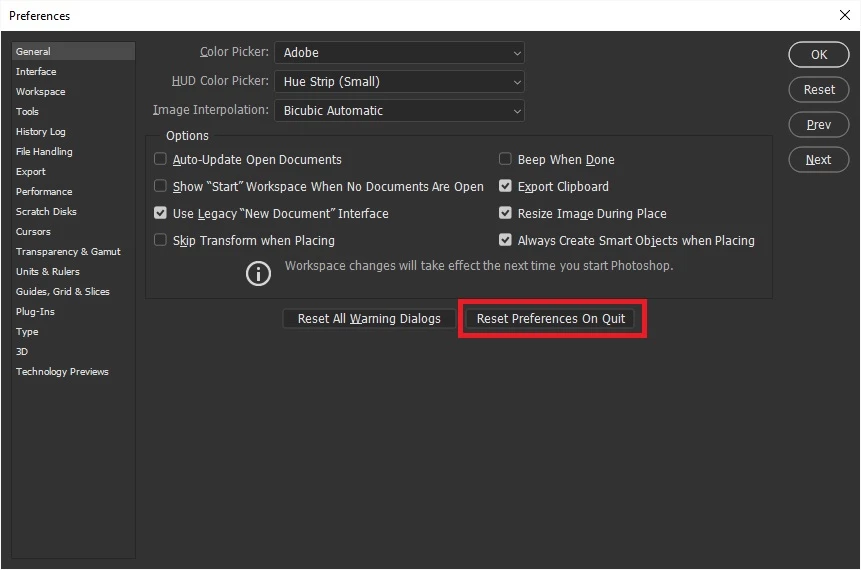
    Try resetting Photoshop preferneces

    To restore preferences quickly using a keyboard shortcut: Press and hold Alt+Control+Shift (Windows) or Option+Command+Shift (Mac OS) as you start Photoshop. You are prompted to delete the current settings. The new preferences files are created the next time you start Photoshop

    1 reply

    Correct answer
    April 29, 2018

    Hi

    Try resetting Photoshop preferneces

    To restore preferences quickly using a keyboard shortcut: Press and hold Alt+Control+Shift (Windows) or Option+Command+Shift (Mac OS) as you start Photoshop. You are prompted to delete the current settings. The new preferences files are created the next time you start Photoshop

    keiwest2016
    Participant
    December 29, 2023

    This worked!   Thank you!