Participant
February 6, 2018
Answered

Photoshop workspace upscaled after update

  • February 6, 2018
  • 1 reply
  • 348 views

Dear all,

since I've applied the new update my workspace resolution was changed. Before the update it was quite small but perfect to handle. All relevant options and toolbars such as "layers", "corrections" were in perfect scale, but now it's really big and since I am using a 15' screen I can't use photoshop properly.

As you can see the toolbar in the right of my screen is really big. When I am working on a document I have to scroll and to minimize every toolbar. Before the update everything was fine, smaller and easier to handle. In the second picture you can see in Illustrator the same "toolbar" in the size as it was in Photoshop before.

I would be thankful if someone could help me.

BTW: I've already tried to change in the preset as it is written in the support here as well but it didn't change anything at all. No matter about 100%, 200%...

Regards,

Jens
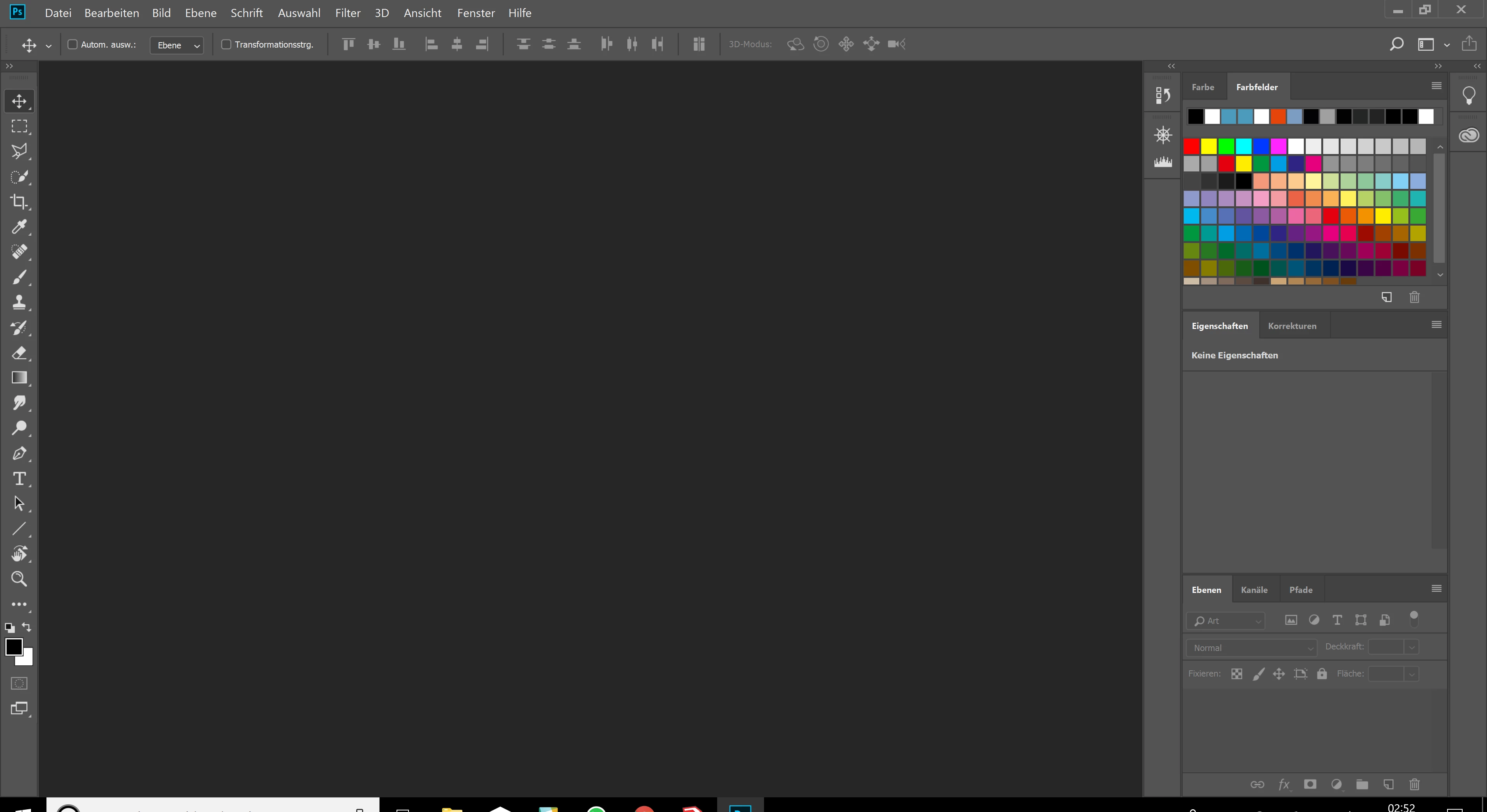
Toolbar size in Photoshop.
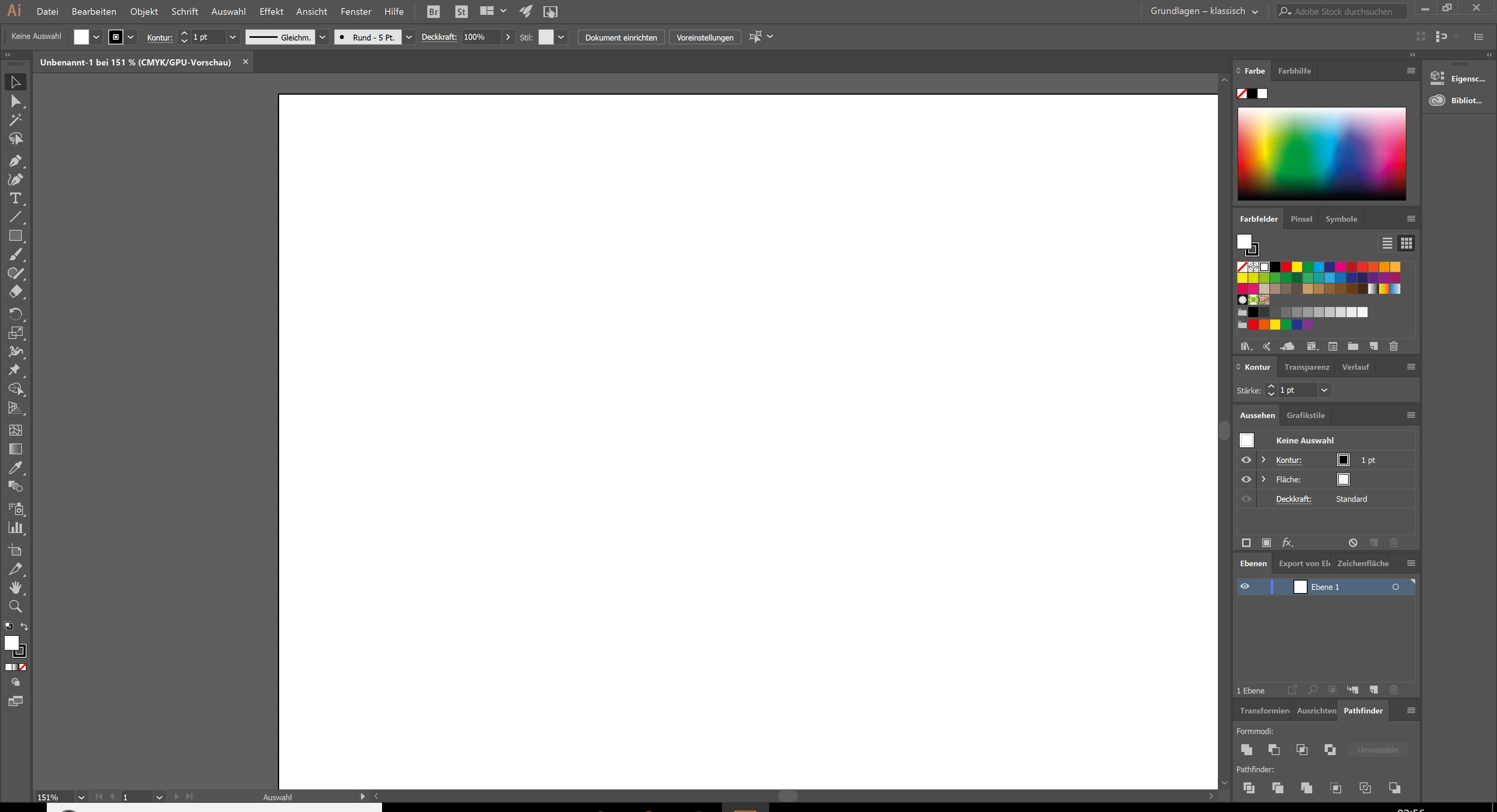
In Illustrator (perfect size for me and how it was before the update of Photoshop)

    This topic has been closed for replies.
    Correct answer JJMack

    If you have Window 10 Creators edition and CC 2018 19.1 the UI scale Preference does nothing it not used. It is your Windows Display settngs.... set it to 100%

    Windows High-Density Monitor Support

    With this release, Photoshop on Windows 10 Creator’s Edition now offers a full range of choices for UI scale factors from 100% through 400%, in 25% increments. This means that the Photoshop user interface will look crisp, beautiful, and the right size no matter the density of your monitor. Photoshop will now automatically adjust itself based on your Windows settings, making it simple to set up.

    1 reply

    JJMack
    Community Expert
    JJMackCommunity ExpertCorrect answer
    Community Expert
    February 6, 2018

    If you have Window 10 Creators edition and CC 2018 19.1 the UI scale Preference does nothing it not used. It is your Windows Display settngs.... set it to 100%

    Windows High-Density Monitor Support

    With this release, Photoshop on Windows 10 Creator’s Edition now offers a full range of choices for UI scale factors from 100% through 400%, in 25% increments. This means that the Photoshop user interface will look crisp, beautiful, and the right size no matter the density of your monitor. Photoshop will now automatically adjust itself based on your Windows settings, making it simple to set up.

    JJMack
    Participant
    February 6, 2018

    Well, thank you for your answer, I've actually figured out somehting like this yesterday but it's still not the most satisfying option but it works somehow. I hope Adobe will change it or at least apply a button or something for changing this in the preset.

    JJMack
    Community Expert
    Community Expert
    February 6, 2018

    The UI scale preference should just be removed it serves not function. Photoshop automaticly use your display the way you have setup windows to handle your displays.   There is no Photoshop scaling option now.

    JJMack