Inspiring
June 18, 2018
Answered

Pixalated Font Edge

  • June 18, 2018
  • 7 replies
  • 984 views

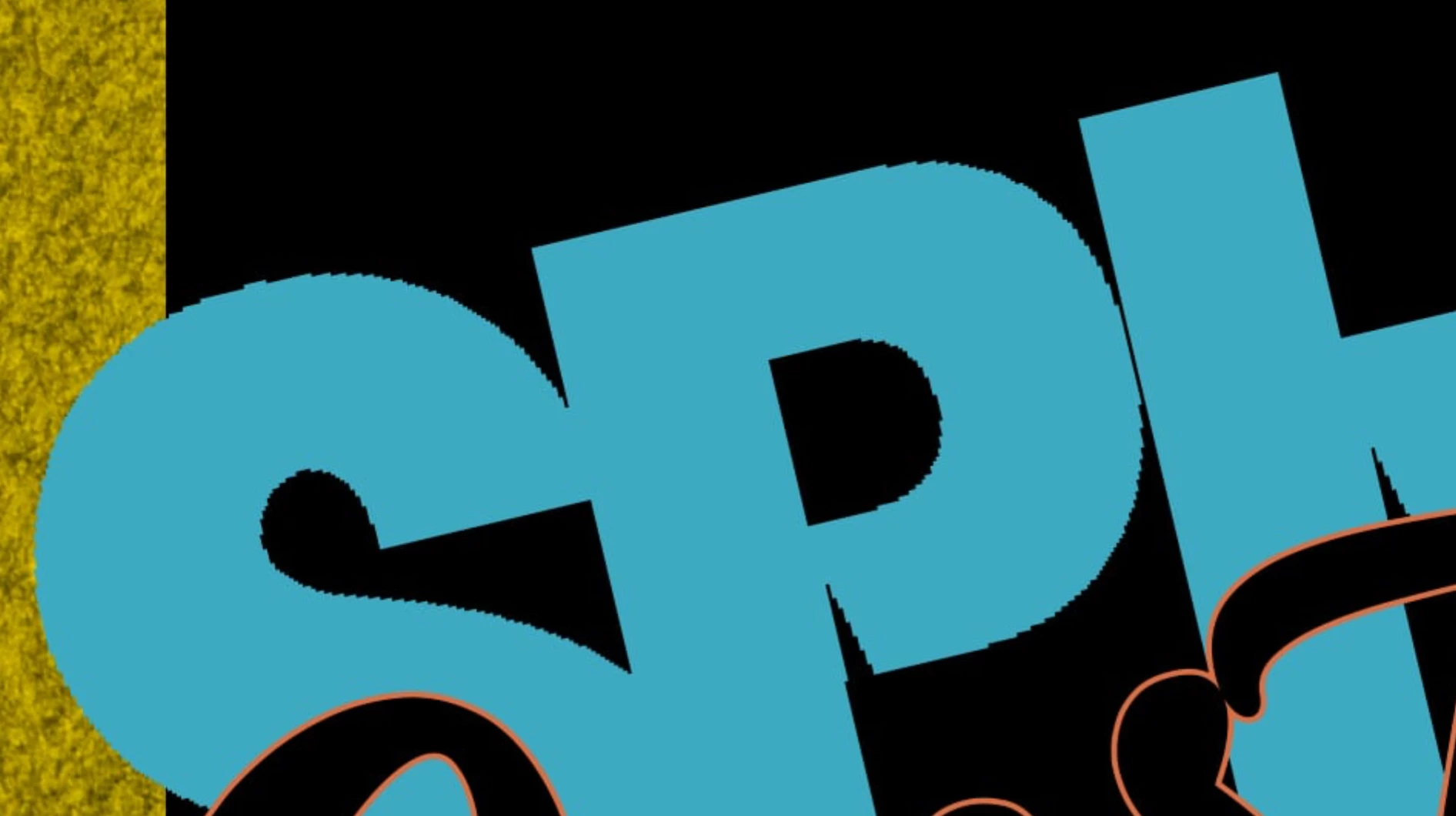
This is the first time ive come across this, im pretty sure its the actual font, half pixalated/ half crisp edge?, had a look at alias etc, doesnt do anything different, i really like the font though, is there a solution?, all the other text is fine, cheers
    This topic has been closed for replies.
    Correct answer Semaphoric

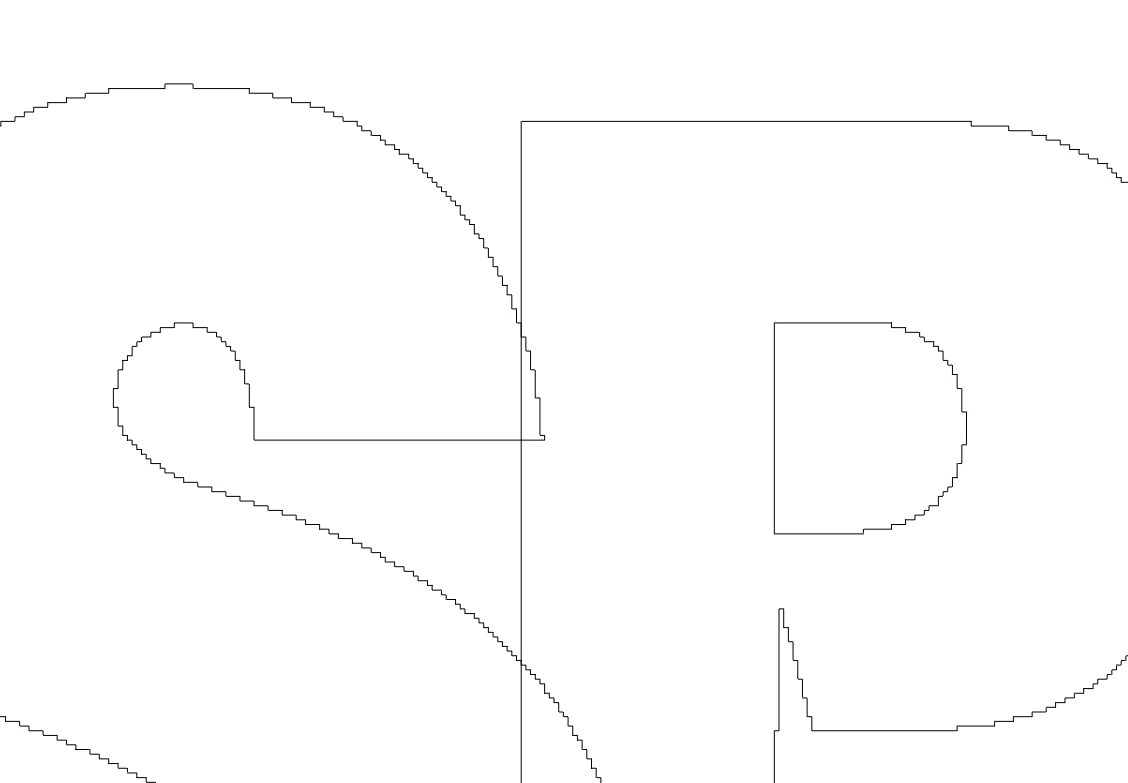
    Here's your problem: whoever made the font  was a hack. Here's a work path made from some text (@800%)


    And here it is showing the control points:


    This font is free, and worth the price.

    7 replies

    Semaphoric
    Community Expert
    SemaphoricCommunity ExpertCorrect answer
    Community Expert
    June 19, 2018

    Here's your problem: whoever made the font  was a hack. Here's a work path made from some text (@800%)


    And here it is showing the control points:


    This font is free, and worth the price.

    Inspiring
    June 19, 2018

    i knew it would be the font, in the end, im just going to delete it.

    Inspiring
    June 19, 2018

    ive only used some the folders/layers and changed the sizes, of the graphics within etc, which look perfect in a new document i created at 300dpi, size 61cm x 91.5cm,

    the original template info says “1080×1080”

    Abambo
    Community Expert
    Community Expert
    June 19, 2018

    jordanbanimaton​: JJMack​ now asked you twice for some precise set of information. Guess-working is not quite rewarding. But anyhow, my guess would be anti-alias.

    ABAMBO | Hard- and Software Engineer | Photographer
    Inspiring
    June 19, 2018

    the original is a template psd, but i used the elements & placed them into a larger document, but the font i just installed from dafont. changed the text & size. (smaller)

    wrestlemania - Search - dafont.com

    which is the same font suggested in the original template psd, i changed the text, i think i might have rotated it, or might have been at that angle originally. every other text is fine. anti alias makes no difference if set to anything other than none.

    JJMack
    Community Expert
    Community Expert
    June 19, 2018

    can you provide the structure of the template psd and its size and resolution.

    JJMack
    Omar.Fathy
    Community Expert
    Community Expert
    June 19, 2018

    - Make Sure that your text anti-alias doesn't set to None:

    - Make sure that you didn't make a rasterize to your text layer so it will be like that:

    Not like that:

    Inspiring
    June 19, 2018

    It might be a bit of work, but (assuming you have just a bitmap version of this font) you could save out just that layer, and then use Illustrator's Trace function to make a vector version that you could scale to any size, with nice edges.

    Semaphoric
    Community Expert
    Community Expert
    June 18, 2018

    What is the font? Is it live, editable text? It looks like either a bitmap font or type with no antialiasing that has been rasterized, then scaled up, and finally rotated.

    JJMack
    Community Expert
    Community Expert
    June 18, 2018

    It is hard to know what you are doing Photoshop's UI is missing.  We have no idea of sizes of elements like text font, document resolution, Size and Zoom level.

    Supply pertinent information for quicker answers

    • The more information you supply about your situation, the better equipped other community members will be to answer. Consider including the following in your question:
    • Adobe product and version number
    • Operating system and version number
    • The full text of any error message(s)
    • What you were doing when the problem occurred
    • Screenshots of the problem
    • Computer hardware, such as CPU; GPU; amount of RAM; etc.
    JJMack