

axoltim
Participant
May 14, 2022
Question

Pixel Grid disappears after enabling custom grid - and can not be renabled!

  • May 14, 2022
  • 1 reply
  • 518 views

Photoshop 23.3.2
I use the Pixel Grid almost every single day, and this just started happening.
I had to reset my preferences to get to the stages to recreate this:

Open a file
Zoom in to 500%+
I can see the pixel grid.
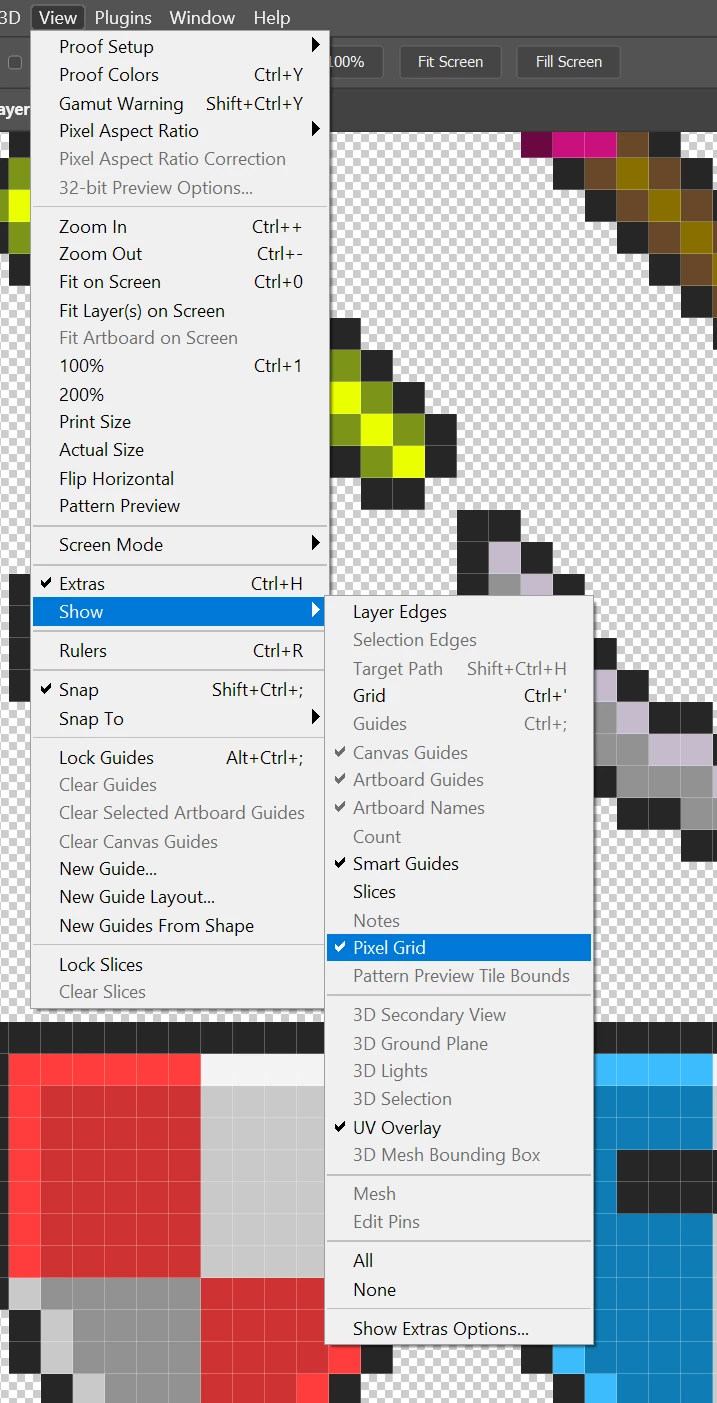
It is even an option I can toggle in the View>Show menu
If I then hit "Ctrl+'" or click the option to enable the "Grid" in View>Show, the Grid appears, but the Pixel Grid disappears - and I CAN NOT get it back until I reset my preferences on exit and quit the program.
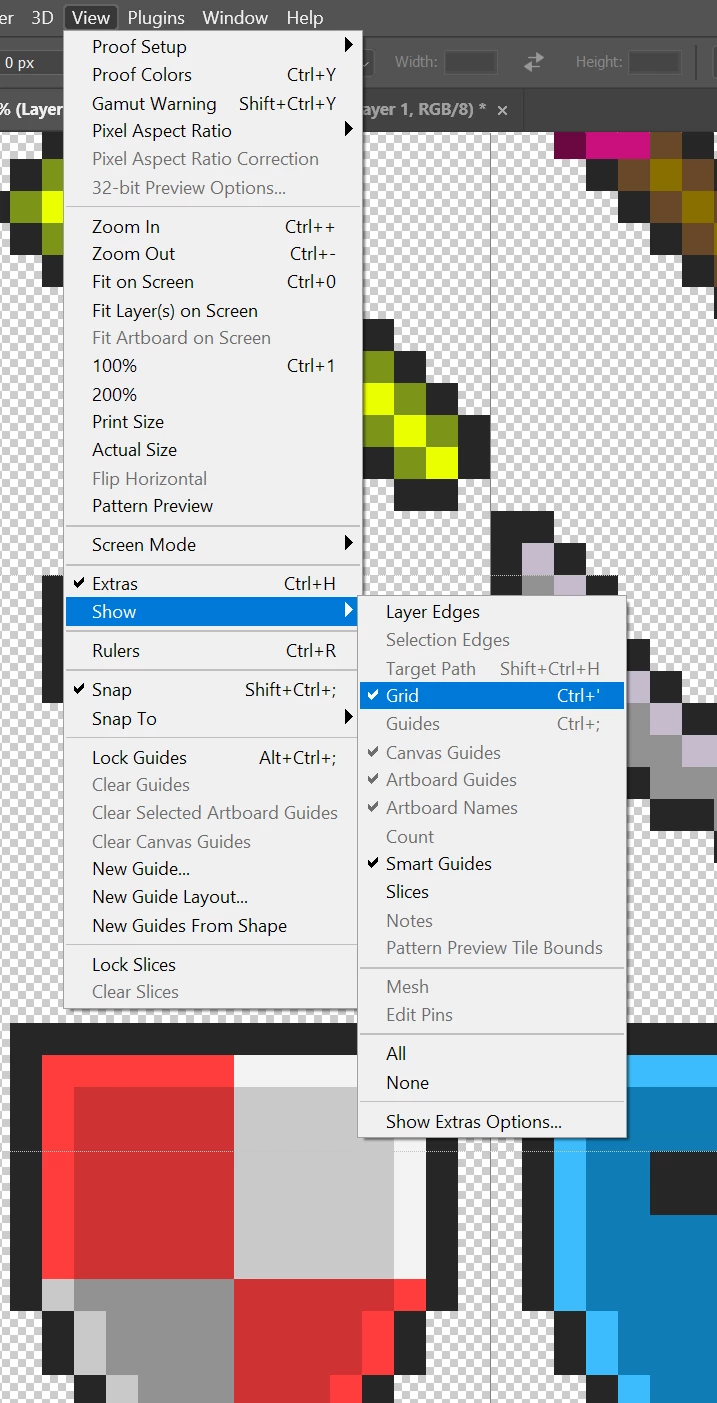
Even after turning off the Grid, the option to show the Pixel Grid is still missing.
I do almost exclusively pixel art for games all day long. I really would apprectiate being able to fix this ASAP.


[ Pictures enlarged by moderator because forum function is disturbed ]

This topic has been closed for replies.

1 reply

davescm
Community Expert
Community Expert
May 14, 2022

I cannot replicate that here in Photoshop 23.3.2  on Windows 10, using GPU NVidia RTX3090. The pixel grid on screen and in the menu remains no matter how I set the Grid


Have you tried going to Preferences > Performance > Graphics Processor Settings > Advanced Settings and unchecking GPU compositing to see if that makes a difference?


Dave

axoltim
axoltimAuthor
Participant
May 14, 2022

I checked and GPU Compositing was Unchecked.
I checked it on, restarted the application and the Pixel Grid is still missing.
Checked it off again, restarted the application, and still nothing.
It's not even an option in the "Show Extra Options" menu.


I would like to point out that I have been using Photoshop professionally for years. Maybe over a decade at this point.
I've been using it on this computer for over 5 years and have not changed anything recently. This was working as recently as a few days ago... 

Play my games: https://axolstudio.com