Participant
March 10, 2022
Question

Pixel grid does not look correct on my computer

  • March 10, 2022
  • 1 reply
  • 213 views

This is what I initially have, a pure black photo.
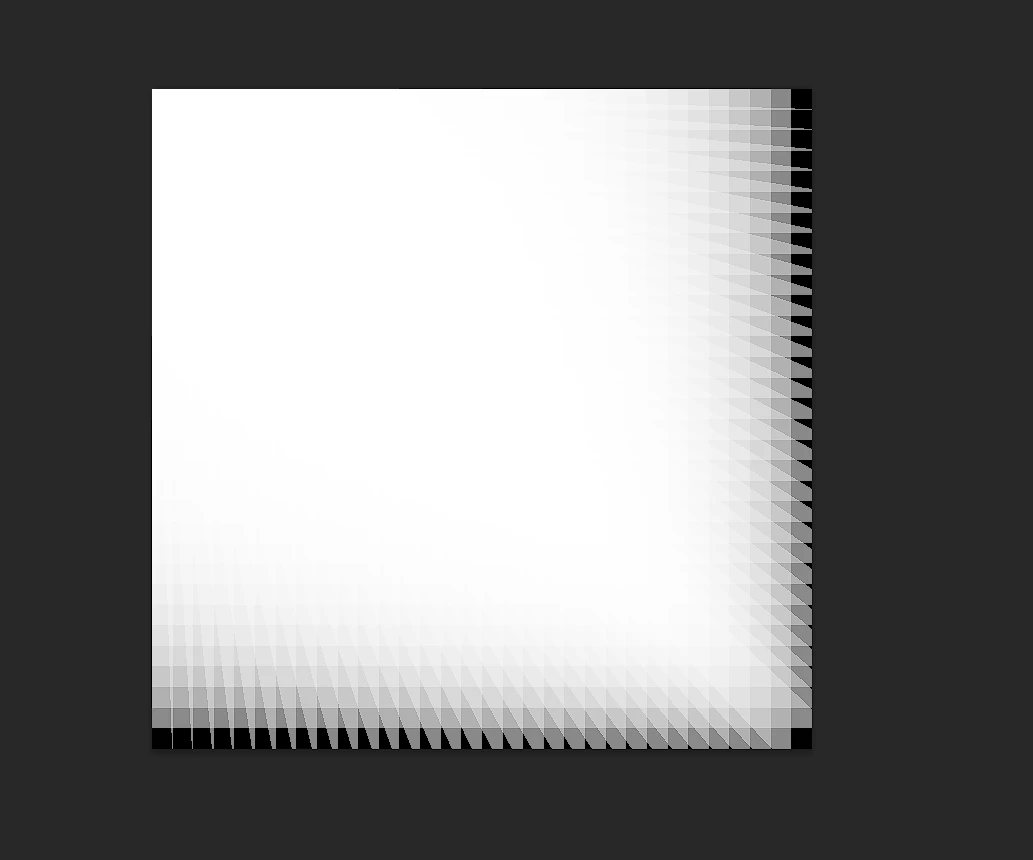
 

This is what I see after I open the pixel grid.

I have no idea why this is happening.

Version: Photoshop 2022 23.2.1

Platform: Windows 10, AMD Ryzon 5600X, AMD R6600xt

This topic has been closed for replies.

1 reply

Ranjisha Sengupta
Legend
March 10, 2022

Hi there,


We're sorry to see the issue with the pixel grid that you see in Photoshop.

We're here to help. Is it happening with all the files, or particularly this file? Did you try to uncheck and check the option for grid lines to see if it makes any difference? Since when is it happening? 

Go to Photoshop's Preferences > Performance and uncheck Use Graphics Processor and relaunch the application.

See if it sorts out this issue. If not, you may reset Photoshop preferences back to defaults and check if that helps. Here's the article for the steps: https://adobe.ly/3ceal5t Also, back up the existing Photoshop preferences if you have any custom brushes, action, and workspace: https://adobe.ly/2vNz6FG.


Let us know if this helps.

Thanks,

Ranjisha

Participant
March 10, 2022

If you uncheck Use Graphics Processor, you will not be able to use the pixel grid anymore...

This is happening to all files on this computer. The same procedure works fine on my other computer, which is an MBP.

Ranjisha Sengupta
Legend
March 11, 2022

Thanks for the update. Did you try resetting the preferences?