
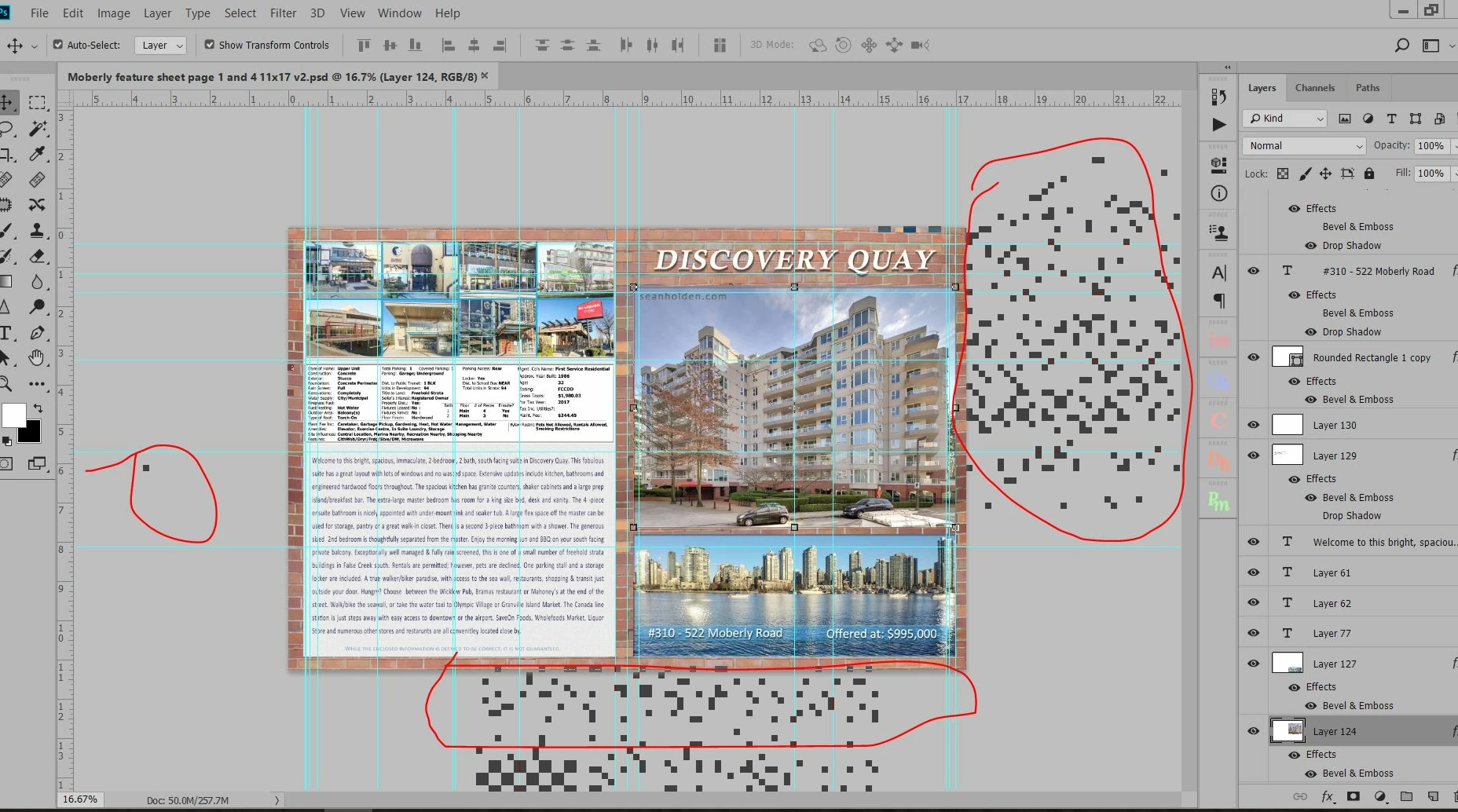
pixelated backround when scaling large file
I am having trouble when editing larger images in a file with layers. I select an image or layer and while I am scaling it, the background becomes pixelated with large flashing squares. Very distracting. I have a new Intel NUC and wondering if it is a graphics card issue?
Adobe Photoshop Version: 19.1.1 20180206.r.254 2018/02/06: 1156206 x64
Number of Launches: 109
Operating System: Windows 10 64-bit
Version: 10 or greater 10.0.16299.15
System architecture: Intel CPU Family:6, Model:14, Stepping:9 with MMX, SSE Integer, SSE FP, SSE2, SSE3, SSE4.1, SSE4.2, AVX, AVX2, HyperThreading
Physical processor count: 2
Logical processor count: 4
Processor speed: 3504 MHz
Built-in memory: 16270 MB
Free memory: 8419 MB
Memory available to Photoshop: 14325 MB
Memory used by Photoshop: 69 %
Alias Layers: Disabled.
Modifier Palette: Enabled.
Highbeam: Enabled.
Image tile size: 128K
Image cache levels: 4
Font Preview: Medium
TextComposer: Latin
System info:
Name Intel(R) Iris(R) Plus Graphics 650
PNP Device ID PCI\VEN_8086&DEV_5927&SUBSYS_20688086&REV_06\3&11583659&0&10
Adapter Type Intel(R) Iris(R) Graphics Family, Intel Corporation compatible
Adapter Description Intel(R) Iris(R) Plus Graphics 650
Adapter RAM 1.00 GB (1,073,741,824 bytes)
Installed Drivers C:\Windows\System32\DriverStore\FileRepository\ki126218.inf_amd64_b758f45a509290e3\igdumdim64.dll,C:\Windows\System32\DriverStore\FileRepository\ki126218.inf_amd64_b758f45a509290e3\igd10iumd64.dll,C:\Windows\System32\DriverStore\FileRepository\ki126218.inf_amd64_b758f45a509290e3\igd10iumd64.dll,C:\Windows\System32\DriverStore\FileRepository\ki126218.inf_amd64_b758f45a509290e3\igd12umd64.dll
Driver Version 23.20.16.4901
INF File oem15.inf (iKBLD_w10_DS section)
Color Planes Not Available
Color Table Entries 4294967296
Resolution 1920 x 1080 x 60 hertz
Bits/Pixel 32
 AdChoices