
Participating Frequently
May 29, 2018
Question

Pixelated Text - not common error

  • May 29, 2018
  • 10 replies
  • 6288 views

Good day

I have been using this licensed version of photoshop cs5 for several years. This morning my text was pixelated. I have spent several hours searching threads for an error that I could correct, but everything I am seeing does not correlate.

-Aliasing is off - it is set to smooth.

-I reset my PSD preferences.

-I restarted the program.

-I restarted the computer.

-I checked for updates/upgrades.

-I am viewing the image at 60%.

-The text is pixelated in both my working PSD file and my saved file whether it is png or jpeg or psd.

-I have tested paint brushes, shapes and lines and as far as I can tell they are not pixelated.

-I have tried several stock fonts, all are pixelated.

-I'm working with 1180 X 720 pixels and 72 resolutions pixels/inch.

here is a screen shot. It doesn't look terrible but it is definitely not smooth.
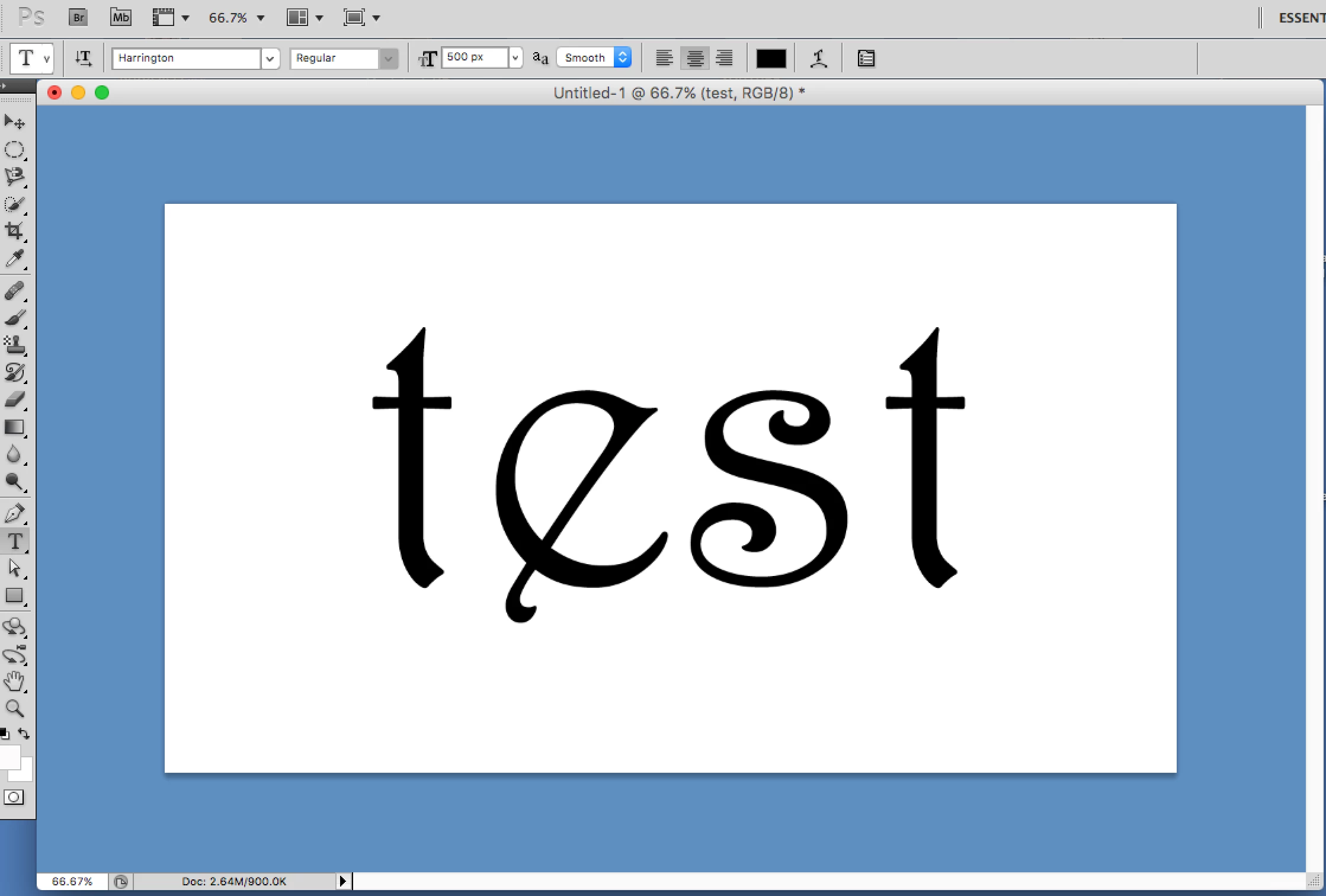
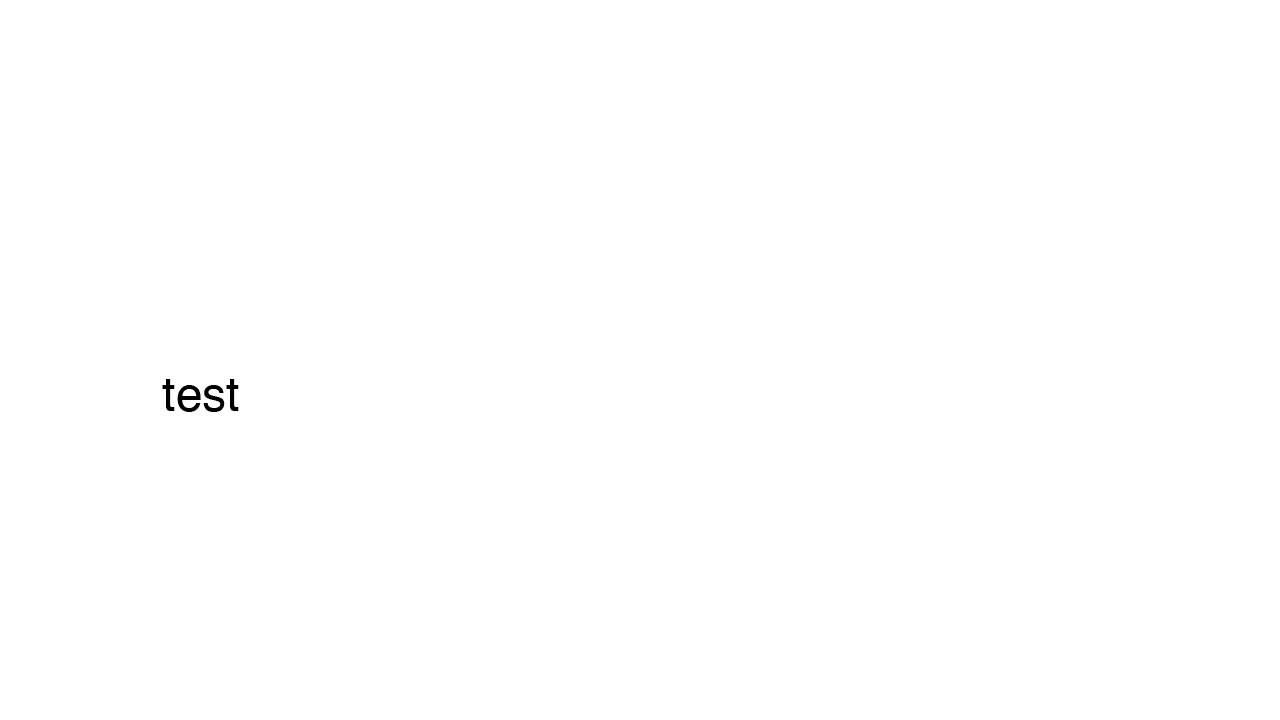
here is a jpg of a saved file. same size as above with smaller text in a different font. It looks smoother here but it really isn't. Get close and you can see the jagged edge.
Any help would be greatly appreciated. Thank you so much!

This topic has been closed for replies.

10 replies

Legend
August 8, 2018

To start with never use JPEG for text. It’s only for photographs- that’s what the P stands for. Use PNG. Also if you have a retina screen be sure you understand how and why most apps (but not Photoshop) will double the size.

pavkeee
Participating Frequently
August 8, 2018

Hey guys...I am new to Mac so I really need help with Photoshop....URGENT.

What is happening...I am a graphic and web designer for one company. I mostly use Illustrator for graphic work,  but when it comes to web I use Photoshop. I am on mac for one week. This is the first time I am creating a web page in Photoshop and I have a big problem with pixelated text.

Here's an .jpg example of text in Photoshop:

This is a 16pt text. I am using MacLCD as text option. When I open this image in Chrome, it shows me it's real size and it is very pixelated. I can't check the real look of my work. Everything is so bad. I also opened this image on Windows PC, and it looks the same...blurry and pixelated.

I have worked on PC until now, and I didn't have any problems with this or with Photoshop in past.

PLEASE HELP...

I am using MacbookPro 15" 2017, High Sierra 10.13.6 (17G65)
I am connected with LG 27" 4K screen with USB-C
I am using PhotoshopCC 2018

Now...even when I disconnect my screen, everything is the same. So the problem is not scaling to bigger screen.
Also, I don't have any issue with Illustrator CC 2018. Everything is perfect with it. It's just Photoshop.

Jeff Arola
Community Expert
Community Expert
May 30, 2018

I don't think there is anything wrong with your photoshop cs5.

Since your using a retina display and photoshop cs5 is not retina display compatible, meaning cs5 is shown in low resolution, it will always look a little soft in comparison to retina display compatible applications. Adobe added retina display support starting with an update to photoshop cs6.

Besides one should always judge what an image looks like at 100% view, but even then it won't look tack sharp because of the low resolution that cs5 is in.

Have you tried saving as a psd or tif and seeing what that looks like in Preview?

mglush
Community Expert
Community Expert
May 30, 2018

Hi!

I read above that this is happening in more than PS and AI -- is that correct? Did you check to see if maybe the font  folder has somehow been corrupted? Did you change any fonts lately? This may be a simple idea, but I just wanted to see if you have exhausted that option too.

Let us know!

Michelle

Participating Frequently
May 30, 2018

HI Thanks so much for your input. Thats a great idea. I haven't added any new fonts lately but I could certainly double check!

magical_Skyline0D4A
Inspiring
May 29, 2018

So the last and only possibility remains, uninstall and reinstall the CS5 software.

Otherwise I do not know what is causing the problem without having the computer here in front of me.

Participating Frequently
May 30, 2018

Indeed. I think this must be done. I'm not seeing anything else that could be possible. Thanks so much for taking the time to look at the problem!

magical_Skyline0D4A
Inspiring
May 30, 2018

We still have a chance that I had not taken into account, in previous versions as CS5 there were problems in the past that we later found that they were caused by corrupted Fonts downloaded for free from the network.

Copy and save the fonts you have installed in a folder on your desktop (so as not to lose them and having to search them one by one again) Mac OS X: Font locations and their purposes - Apple Support  ... uninstall all non-original Mac fonts and see if the problem disappears.

magical_Skyline0D4A
Inspiring
May 29, 2018

Photoshop CS5 is a rather old version and I see that instead you use a very recent and powerful graphics card as it is probably your computer.

But if you see pixelated fonts even in other programs what remains to be tried is the screen setting

Participating Frequently
May 29, 2018

GPU seems to be operating fine. I have the screen set for "default for display". Attaching images of GPU's and screen setting as well as about this mac for more info.

davescm
Community Expert
Community Expert
May 29, 2018

You do have some screen scaling set somewhere. Your screen resolution is shown as 2880x1800.

Yet your document which you say measures 1180x720 is taking up approx. 3/4 of your screen width at 66.7% zoom (at that zoom it should only be using around a quarter of your screen width and even at 100% zoom less than half).

Unfortunately I do not use a Mac so cannot suggest where to look for that scaling.

Dave

magical_Skyline0D4A
Inspiring
May 29, 2018

Follow these steps:

- First, look for updates for your graphics card

- Check in the preferences of the graphics card if there is the possibility to assign it to each program ... if you have doubts reset all defaults

- Right-click on the desktop and check how the graphics card works with the screen ... if you have doubts reset the preferences screen

- You need to look in these places for the solution not in Photoshop or Illustrator

Let me know if you could solve the problem!

Participating Frequently
May 29, 2018

Thank you. I will test these things out and get back to you with an update

davescm
Community Expert
Community Expert
May 29, 2018

Have you got any screen scaling enabled? The UI seems to show a similar level of pixelation in your screenshot

Dave

Participating Frequently
May 29, 2018

Hi Dave-
Hmm not that I know of. It looks like it is set to "Default for display" unless I need to check somewhere else...?

magical_Skyline0D4A
Inspiring
May 29, 2018

at this point is the graphics card, Photoshop is no longer using the graphics card.

Participating Frequently
May 29, 2018

The GPU seems to be recognized and in use by PhotoShop.

magical_Skyline0D4A
Inspiring
May 29, 2018

Hello,

- I think you inadvertently deactivated the antialiasing ... go to the menu "Text" > "Anti-alias" > then select the one you prefer as: precise, strong, rounded, ...

- otherwise the problem may be the monitor + graphics card and you should see the pixelated fonts also in other programs like Indesign, Illustrator, ...

Participating Frequently
May 29, 2018

Thanks for the reply. Unfortunately this is not the problem.
As I stated above, "-Aliasing is off - it is set to smooth."