scotwllm
Inspiring
December 4, 2021
Answered

Place object repeatedly on a single layer in a grid

  • December 4, 2021
  • 2 replies
  • 457 views

I want to copy a shape object 28 times onto  a single layer. The canvas size is 11 x 8.5 inches, and the grid is 7 wide by 4 tall. I need to do the same thing in a mask. 


Thanks in advance,


Scott

This topic has been closed for replies.
Correct answer JJMack

Place and Paste create new layers. So you can Place in or Paste in your object as a layer and duplicate the layer 27 times and position the 28 layers in a grid over the canvas and merges  the 28 layer into a single layer you blend into your document. You can code a Photoshop script to do that to a layer you Place or Paste into your document. A gride like 4 rows 7 columns.


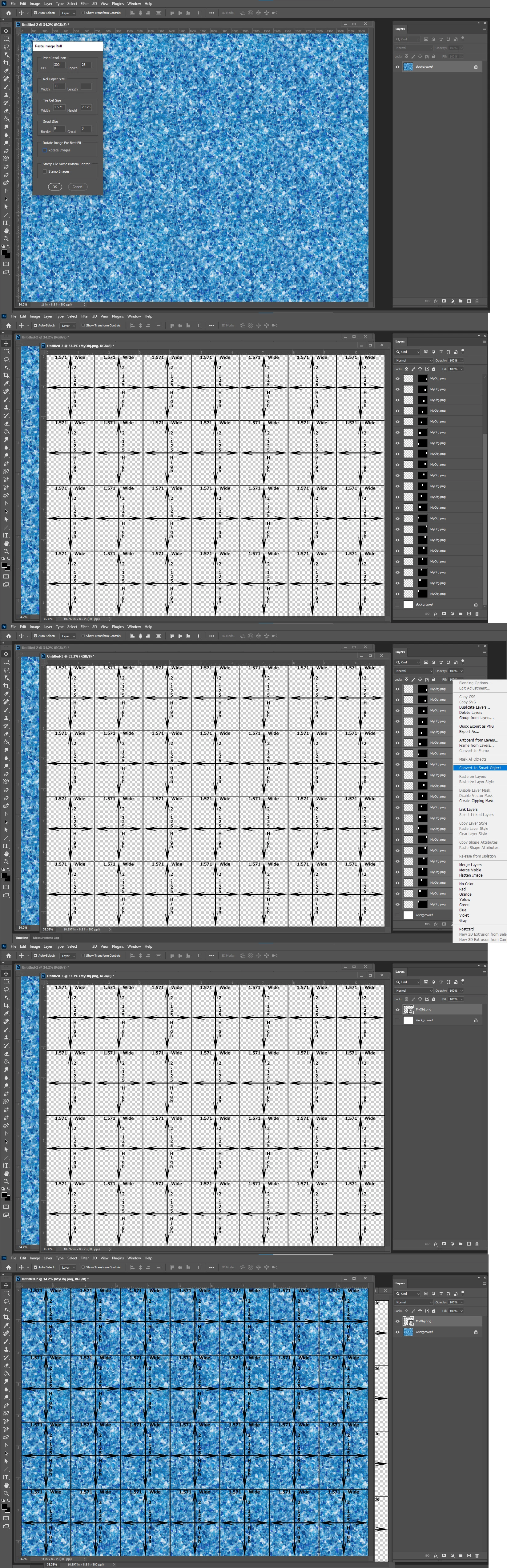
Or Make a Patten use a pattern Fill or Use my PastImageRoll script make  a grid of your object.
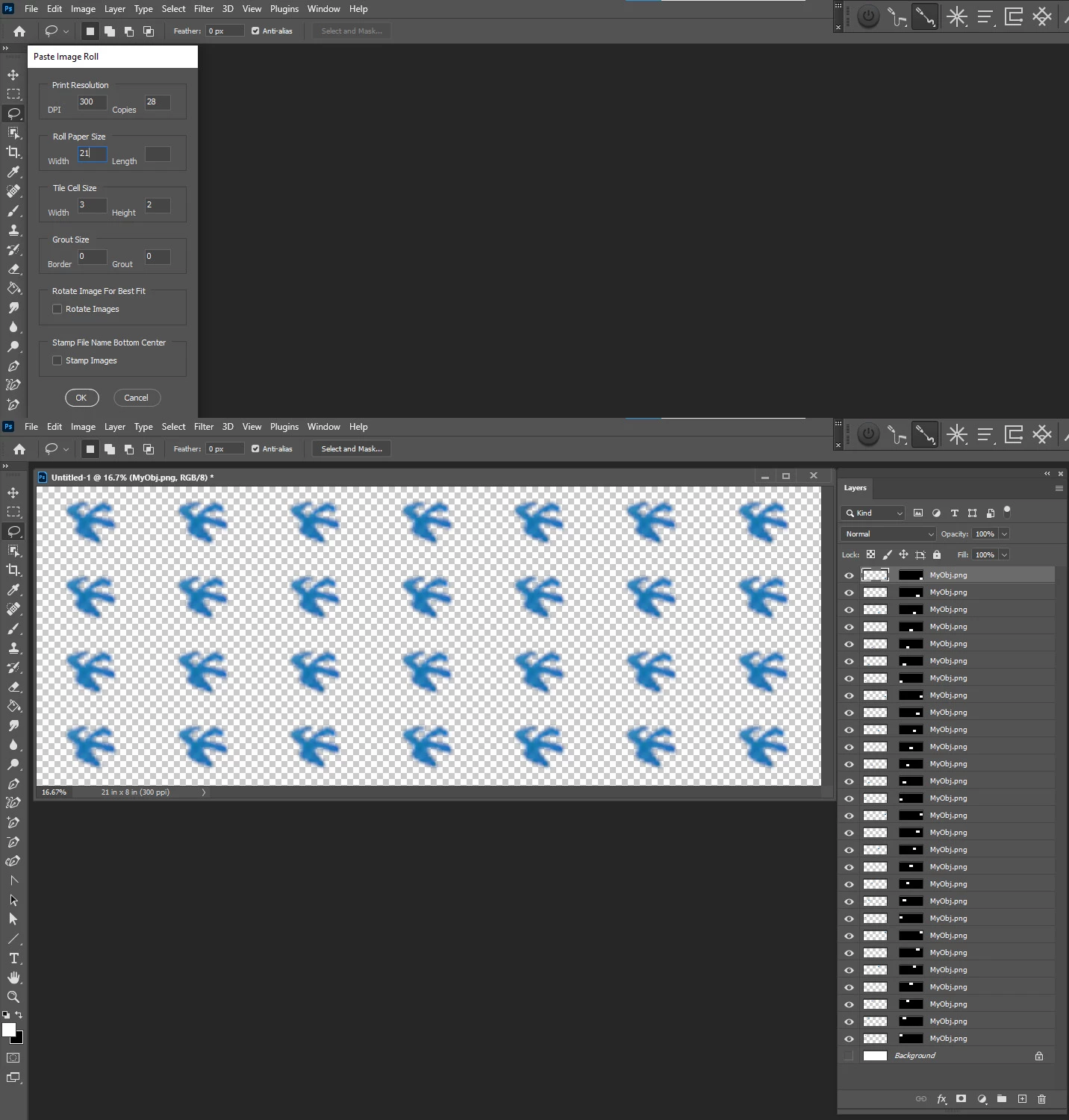


11" wide by 8.5" high would require the object size to be 1.571" wide by 2.125" high or have the 1571:2125 aspect ration and be resized to that size.

2 replies

JJMack
Community Expert
JJMackCommunity ExpertCorrect answer
Community Expert
December 4, 2021

Place and Paste create new layers. So you can Place in or Paste in your object as a layer and duplicate the layer 27 times and position the 28 layers in a grid over the canvas and merges  the 28 layer into a single layer you blend into your document. You can code a Photoshop script to do that to a layer you Place or Paste into your document. A gride like 4 rows 7 columns.


Or Make a Patten use a pattern Fill or Use my PastImageRoll script make  a grid of your object.


11" wide by 8.5" high would require the object size to be 1.571" wide by 2.125" high or have the 1571:2125 aspect ration and be resized to that size.

JJMack
Trevor.Dennis
Community Expert
Community Expert
December 4, 2021

Do you mean you want to create an array like below?

scotwllm
scotwllmAuthor
Inspiring
December 4, 2021

Yes