Answered
Please help!
Could anyone tell me why my Photoshop workspace is like this and how to fix this issue? Today morning, I opened it and it's like this. Please help me to fix this.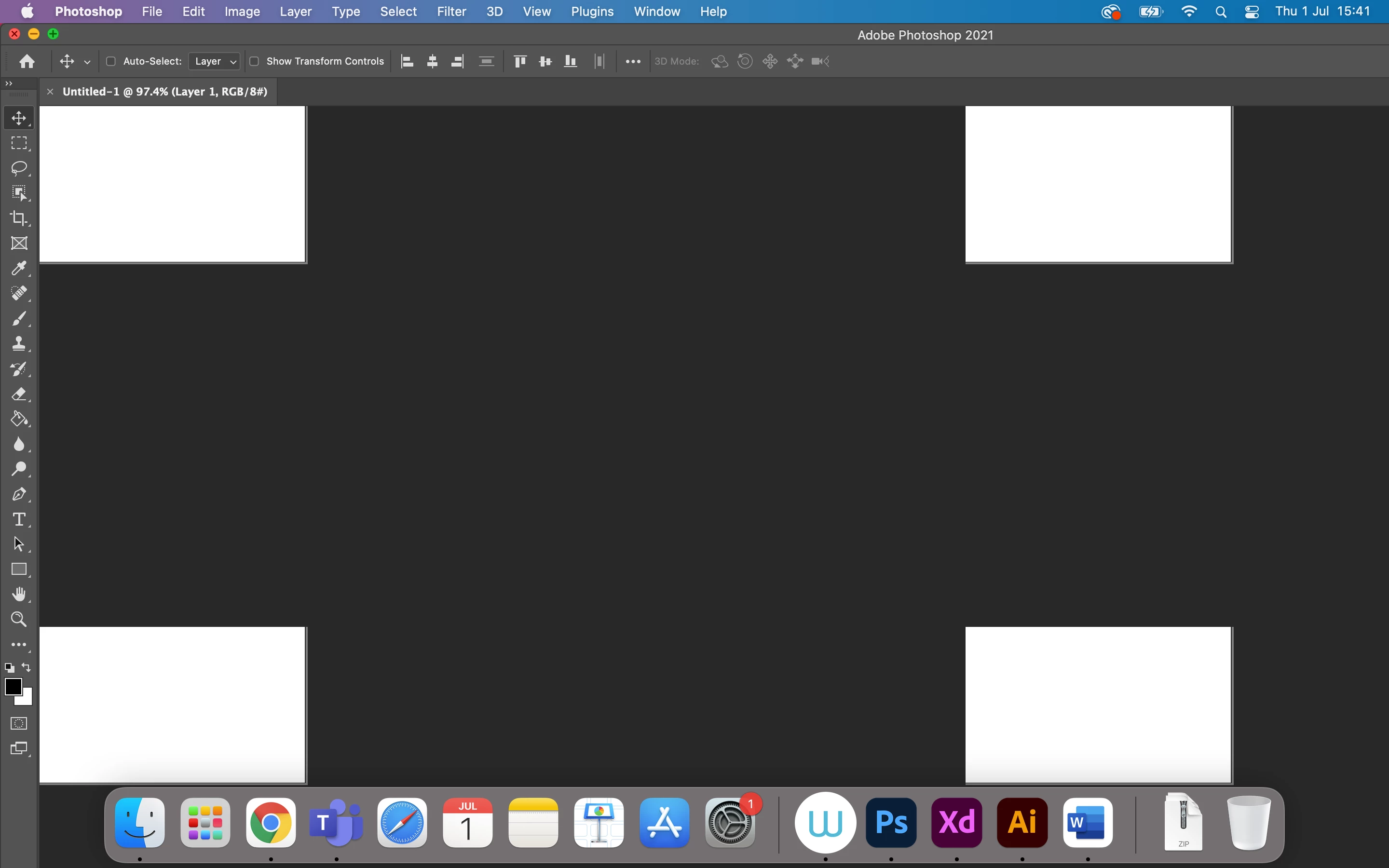
Could anyone tell me why my Photoshop workspace is like this and how to fix this issue? Today morning, I opened it and it's like this. Please help me to fix this.
What is the problem?
Have you reset the Workspace yet or switched to another, Window > Workspace > Essentials for example?
If you may have meant the display of the image itself:
Does turning off »Use Graphics Processor« in the Performance Preferences (Photoshop > Preferences > Performance > Graphic Processor Settings) and restarting Photoshop have any bearing on the issue?
Does turning on »Deactivate Native Canvas« (Photoshop > Preferences > Technology Previews) and restarting Photoshop have any bearing on the issue?
Already have an account? Login
Enter your E-mail address. We'll send you an e-mail with instructions to reset your password.
 AdChoices