
Participant
November 18, 2019
Answered

Please help! Gray colors look reddish in every color mode

  • November 18, 2019
  • 2 replies
  • 2445 views

Sorry for bad english but I really need help.


My photoshop has problem. In every color mode, RGB, CMYK or Grayscale, the gray colors are look a bit red/purple.
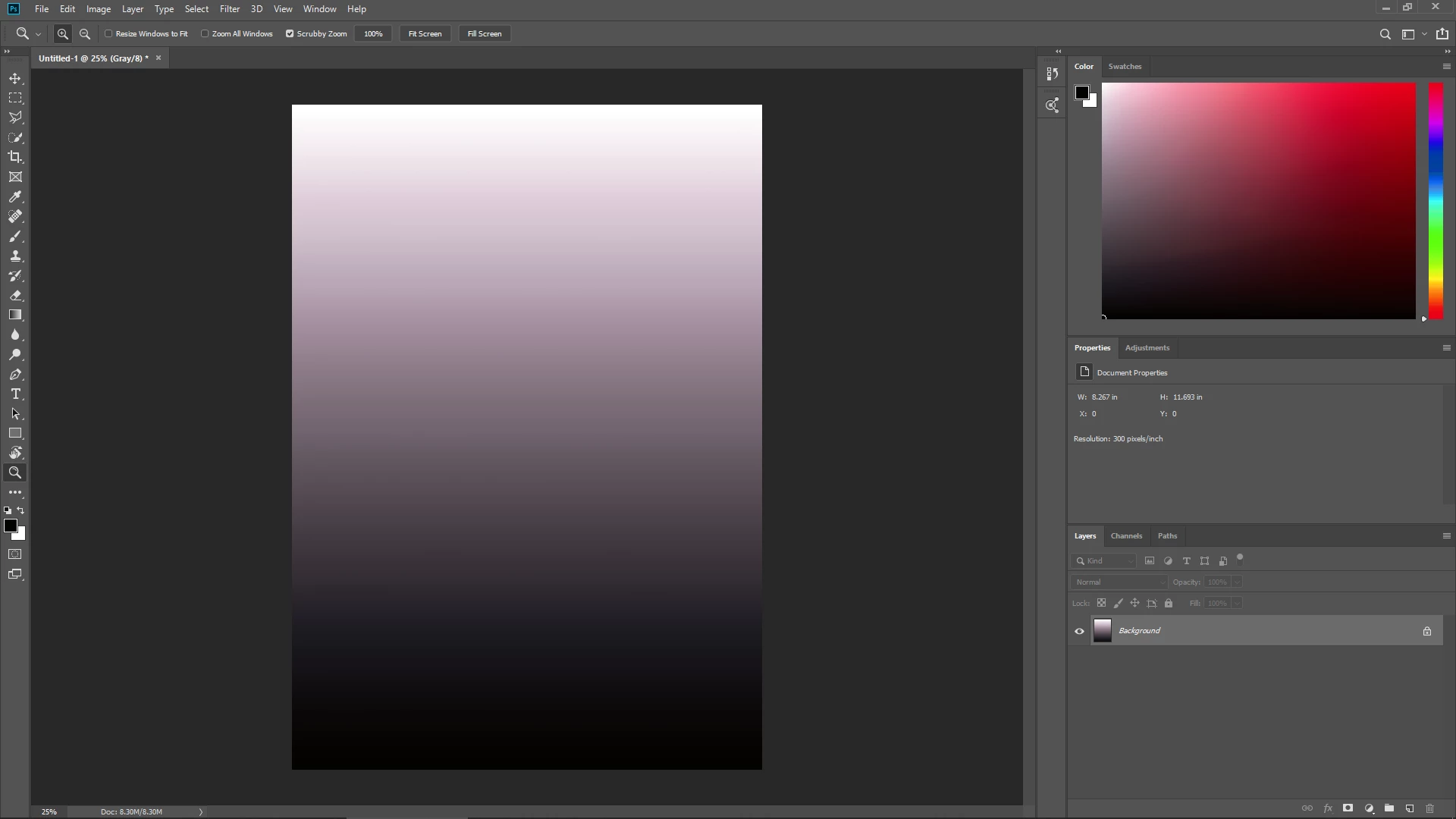


As you see, the interface look normal gray. But gray colors in Color filed and the Document look red/purple although I use grayscale mode. I tried to look at color setting but every setting can't slove my problem.


And I tried google about this before but it look like I'm the only one. Anyone have any idea about this? Or could you tell me some right keywords for search for the solution?


Please help me. Thank you.
This topic has been closed for replies.
Correct answer D Fosse

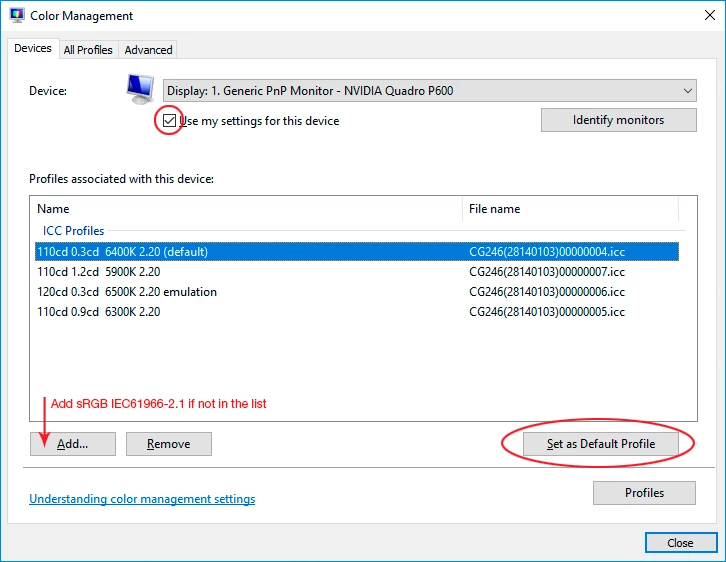
Yes, this is a defective monitor profile, probably distributed from the manufacturer through Windows Update.


Replace it with sRGB until you can use a calibrator to make a new and healthy profile:

Relaunch Photoshop when done.

2 replies

D Fosse
Community Expert
D FosseCommunity ExpertCorrect answer
Community Expert
November 18, 2019

Yes, this is a defective monitor profile, probably distributed from the manufacturer through Windows Update.


Replace it with sRGB until you can use a calibrator to make a new and healthy profile:

Relaunch Photoshop when done.

Rural090Author
Participant
November 18, 2019

Thank you very much! I'm so appreciate that your answer can help so many people include me!


Hope you have the best every single days!

November 18, 2019

Hi

It could be an issue with your monitor profile, take a look at this thread

https://community.adobe.com/t5/photoshop/yellow-screen-in-photoshop/m-p/10745547#M283101

Rural090Author
Participant
November 18, 2019

OMG You're the best! Thank you very much.


Now I'm a bit sad that my limited english vocabularies can't descripe how I want to prise you.

Really, really thank you. I hope you have a best day, everyday!

D Fosse
Community Expert
Community Expert
November 18, 2019

🙂