Please help - JPG (jpeg) files open in Photoshop through camera raw 1st even though they are jpg
Please help - JPG (jpeg) files open in Photoshop through camera raw 1st even though they are jpg files.
these files started life as Nikon RAW (nef) files, they were converted to DNG files through Lightroom - They were then processed by a proprietary software called PortraitPro and saved as jpg files.
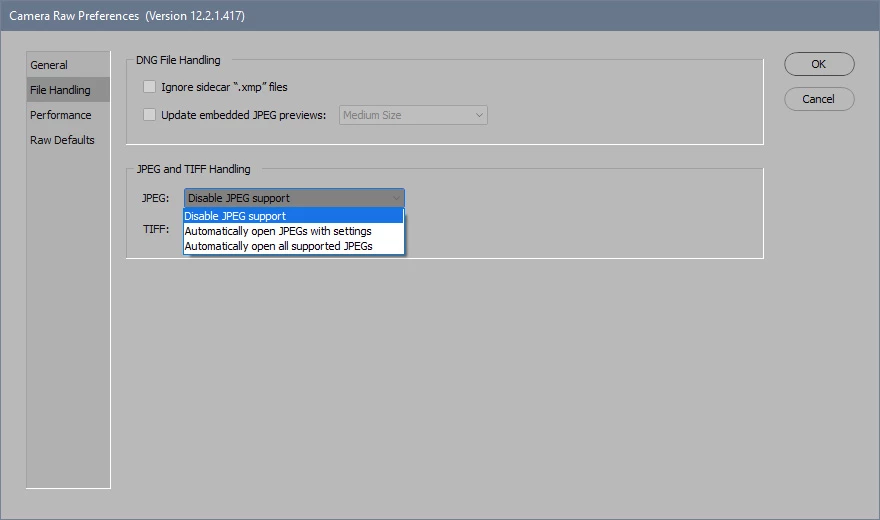
When these files are brought into photoshop for final adjustments they first open as if they were a camera raw file - not only is this a pain to click an extra button to get to the image BUT in some cases the images are opening with a weird orange color cast.
These same jpg files behave like normal jpg in all other software except lightroom and Photoshop.
to further complicate the issue we took the original file and made it even cooler in color --adobe software actually opens the newer cooler files with the same original orange color cast
Any help or ideas would be greatly appreciated
does photoshop have some sort of cache that these files are getting stuck in ? or perhaps some metadata hidden in the jpg that PS is keying on ?
 AdChoices