Participant
October 2, 2021
Question

Please help me about my adobe photoshop animation

  • October 2, 2021
  • 1 reply
  • 149 views

Hello

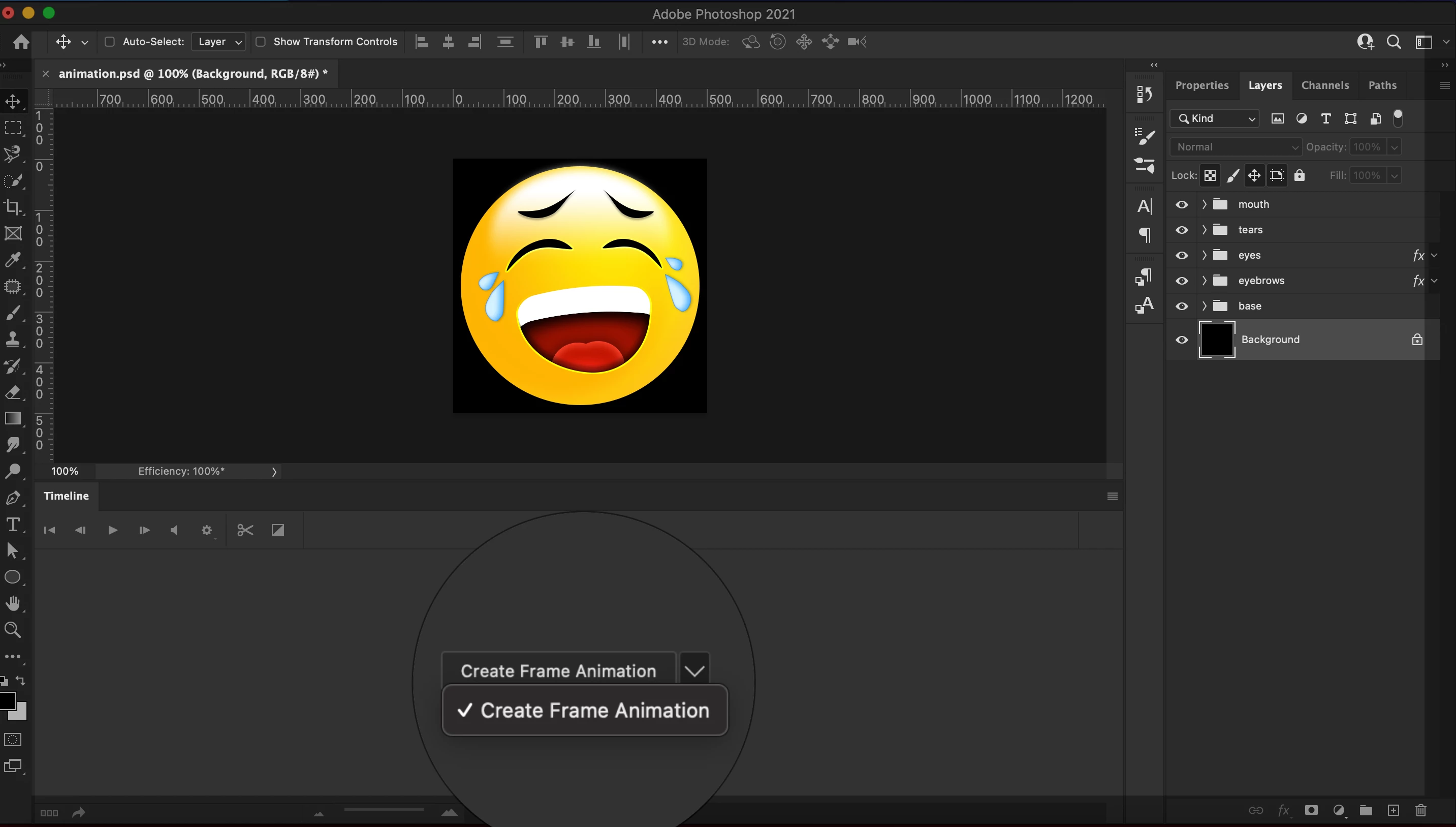
I have a problem with my Photoshop about the animation. I tried many times to function my animation activity but its not working and I don’t know why. I used MacBook Pro M1 System is Big SUR Version 11.6. As you see there I have only option to choose which is the CREATE FRAME ANIMATION. Please check my screenshot down below. 
This topic has been closed for replies.

1 reply

Mylenium
Legend
October 2, 2021

This is a known issue/ limitation. Video stuff is not yet available on M1 Macs. Refer to the online help:


https://helpx.adobe.com/photoshop/kb/photoshop-for-apple-silicon.html


Mylenium

Jeza5CA3Author
Participant
October 3, 2021

i have already read and seen this page. i also called apple support yesterday. we have uninstalled and reinstalled adobe photoshop (with apple you just have to delete it) but unfortunately we still can't open it with rosetta. we are missing this function completely that you can open it with rosetta, see screenshot i simply cannot use the animation function in adobe photoshop for this reason

Jeza5CA3Author
Participant
October 3, 2021