

Please help with selecting colour profiles and settings in ACR and PS for files that will be printed
Hello! I've used photoshop for years, but I don't feel I have a handle on the colour management aspects. My files are sent to a local printer, so I am more concerned about how they will look in print than anything else. I've attached a few photos, (please excuse the messing printing from trying to use a tablet for that purpose) with how I think I should be set up. Previous to today, I have had everything set to sRGB IE....1966-2.1 After reading some Adobe articles, I "think" I should be in Adobe RGB. Could someone please take a look and tell me if I am set up correctly, and if not, how I should set things up for optimum prints.
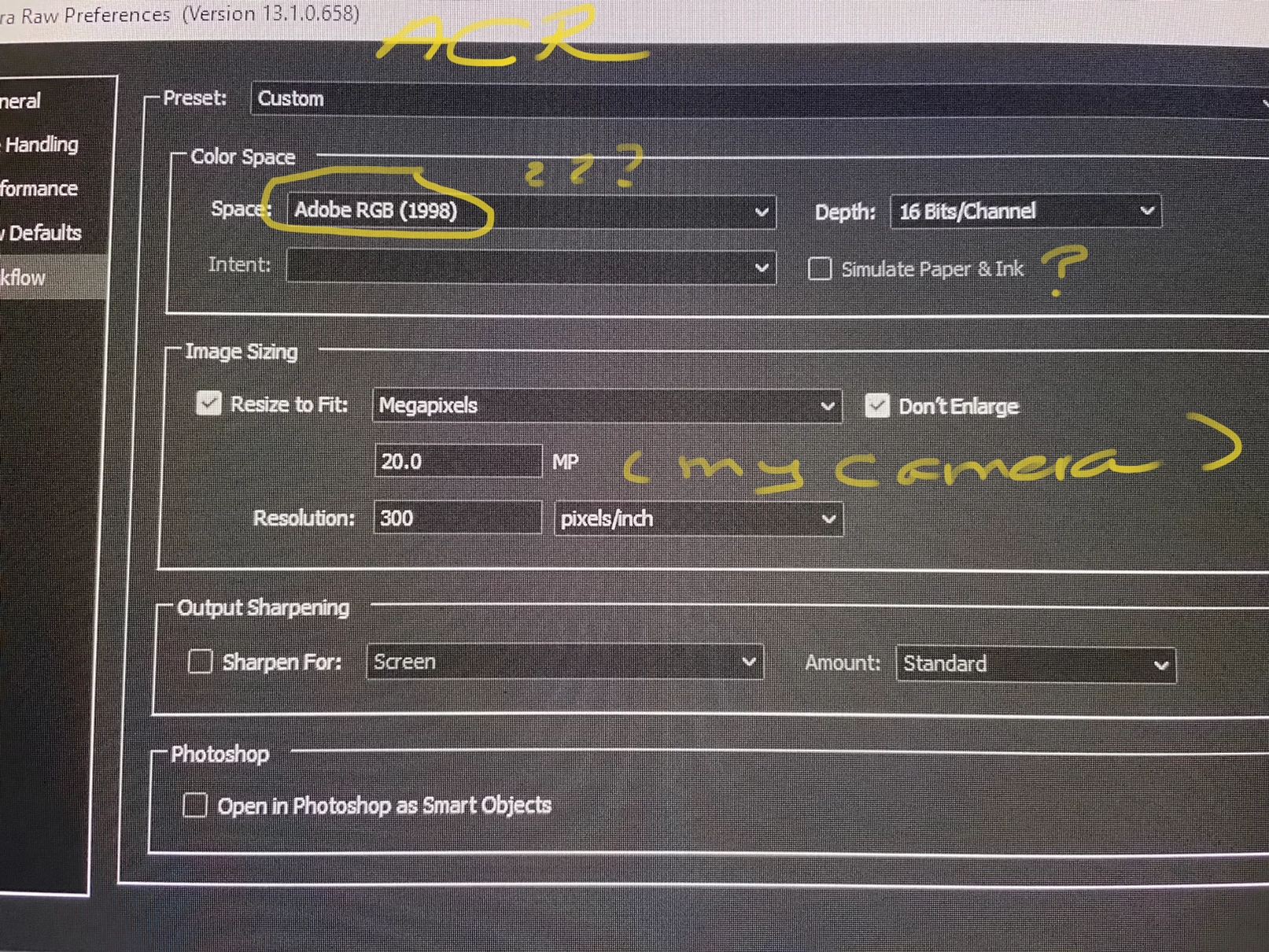
First Photo: Importing RAW files to ACR
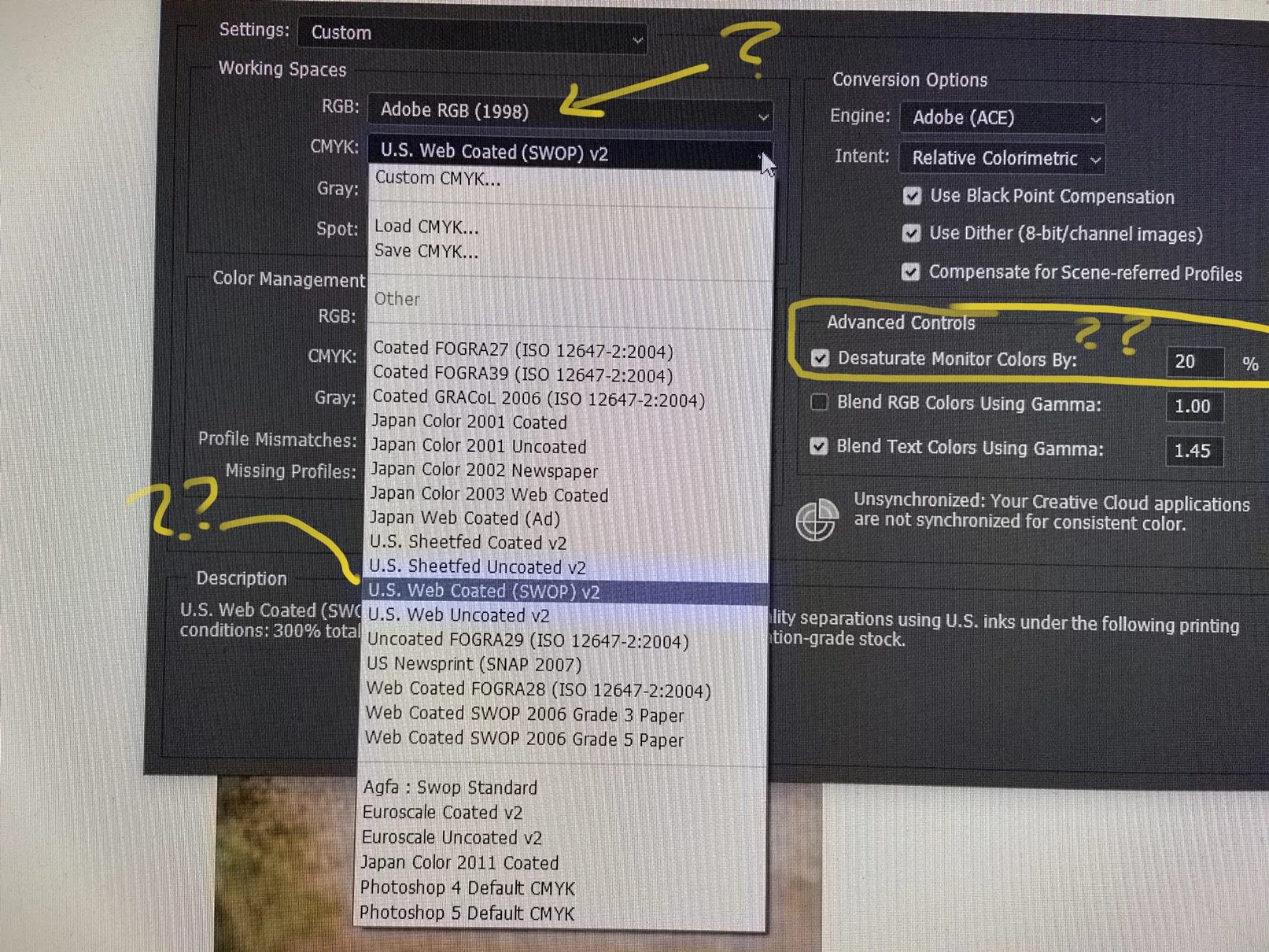
Second Photo: Colour Settings in PhotoShop. Are these correct for printing? What would you suggest otherwise?
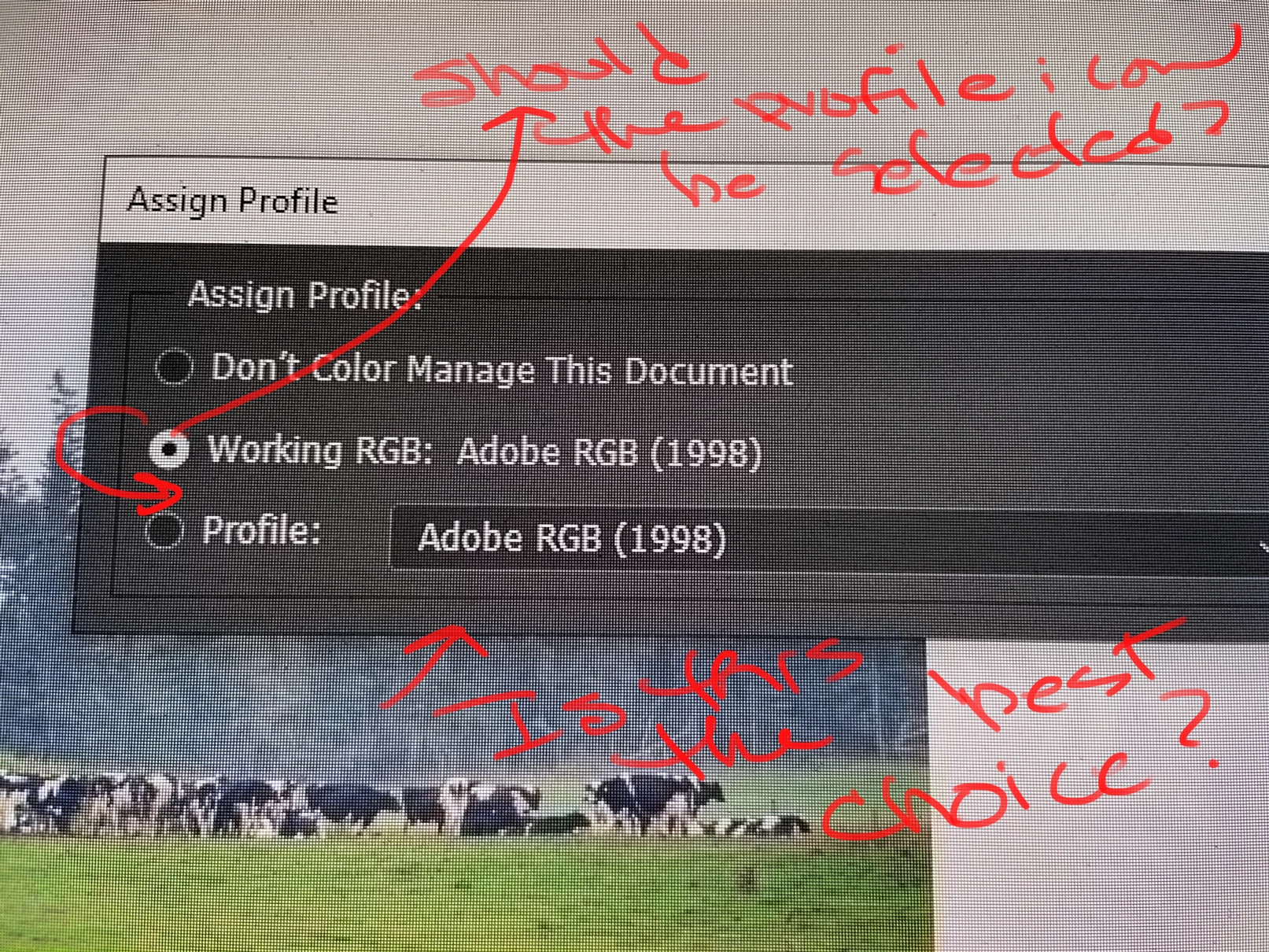
Third Photo: I assigned the photo the Adobe RGB profile, yet the Working Adobe RGB icon is highlighted. Correct? No?
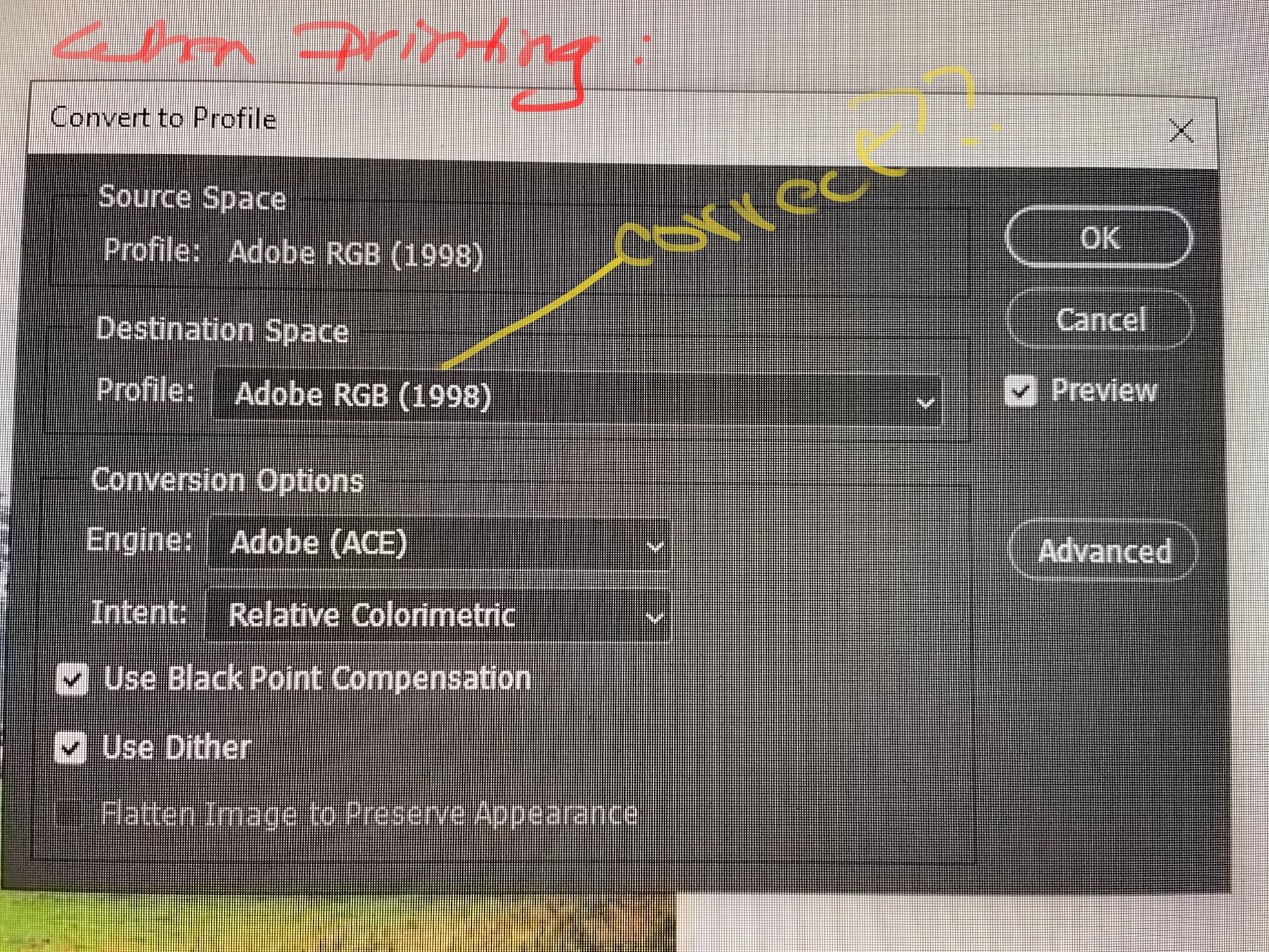
Fourth Photo: The PSD file has been flattened and I am ready to save as a jpg and send to the printers. Is this correct?
Thank you so much if you can take a look and point me to the correct choices!
 AdChoices