Participant
August 10, 2024
Answered

Please help with trouble to use Filter gallery

  • August 10, 2024
  • 2 replies
  • 613 views

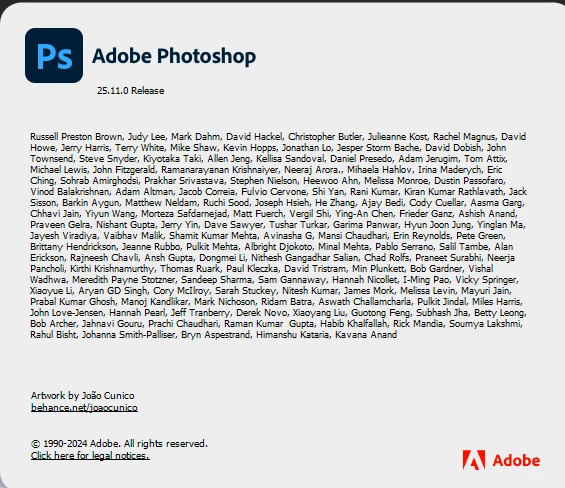
Fiew days ago, i reinstalled Win10 and Photoshop. After this Filter Galery does not working.

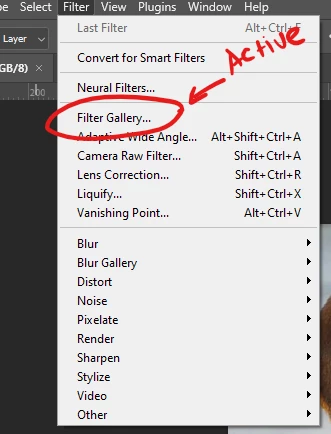
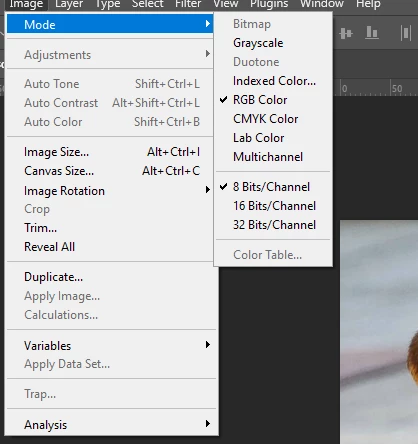
Image mode is RGB, 8 bit channel, Filter gallery button is active, but when i try to use this, and click to «Filter Gallery» in menu nothing happened.

It's drives me crazy. I do not totaly understand, what's wrong!

Help me please!
This topic has been closed for replies.
Correct answer Ged_Traynor

@Kyle39028329tey6 try manually resetting your Photoshop preferences
https://helpx.adobe.com/ie/photoshop/using/preferences.html#Manually
Remember to back up your settings before doing the preference reset
https://helpx.adobe.com/ie/photoshop/using/preset-migration.html

2 replies

Ged_Traynor
Community Expert
Ged_TraynorCommunity ExpertCorrect answer
Community Expert
August 10, 2024

@Kyle39028329tey6 try manually resetting your Photoshop preferences
https://helpx.adobe.com/ie/photoshop/using/preferences.html#Manually
Remember to back up your settings before doing the preference reset
https://helpx.adobe.com/ie/photoshop/using/preset-migration.html

Participant
August 10, 2024

Thanks, I'll try

kglad
Community Expert
Community Expert
August 10, 2024

in the future, to find the best place to post your message, use the list here, https://community.adobe.com/

p.s. i don't think the adobe website, and forums in particular, are easy to navigate, so don't spend a lot of time searching that forum list. do your best and we'll move the post (like this one has already been moved) if it helps you get responses.


<"moved from cc desktop">
Participant
August 10, 2024

Sorry, i don't understand, what must i do now? Delete this post and make another one or what? Explane me please 🙏

jane-e
Community Expert
Community Expert
August 11, 2024
quote

Sorry, i don't understand, what must i do now? Delete this post and make another one or what? Explane me please

By @Kyle39028329tey6


Kglad meant that he has moved your post to the Photoshop forum. It's in the right place now and you don't need to repost.

Jane