masonpelton
Participant
September 20, 2017
Answered

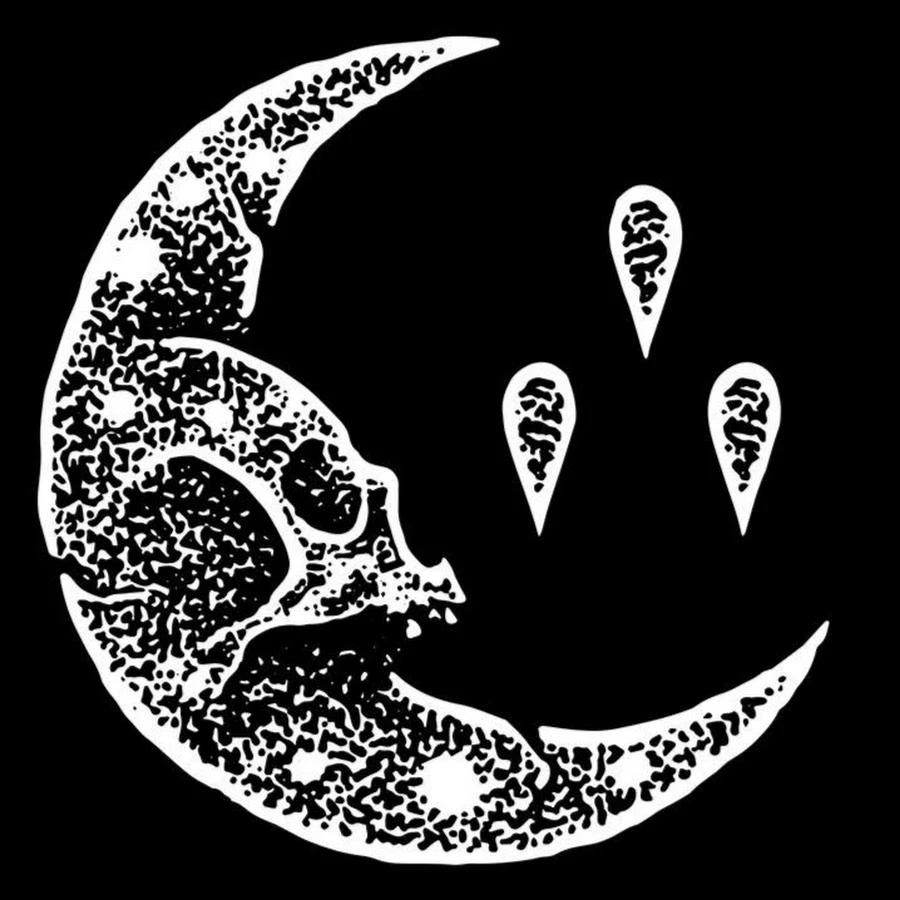
Please someone tell me how to get this texture!
  • September 20, 2017
  • 5 replies
  • 880 views

This topic has been closed for replies.
Correct answer Trevor.Dennis

50% grey

Filter > Artisitic > Sponge
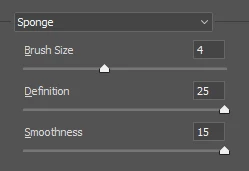
Threshold, or levels or curves (I went with Threashold)

Some Gausian blur to smooth it up a bit, followed by levels, curves or threashold again.  I actually gave it a low value Gassian blur after this to give it some antialiasing.

Scale it to suite, which means start with a big canvas if you want to end up with a tighter pattern.

5 replies

masonpelton
Participant
September 22, 2017

Thanks guys for all the replies and help

Trevor.Dennis
Community Expert
Trevor.DennisCommunity ExpertCorrect answer
Community Expert
September 22, 2017

50% grey

Filter > Artisitic > Sponge
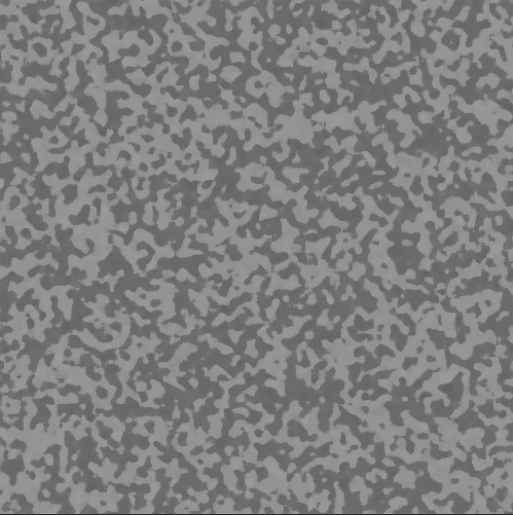
Threshold, or levels or curves (I went with Threashold)
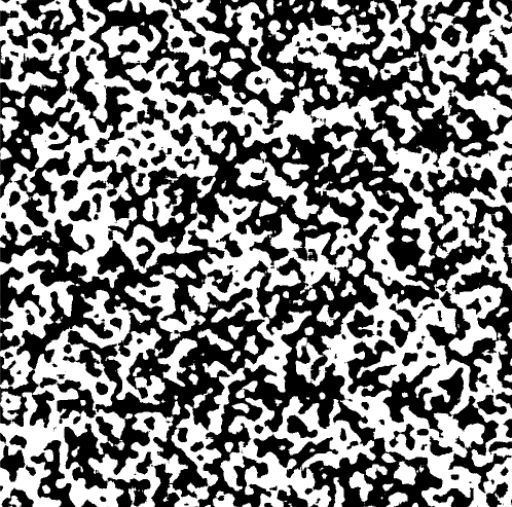
Some Gausian blur to smooth it up a bit, followed by levels, curves or threashold again.  I actually gave it a low value Gassian blur after this to give it some antialiasing.
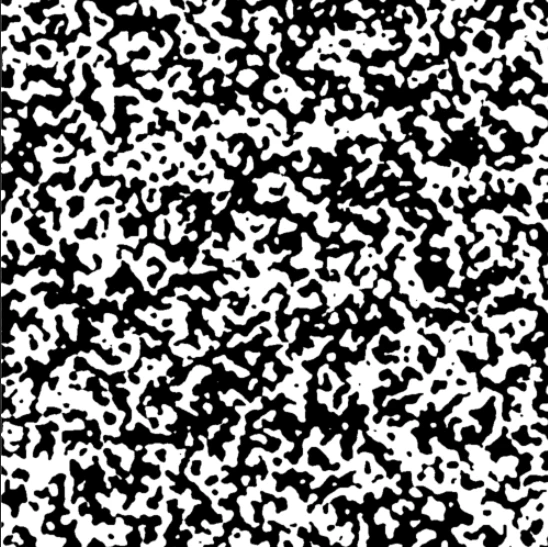
Scale it to suite, which means start with a big canvas if you want to end up with a tighter pattern.

c.pfaffenbichler
Community Expert
Community Expert
September 21, 2017

For white edges you could use an Inner Glow Layer Style.

Chuck Uebele
Community Expert
Community Expert
September 21, 2017

Couldn't resist making more automated than an action. No error checking, so you have to be careful what you enter.

#target photoshop

var doc = activeDocument

var hipass

var thresh

var gBlur

var gBlur

var num

var dlg = new Window('dialog','Reaction Diffusion');

    dlg.alignChildren = ['left','top'];

    dlg.hiGp = dlg.add('group');

    dlg.hiGp.stxt = dlg.hiGp.add('statictext',undefined,'Hipass Radius');

    hipass = dlg.hiGp.add('edittext',undefined,10);


    dlg.hiGp = dlg.add('group');

    dlg.hiGp.stxt = dlg.hiGp.add('statictext',undefined,'Threshold');

    thresh = dlg.hiGp.add('edittext',undefined,128);   


    dlg.blGp = dlg.add('group');

    dlg.blGp.stxt = dlg.blGp.add('statictext',undefined,'Blur Radius');

    gBlur = dlg.blGp.add('edittext',undefined,11);  


    dlg.numGp = dlg.add('group');

    dlg.numGp.stxt = dlg.numGp.add('statictext',undefined,'Number of iterations');

    num = dlg.numGp.add('edittext',undefined,90);   


    dlg.btn = dlg.add('button',undefined,'Okay');


    dlg.btn.onClick = function(){dlg.close()};


    dlg.show();


for(var i=0;i<parseInt(num.text);i++){

    reaction ();

    }

var idThrs = charIDToTypeID( "Thrs" );

    var desc9 = new ActionDescriptor();

    var idLvl = charIDToTypeID( "Lvl " );

    desc9.putInteger( idLvl, parseFloat(thresh.text) );

executeAction( idThrs, desc9, DialogModes.ALL );  

app.displayDialogs = DialogModes.NO;

function reaction(){

// =======================================================

    var idHghP = charIDToTypeID( "HghP" );

        var desc5 = new ActionDescriptor();

        var idRds = charIDToTypeID( "Rds " );

        var idPxl = charIDToTypeID( "#Pxl" );

        desc5.putUnitDouble( idRds, idPxl, parseFloat(hipass.text ));

    executeAction( idHghP, desc5, DialogModes.NO );   


// =======================================================

var idThrs = charIDToTypeID( "Thrs" );

    var desc9 = new ActionDescriptor();

    var idLvl = charIDToTypeID( "Lvl " );

    desc9.putInteger( idLvl, parseFloat(thresh.text) );

executeAction( idThrs, desc9, DialogModes.NO );  

// =======================================================

var idGsnB = charIDToTypeID( "GsnB" );

    var desc13 = new ActionDescriptor();

    var idRds = charIDToTypeID( "Rds " );

    var idPxl = charIDToTypeID( "#Pxl" );

    desc13.putUnitDouble( idRds, idPxl, parseFloat(gBlur.text) );

executeAction( idGsnB, desc13, DialogModes.NO );

    }

c.pfaffenbichler
Community Expert
Community Expert
September 20, 2017

Might be an overlaid reaction diffusion pattern, though reproducing the exact pattern might be a problem.

Google should provide links to tutorials under »photoshop reachtion diffusion«.

Such a Pattern could then be used as a Pattern Layer set to Blend Mode Hard Mix over a monochrome image.

Chuck Uebele
Community Expert
Community Expert
September 21, 2017

Ohhh, this is fun!

c.pfaffenbichler
Community Expert
Community Expert
September 22, 2017

What, is it the 60s again?

c.pfaffenbichler
Community Expert
Community Expert
September 20, 2017
