Known Participant
March 8, 2024
Answered

Plugin/Action for Removing a Background

  • March 8, 2024
  • 2 replies
  • 3166 views

Hello all,


Hope everyone is well.


I'm really struggling to figure out how to remove a background on an item. I work in e-commerce and I'm wanting to batch edit around 300-400 photos per week. I normally do this in Lightroom and then use the adjustment brush on items that have similar colour to the background (white on white).


 What I'm struggling to understand is why Adobe Express background remover is perfect but the photoshop one isn't (it's still very good). Is there anyway I can get an action like Adobe Express in Photoshop? The adobe express background remover is amazing but I can't put through 100s of photos.


I'm sorry if this is a stupid question, just unsure as to what to do with it.


Thanks!
Correct answer Trevor.Dennis

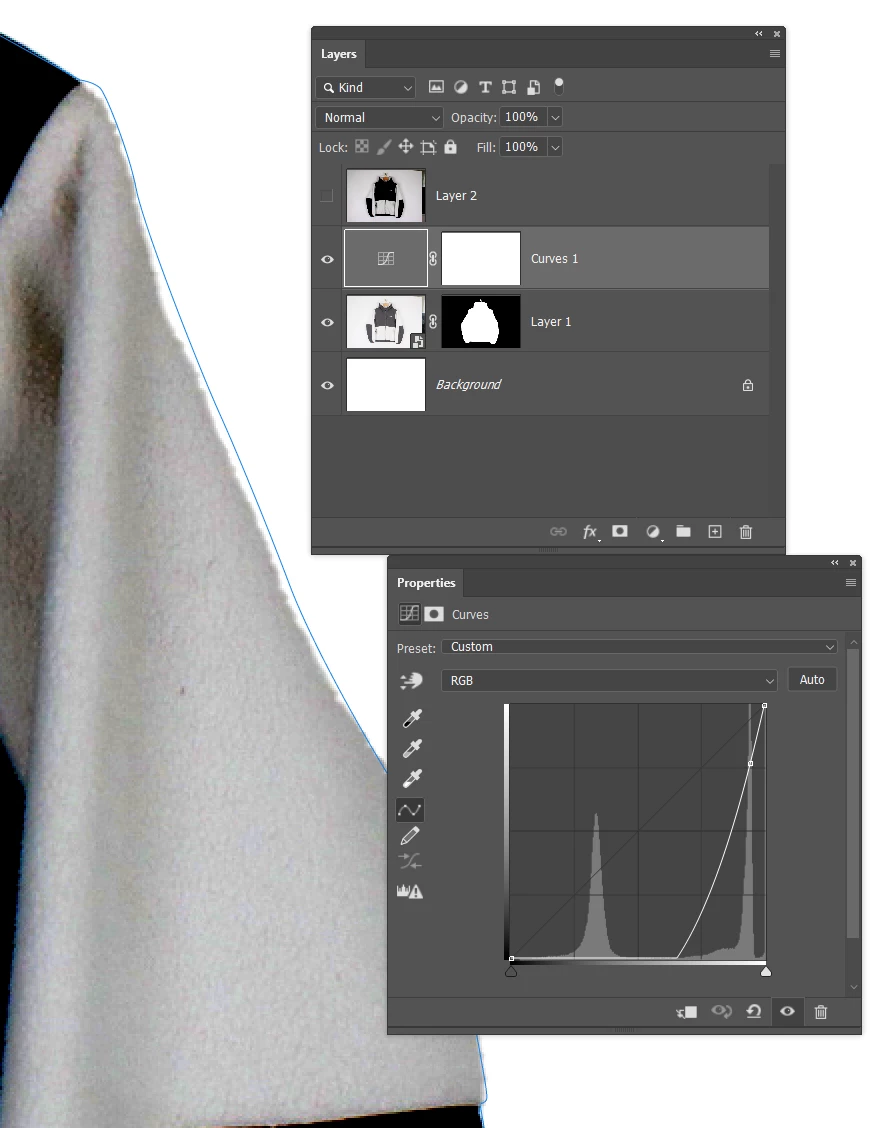
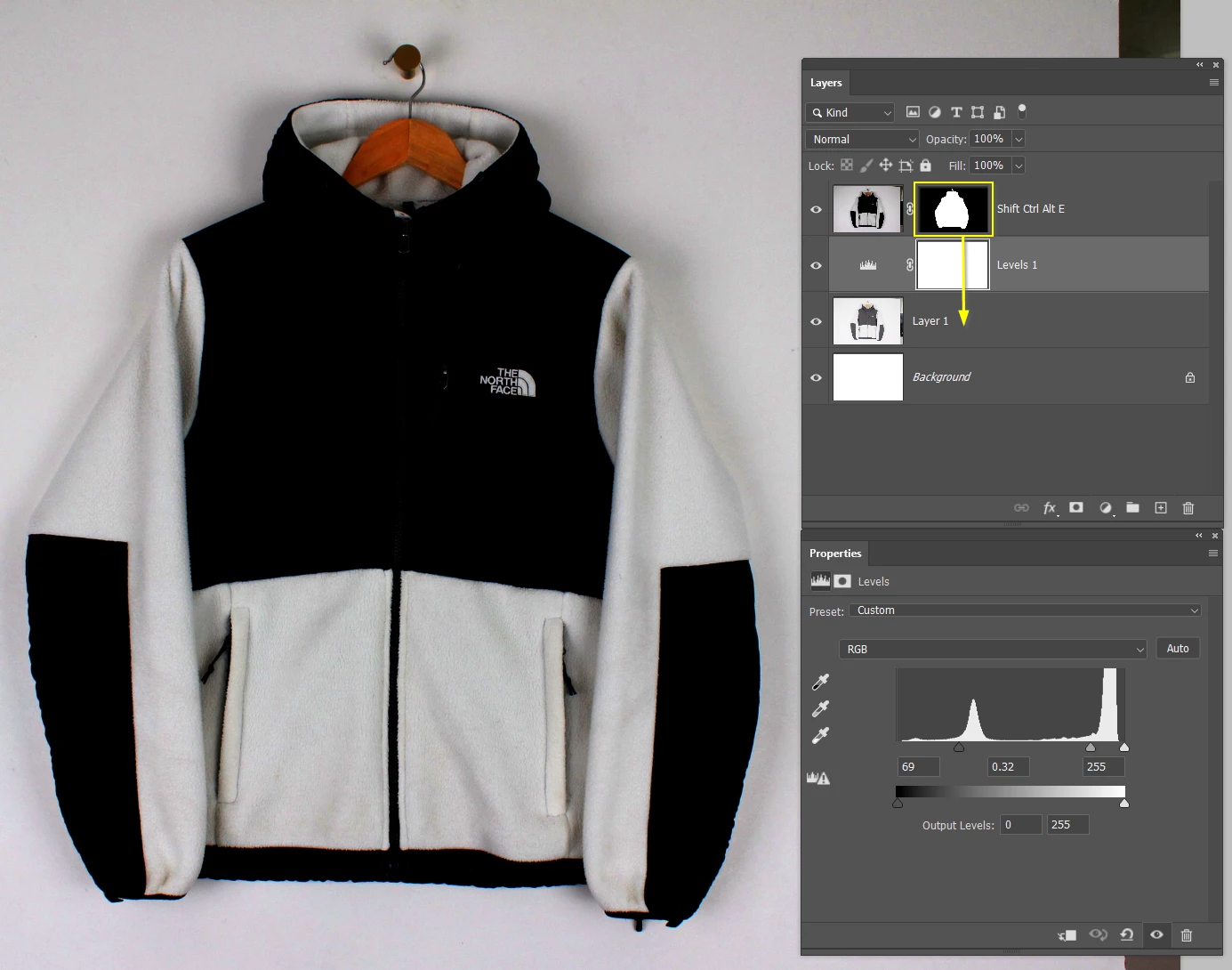
What you can do in this situation is fiix the contrast with Curves or Levels.

Send a copy merged layer to the top of the stack, and use Remove Background on that layer.

Drag the resulting layer mask back to the original layer, and delete the contrast fixing layers.


OK, full disclosure.  I did again with a curves layer, and decided to test the resulting mask maunally using a clipping path, and Remove background has missed a bit of the sleeve. 😞


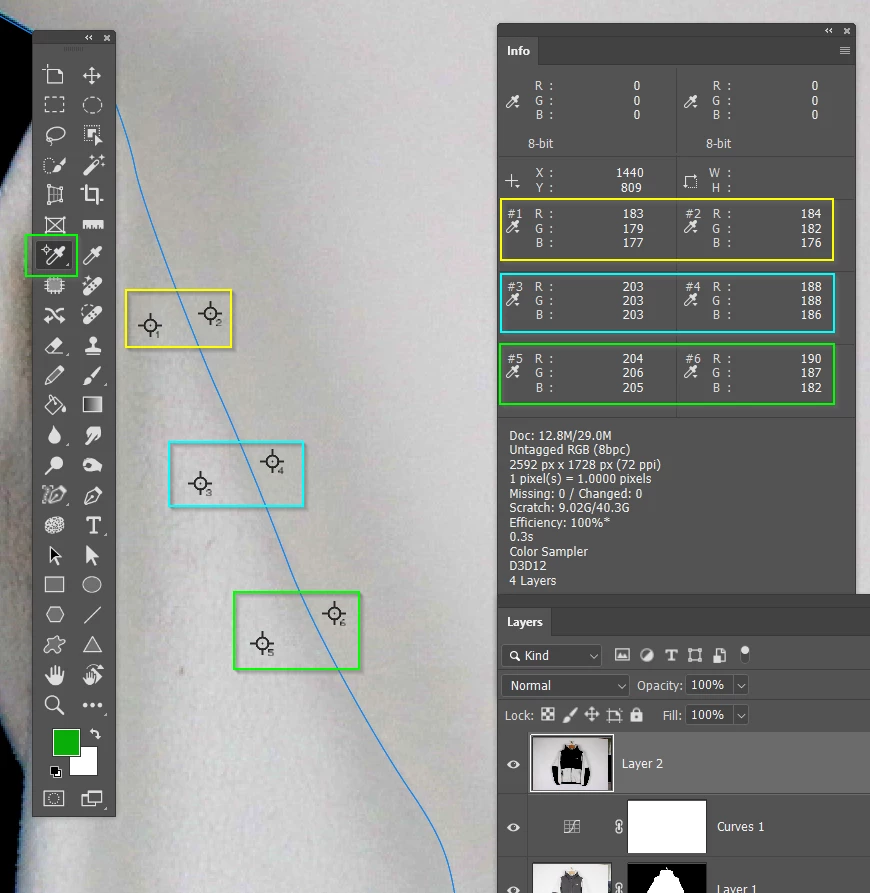
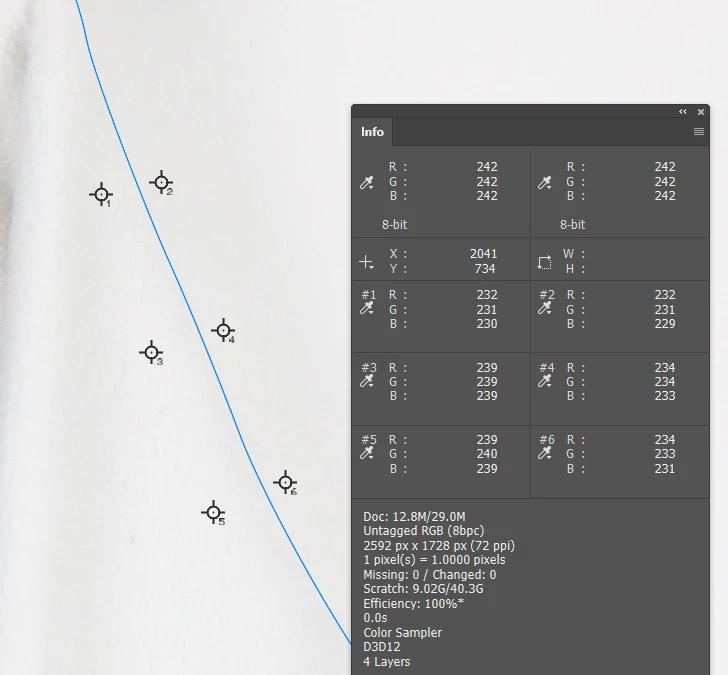
You can see there is bugger all difference in the with and without curves tonal values.


But there was even less with the original image, so you are really up against it.  It would almost certainly have been better with a coloured jacket, as even with the highlights so close to clipping, you probably have at least one channel with good contrast.   


What it usually comes down to with tricky situations is that we have to accept this has no one click solution, so you do your best with whatever selection method works best, and choose to save as a layer mask.  You can then use other tools, like a clipping mask to edit the layer mask.  Especially true when you have organic soft outlines, and hard straight and gentle curves on the same object.

2 replies

Trevor.Dennis
Community Expert
Community Expert
March 8, 2024

We need to see the image to have a decent idea of how to answer. The higher the resolution the better.

Known Participant
March 8, 2024


Photos like this. I understand that there isn't really a contrast between subject and background. As mentioned prior, I'll normally edit these in lightroom and then just use the adjusment brush on items like this. I'm just super curious how companies like Photoroom/Pixelcut can cut these images out perfectly but I can't do it with Photoshop. Thank you for your help 🙂

Trevor.Dennis
Community Expert
Trevor.DennisCommunity ExpertCorrect answer
Community Expert
March 8, 2024

What you can do in this situation is fiix the contrast with Curves or Levels.

Send a copy merged layer to the top of the stack, and use Remove Background on that layer.

Drag the resulting layer mask back to the original layer, and delete the contrast fixing layers.


OK, full disclosure.  I did again with a curves layer, and decided to test the resulting mask maunally using a clipping path, and Remove background has missed a bit of the sleeve. 😞


You can see there is bugger all difference in the with and without curves tonal values.


But there was even less with the original image, so you are really up against it.  It would almost certainly have been better with a coloured jacket, as even with the highlights so close to clipping, you probably have at least one channel with good contrast.   


What it usually comes down to with tricky situations is that we have to accept this has no one click solution, so you do your best with whatever selection method works best, and choose to save as a layer mask.  You can then use other tools, like a clipping mask to edit the layer mask.  Especially true when you have organic soft outlines, and hard straight and gentle curves on the same object.

Inspiring
March 8, 2024

Have you tried using Photoshop's Remove Background?

Known Participant
March 8, 2024

Thanks for your reply. I have, it's just nowhere near as good as Photoroom/Remove BG/Adobe Express. For some reason, it just cuts out a lot of the subject

Inspiring
March 8, 2024

I've never tried Adobe Express for the DISCOUNT, if I have time today I'll try it and see the difference. but this result seems strange to me.