MahaB82A
May 4, 2023
Answered

PNG and JPEG File

  • May 4, 2023
  • 4 replies
  • 1066 views

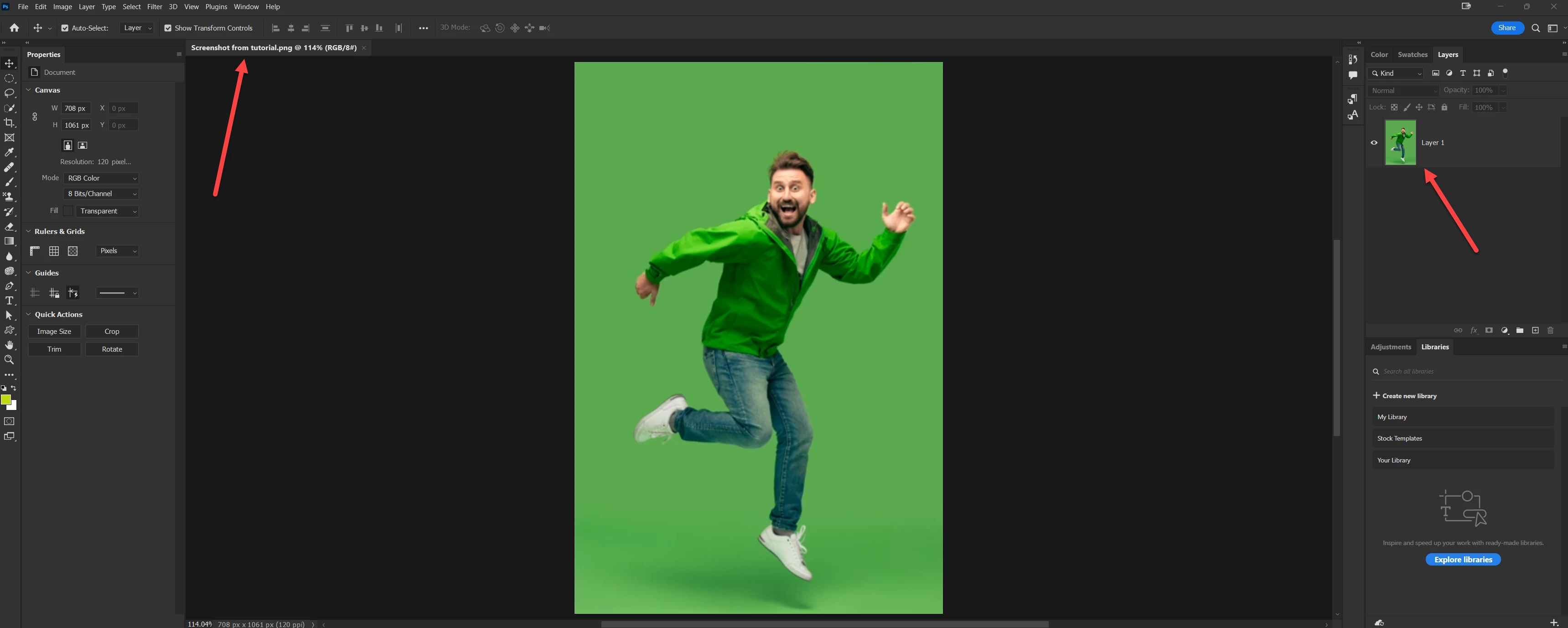
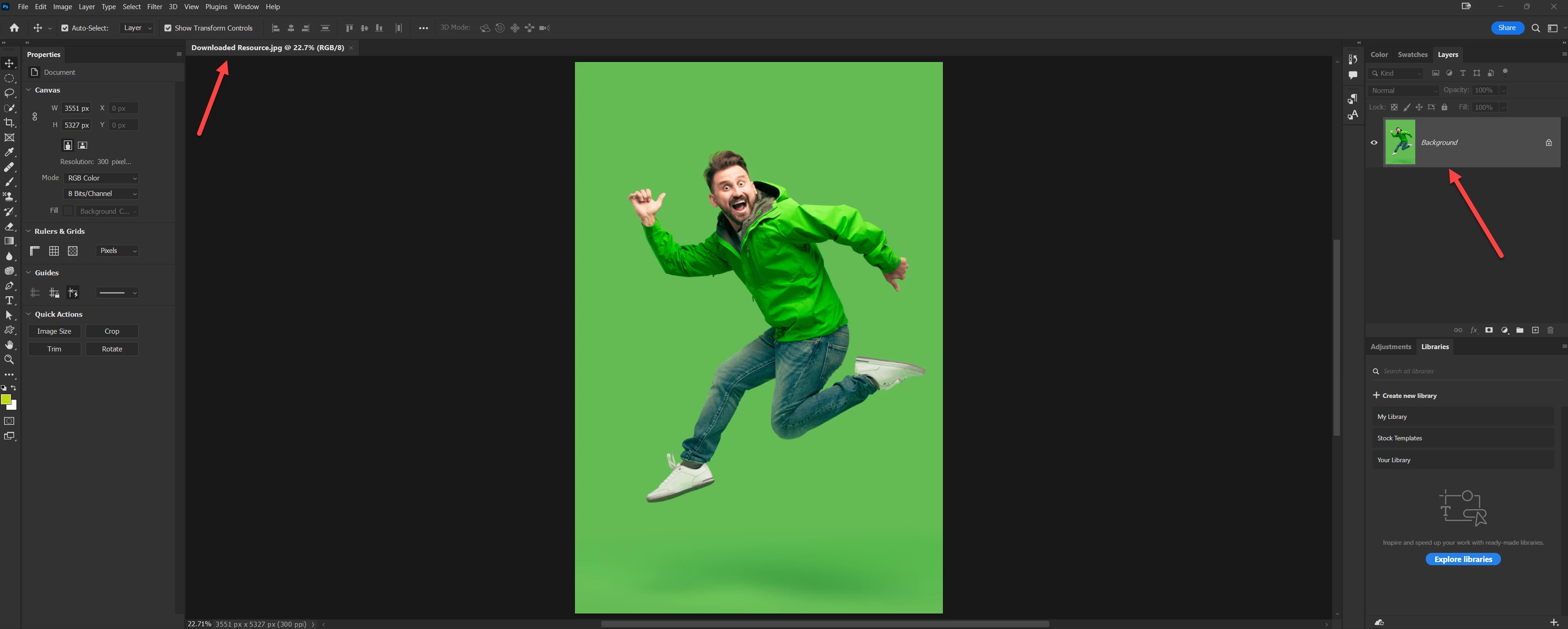
When JPEG file is opened it come as a background locked in the layer panel whereas if you opened  PNG file it come as a only Layer 1 in the layer panel. What is the reason for that?


This topic has been closed for replies.
Correct answer jane-e

@MahaB82A 


In addition, years ago Photoshop used to require a Background layer. It could not be moved, reordered, renamed, or have transparency. They could not be unlocked then. Background layers have not been required since Alvy Ray Smith came up with the formula αA + (1-α)B and Photoshop 5.5 was released.


https://www.cs.princeton.edu/courses/archive/spring05/cos426/papers/smith95c.pdf

Background layers are no longer required, but they need to be converted to pixel layers if you want to move, reorder, rename, or add transparency to them.


PNGs were created in 1994 and included transparency from the beginning.


Jane


4 replies

MahaB82A
MahaB82AAuthor
September 2, 2023

Thanks for all. After repeating the subject, I understood the concept that was reason for the delay.

jane-e
Community Expert
jane-eCommunity ExpertCorrect answer
Community Expert
May 4, 2023

@MahaB82A 


In addition, years ago Photoshop used to require a Background layer. It could not be moved, reordered, renamed, or have transparency. They could not be unlocked then. Background layers have not been required since Alvy Ray Smith came up with the formula αA + (1-α)B and Photoshop 5.5 was released.


https://www.cs.princeton.edu/courses/archive/spring05/cos426/papers/smith95c.pdf

Background layers are no longer required, but they need to be converted to pixel layers if you want to move, reorder, rename, or add transparency to them.


PNGs were created in 1994 and included transparency from the beginning.


Jane


Stephen Marsh
Community Expert
Community Expert
May 4, 2023

As @davescm mentions, the Background image is a special type of "layer" (not really a layer, it's a flattened document).


If you wish for flattened images to automatically be opened as a layer, Photoshop ships with a default script in the Script Events Manager for this task (Open As Layer).

davescm
Community Expert
Community Expert
May 4, 2023

The file formats are very different. Jpeg only supports a single layer - no transparency so opens as a Background Layer which also cannot be transparent.

PNG supports transparency and therefore opens up as Layer 0 which can be transparent.


Dave