Participant
February 19, 2018
Answered

.png files places as 'static'

  • February 19, 2018
  • 3 replies
  • 2500 views

Hi, I upgraded and installed CC 2018, and when I place a .png image onto my layout it comes in as a 'static' square. Any help out there?
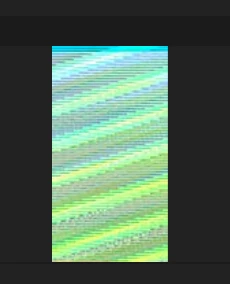
    This topic has been closed for replies.
    Correct answer Pete.Green

    Hi Andrea,

    Sorry for the trouble with PNGs in Photoshop.

    This is fixed in the 19.1.2 update. You can read more about what else is fixed here: Fixed issues in Adobe Photoshop CC

    Go ahead and install that if you haven't already and you should be all set.

    Regards,

    Pete

    3 replies

    Pete.Green
    Adobe Employee
    Pete.GreenCorrect answer
    March 19, 2018

    Hi Andrea,

    Sorry for the trouble with PNGs in Photoshop.

    This is fixed in the 19.1.2 update. You can read more about what else is fixed here: Fixed issues in Adobe Photoshop CC

    Go ahead and install that if you haven't already and you should be all set.

    Regards,

    Pete

    Inspiring
    February 19, 2018

    Disabling these options solve this fo me too (10.13.3 + current PS), but for export to work, they must be enabled again... (so enable, restart photohsop...) i hope Adobe fixes this soon.

    February 19, 2018

    Hi

    This is a known issue with CC2018

    More info

    Photoshop CC 19.1: PNG Images Opens with Distortion | Photoshop Family Customer Community

    Try disabling these options and restart Photoshop

    Participant
    February 19, 2018

    Thank you - I am going ro try that. Adobe should fix this problem!