
Participant
October 21, 2020
Answered

Polygon Shape Tool in new update can't double as a perspective tool anymore?

  • October 21, 2020
  • 3 replies
  • 2321 views

I'm not sure if anyone else has had this experience yet, but I used to be able to set up my polygon shape tool as a way to make a perspective tool. It used to be able to act as a vanishing point that then had all these lines that would come from it. With the newest interface, when I went to the polygon shape tool the UI for it changed completely? I'm not sure what I'm mean to do with the new UI to make it work? The help would be greatly appreciated as this is a tool which is extremely vital to my work.


I attached images comparing the UI that showed up for it below! The one on the left should be the new one then on the right the old.
This topic has been closed for replies.
Correct answer Jeff Arola

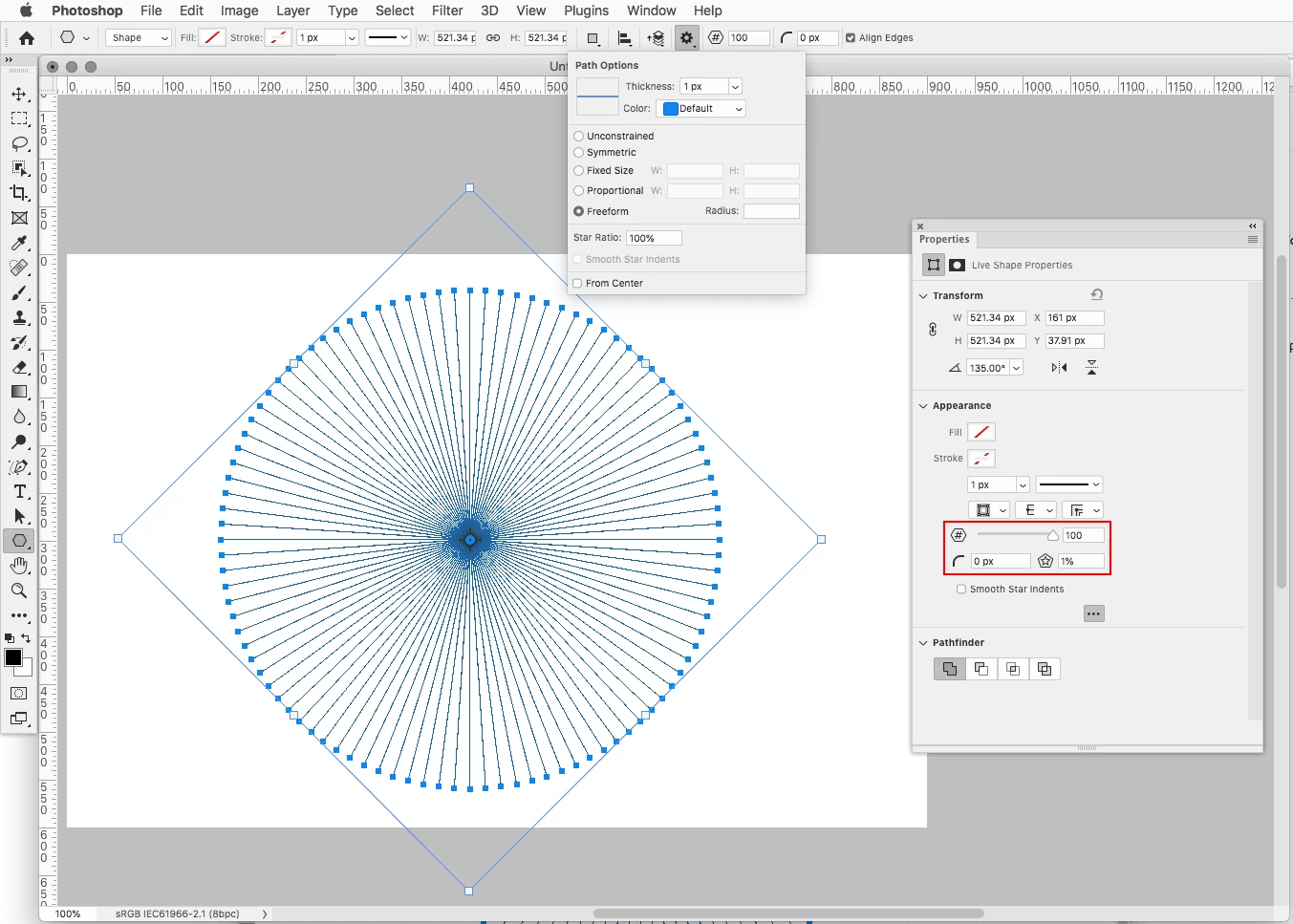
Here are the settings i used, specifically the ones in the Properties panel.


3 replies

Jeff Arola
Community Expert
Community Expert
October 23, 2020

Yeah it seems like the settings in the Properties panel aren't sticky.


You can however do the same settings in the tool options and they are sticky.


Jeff Arola
Community Expert
Jeff ArolaCommunity ExpertCorrect answer
Community Expert
October 21, 2020

Here are the settings i used, specifically the ones in the Properties panel.


monabambyAuthor
Participant
October 21, 2020

Ah! Thank you for showing that! I'm really sorry about the hassle, but I'm on a Windows PC and for some reason, my properties look different to yours? I'm not sure how to access that specific appearance thing 


monabambyAuthor
Participant
October 21, 2020

OH WAIT! turns out I have to make the shape first before messing with it! thank you again! Turns out it's all good 😆

Jeff Arola
Community Expert
Community Expert
October 21, 2020

Can you post an example of how you used the previous Polygon Shape Tool?

monabambyAuthor
Participant
October 21, 2020

So if I selected the tool with the settings you see above and then draw out the shape, it would look something like this 

 and then I gave an example of it being used with my work