rjh0016
Participant
January 2, 2018
Question

Polygonal Lasso selection not effecting full area inside selection

  • January 2, 2018
  • 2 replies
  • 608 views

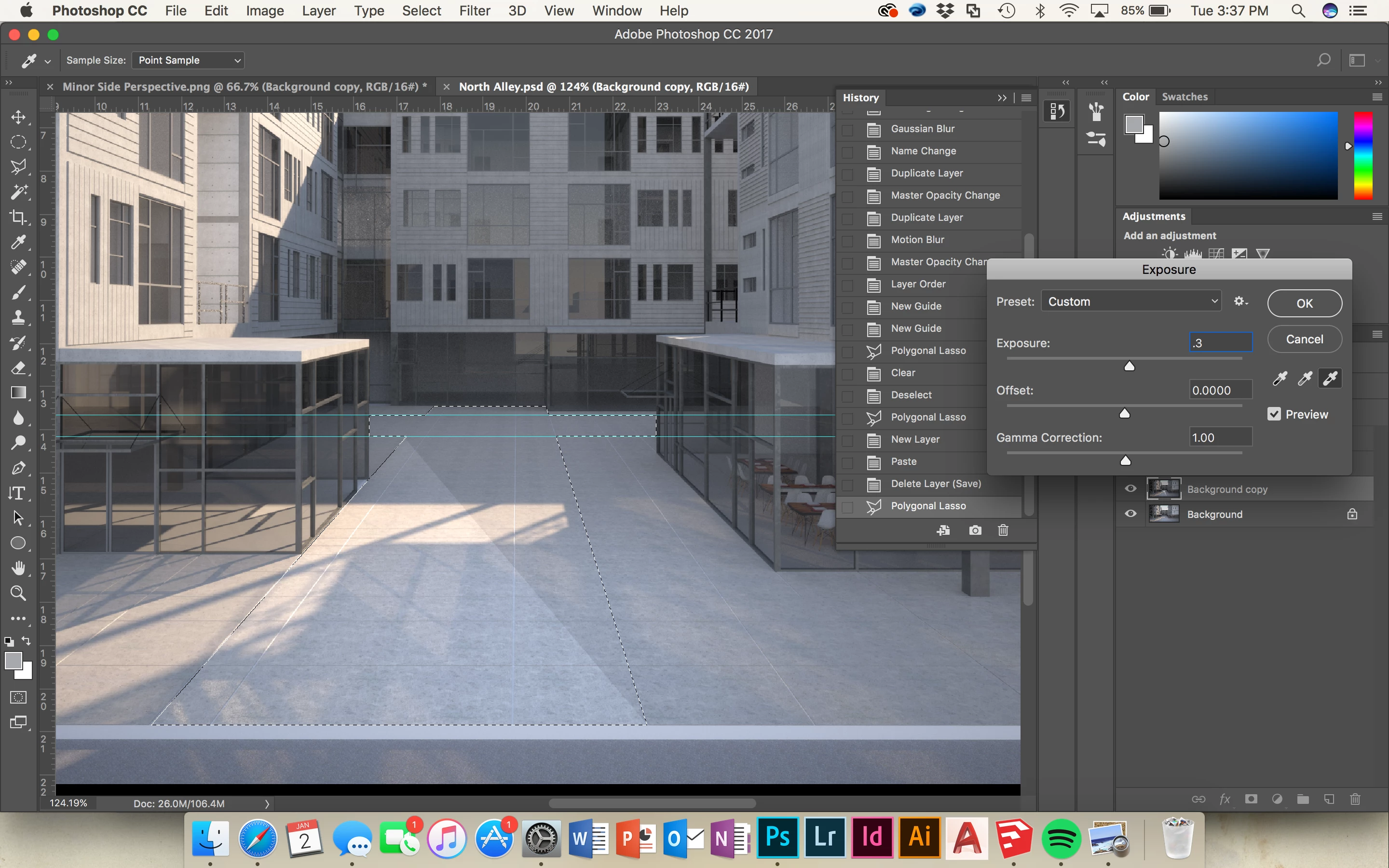
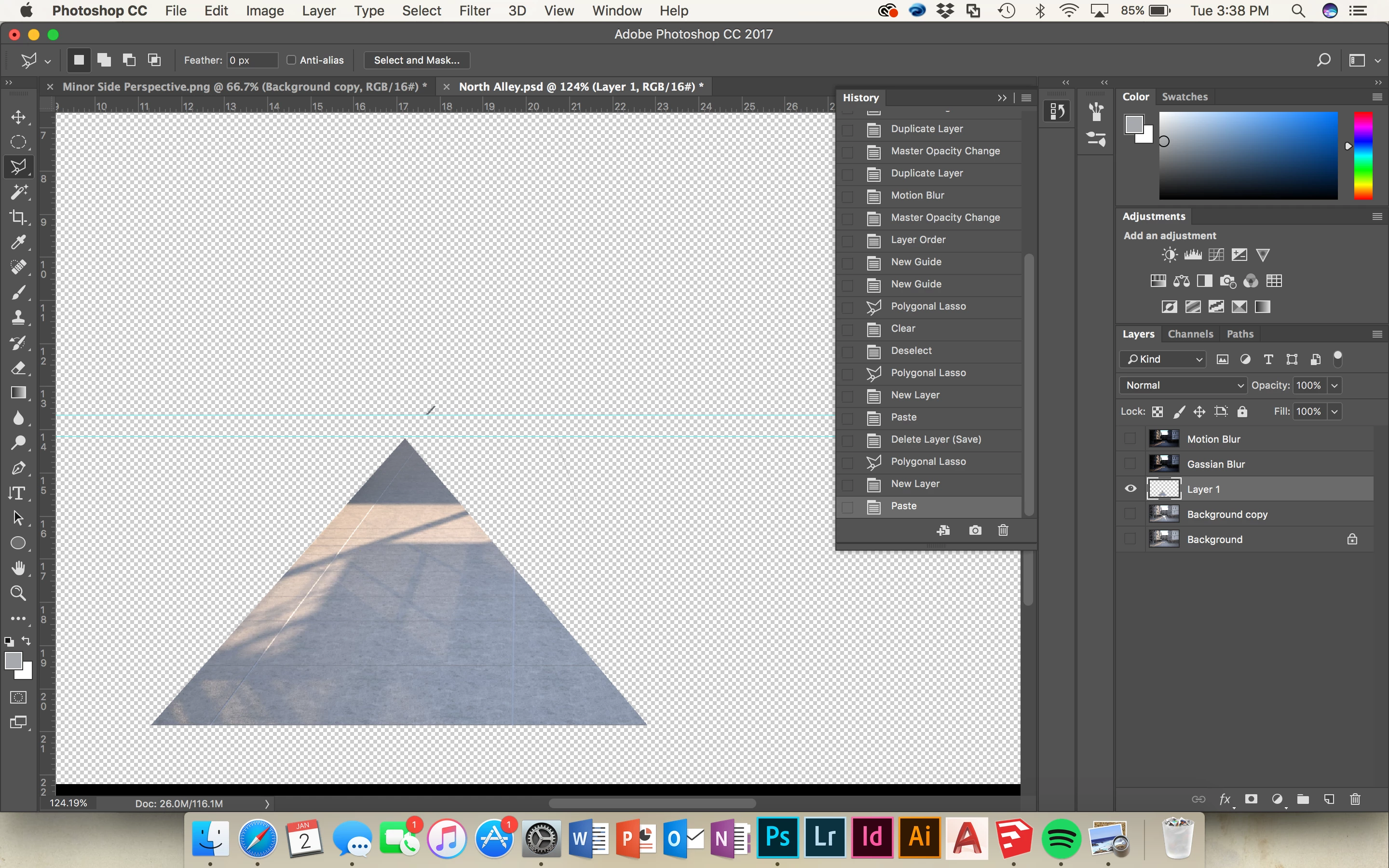
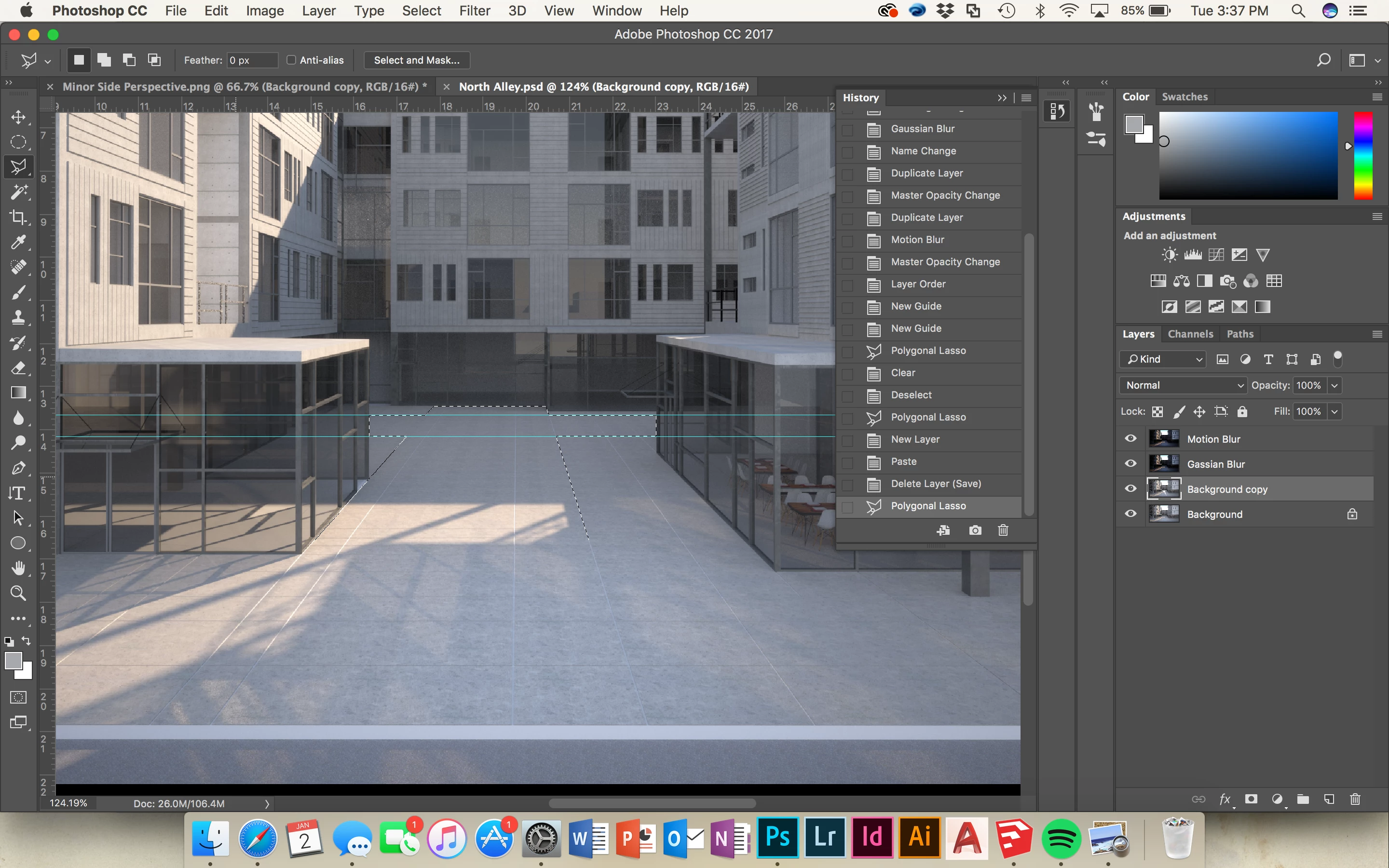
When making a particular selection with the polygonal lasso tool, I've selected the entire area I need to work on, but when I go to make adjustments, only a large triangle about half the size of the space inside the selection is effected. I copied and pasted the selection onto a new layer to see what was going on and it had the same problem. I've messed with the feather and anti-aliasing but with no success. Anybody know what the deal is?
    This topic has been closed for replies.

    2 replies

    davescm
    Community Expert
    Community Expert
    January 2, 2018

    Looking closely at the thumbnail for your second layer it looks like there is a section missing, which is being filled on the displayed image by the bottom layer

    It looks to be the same shape as the area being missed in your lasso selection. You may want to switch the view to that layer only and check.

    Dave

    Trevor.Dennis
    Community Expert
    Community Expert
    January 2, 2018

    Yes those thumbs are definitely different, and there is a clear edge showing that follows the shape of the triangle — on its right side at least.

    I was also wondering about the missing marching ants in the first screen shot, but I have a feeling this is a glitch with the way the screen shot was grabbed.

    I hope rjh0016  comes back and tells what is going on, and doesn't discover the issue and go secret squirrel on us.

    gener7
    Community Expert
    Community Expert
    January 3, 2018

    Whenever there is something going on with the marching ants, I suspect graphics card problems. But yes, we need details.

    Go to Help > System Info, click on the Copy button, Paste (Cmd V) the info into your reply. It will save a lot of "back and forth" questions.

    Gene

    Trevor.Dennis
    Community Expert
    Community Expert
    January 2, 2018

    That's a strange one.  After making the initial selection, hit the Q key to go into Quickmask.  What do you see?  Does it have a hard edge, or is it feathered?

    Do you have any layers clipped to other layers?

    rjh0016
    rjh0016Author
    Participant
    January 3, 2018

    Hard edge, only one layer. The background layer (as well as background copy) has all of the visible stuff in it