
Participating Frequently
November 3, 2016
Answered

polygonal lasso tool

  • November 3, 2016
  • 1 reply
  • 2417 views

Hi everyone,

My problem is probably very easy to solve but i can't find a solution,

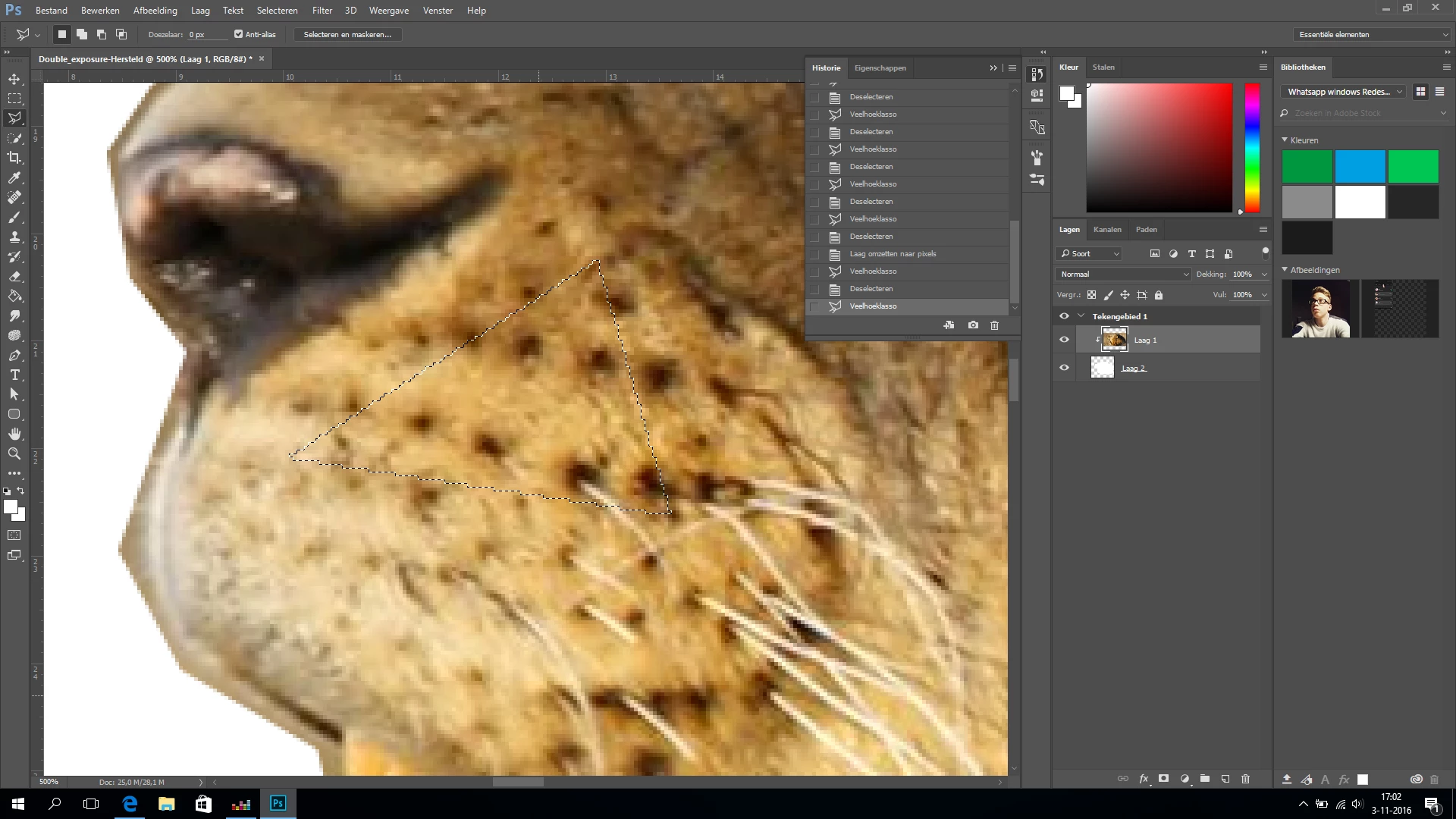
so the problem: I'm trying to make a triangular selection in a picture but when I'm using the polygonal tool,

the triangle doesn't have straight lines.
This topic has been closed for replies.
Correct answer Semaphoric

I'm using cc and I want the selection to have straight lines instead those shown above


The problem is you're viewing the image at 500%. In your screenshot, you can see the individual pixels, and selections are pixel-based. If you look at the selection in Quick Mask mode [press the Q key to toggle this], you can get a better idea of what the actual selection actually is. The marching ants are just the border between more or less than 50% selected.

Try viewing your image at 100%.

1 reply

Sahil.Chawla
Adobe Employee
Adobe Employee
November 3, 2016

Hi Laurensvvliet,

Could you please try holding the Shift key while making the triangle using the polygonal lasso tool?

Regards,

Sahil

Participating Frequently
November 3, 2016

No that's not what I mean,

I mean when I close the selection it's a wobbly selection instead of a straight selection.

Sahil.Chawla
Adobe Employee
Adobe Employee
November 3, 2016

May I know which version of Photoshop are you using and Could you please post a screenshot of the issue here?