
Known Participant
September 26, 2017
Beantwortet

Poor quality image after file reduction
  • September 26, 2017
  • 2 Antworten
  • 536 Ansichten

Hello and help!

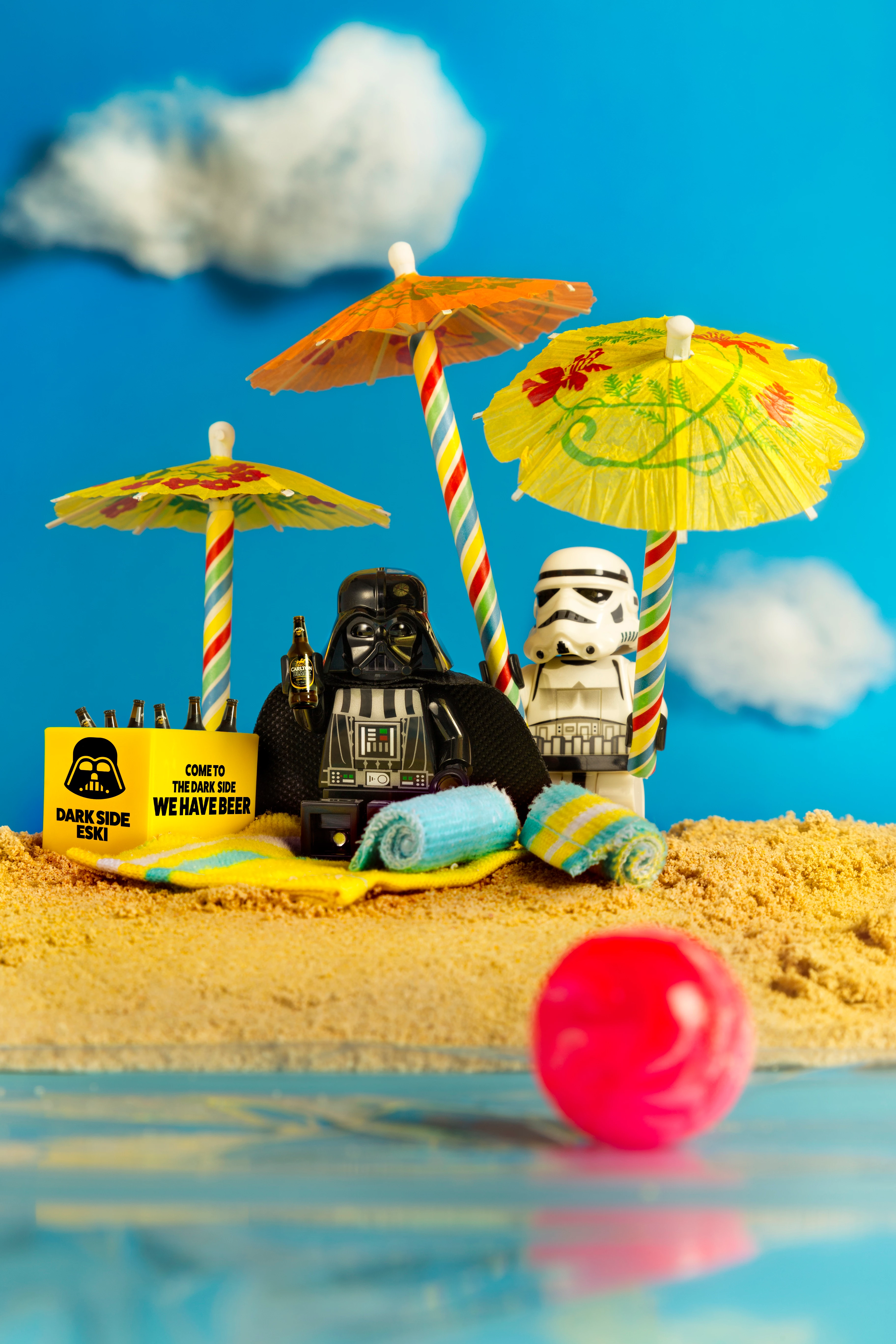
I'm trying to reduce this image down to a width of 1080 pixels. However no matter which way i try in Photoshop 'Image size' the end result is a low res poor quality image with no detail especially on the beer label, sand and black cape. At the original size of 5472 pixels at 300dpi everything is sharp. What am I doing wrong or is this the net result of reducing from a large number of pixels to a lot less.

Any suggestions greatly appreciated.

Regards

Carl

Dieses Thema wurde für Antworten geschlossen.
Beste Antwort von c.pfaffenbichler

In the label’s »Dark Ale« line for example the smaller letters are about 6px high.

When you reduce the image to about 29.6% its size the letters will be reduced to about 2px height.

2 Antworten

gener7
Community Expert
Community Expert
September 26, 2017

Go to Image > Duplicate rename the original "Downsampled - Image."  (You keep your original that way)

Image > Image Size, check resample. Sets the units to pixels and the width to 1980 px.

Click OK to reduce it. 100% view is most accurate and eliminates moire in the image view.

Save it as a jpeg, Quality 12, Optimized for best lossless results.

Other advice:

RULES FOR DOWNSAMPLING 
• When in doubt, stick with Automatic
• If sharpening, use Bicubic (smooth gradients)
• If the image is noisy, try Bicubic Smoother
• If the results look jagged, use Bilinear
Known Participant
September 26, 2017

Hi Gener7

Thanks for the info but I've done that and tried every combination of settings and no luck, still looks bad at reduced size

gener7
Community Expert
Community Expert
September 26, 2017

Ok, c.pfaffenbichler would know more than I would at this point.

c.pfaffenbichler
Community Expert
Community Expert
September 26, 2017

Could you post a screenshot of the offending result taken at View > 100%?

Known Participant
September 26, 2017

This is how it turned out. Not the label, unreadable

c.pfaffenbichler
Community Expert
Community Expert
September 26, 2017

If you expect to be able to read letters once they have been reduced to about two pixels height the problem might not be the image.