Participant
December 29, 2022
Answered

Position of zoom slider in overview changed?

  • December 29, 2022
  • 1 reply
  • 550 views

Hi!


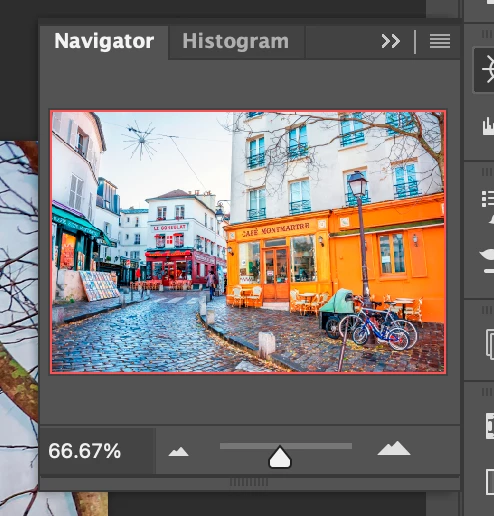
The position of the zoom slider in overview is now at the bottom right of my workspace window. It used to be right under the small miniature window before.


I haven't changed anything since I last opened Photoshop yesterday.


Any suggestions what I might do to fix this?


Best regards,

Jan

This topic has been closed for replies.
Correct answer Kevin Stohlmeyer

By small miniature window do you mean the Navigator panel?

Try going to Window>Navigator to open.

Otherwise if it is already open, try dragging the panel out - it looks like it might be collapsed under/behind other panels.
 

1 reply

Kevin Stohlmeyer
Community Expert
Kevin StohlmeyerCommunity ExpertCorrect answer
Community Expert
December 29, 2022

By small miniature window do you mean the Navigator panel?

Try going to Window>Navigator to open.

Otherwise if it is already open, try dragging the panel out - it looks like it might be collapsed under/behind other panels.


Participant
December 29, 2022

Hi Kevin!

 
Thanks for your quick reply and info.
 
I tried what you proposed but ended up uninstalling and installing Adobe Photoshop to solve the problem.
 
Now everything looks like it did earlier. 😊
 
Best regards,
Jan
Kevin Stohlmeyer
Community Expert
Community Expert
December 29, 2022

You took the long way to just reset your preferences. Next time I would save a workspace then reset it if you experience the same issue. Uninstall/reinstall should be one of the last things you try.
