
Known Participant
October 19, 2024
Question

Post production for Architectural renders

  • October 19, 2024
  • 2 replies
  • 1321 views

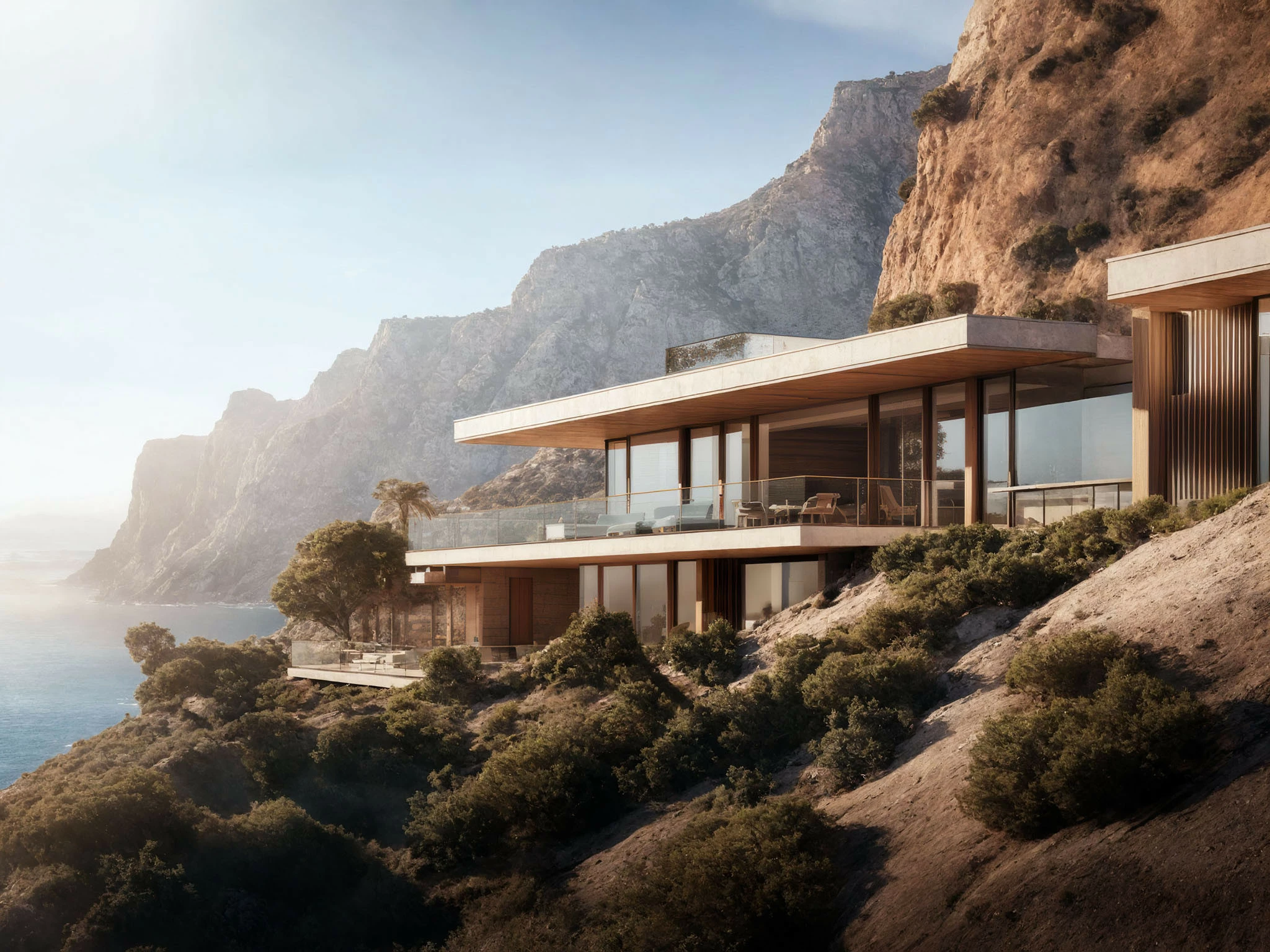
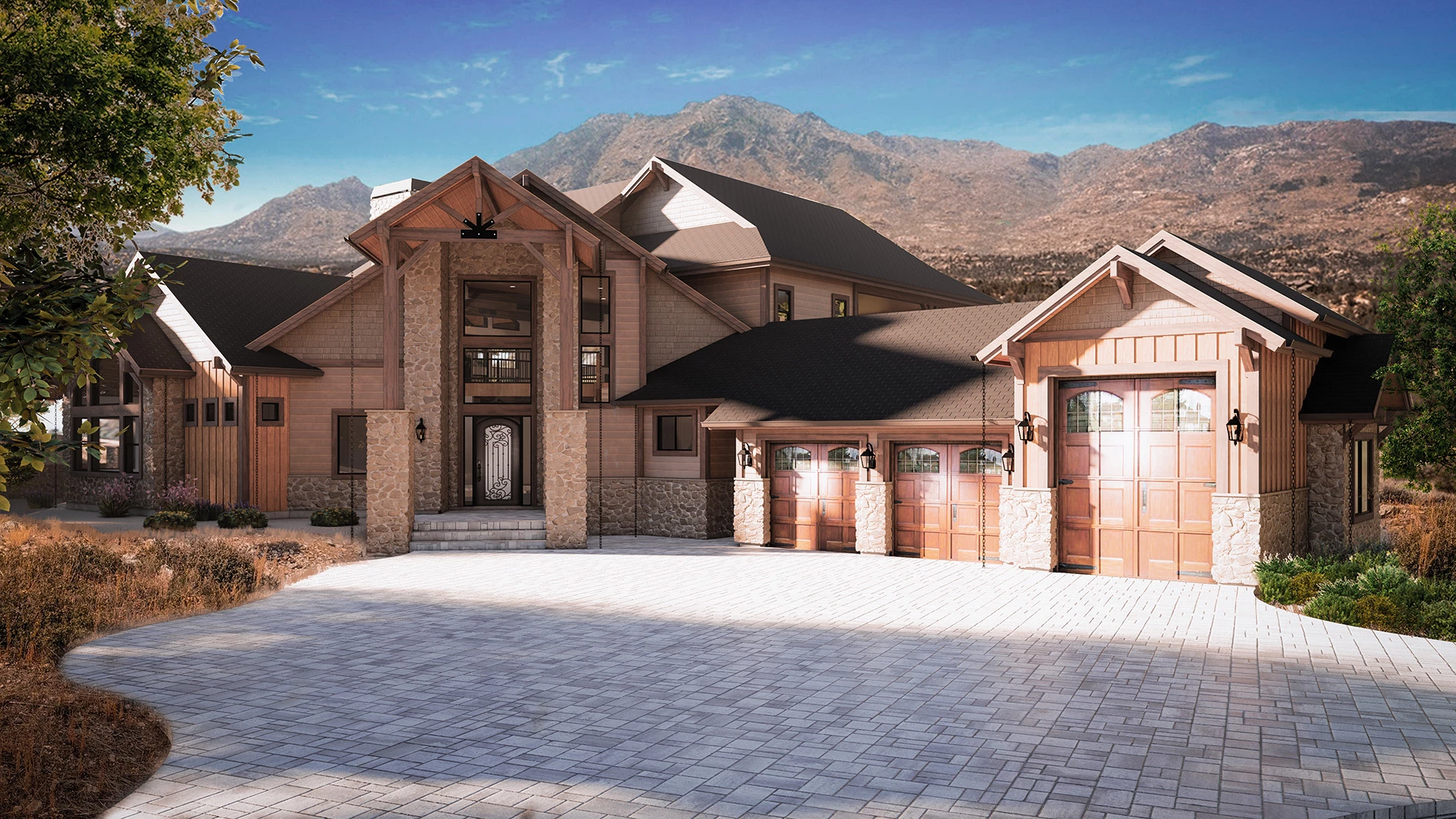
Hi, I hope I'm posting to the right place. I've been searching forever, trying to achieve a certain look and feel to my Architectural Renders. There is a style of renders out there that are absolutley beautiful and haven't been able to find a source that will teach me how to achieve this. I've been trying to figure out if I could have AI convert my renders to a digital painting style/Midjourney render but the results so far haven't been good. Below is a photo of the quality that I am trying to achieve, then a render that I have done. There is a soft, atmospheric quality to the top photo that I love. I'm willing to pay someone by the way, who could tutor me on this. I use Revit software for creating my models and materials, and Enscape as the rendering sofware.


This topic has been closed for replies.

2 replies

Rob_Cullen
Community Expert
Community Expert
October 19, 2024

If you convert the Ps image layer to a Smart Object and open in Camera Raw, you might find negative Dehaze or  negative Clarity will assist.


Regards. My System: Windows-11, Lightroom-Classic 15.0, Photoshop 27.0, ACR 18.0, Lightroom 9.0, Lr-iOS 10.4.0, Bridge 16.0 .
Known Participant
October 19, 2024

Thank you Rob, this helps a lot too. Between you and D Fosse, I'm seeing things differently. 

D Fosse
Community Expert
Community Expert
October 19, 2024

This really just looks like a soft flare, which is technically a reduction in tonal range because of light spread. Hazy or foggy air will give you this flare - as well as poor lens shading.


It's easy to mimic with a Levels adjustment, where you move the output black slider upwards, lightening from the black end up.


In your case, your blue sky is way too dark, that's just for a start.


Next, work on the background to foreground elements. Use a large soft brush in the adjustment layer mask to lighten gradually. If it's atmospheric haze, you need to reduce it as you get closer to the foreground, and that will require some additional masking.


Lens flare can be applied softly on top to the whole image.

Known Participant
October 19, 2024

Thank you so much for your reply.

I think I understand the effect that you're describing. Watching Bob Ross as a kid, I remember him explaining how things in the distance were lighter (hazy) and objects would be darker (clearer) the closer they are to you. It sounds like that is the effect you are describing in working on the background to foreground elements and reducing the haze in the foreground. In fact, I see that in the example render that I posted now that you pointed this out. 


Thank you for the observation about the sky and I see your point 100%.


I'm going to work on this a bit and see if I can get closer. I've been messing with it as I write this but so far, I think my technique isn't what it should be. I'm far from an expert in photoshop.


One other question. The colors in the example render seem to be kind of muted compared to my render. Is the best way to hadle that through saturation? Like it it just all seems to blend better than in mine. It's hard to describe, but there is a definite feel to that render. Maybe it's a specific software that some of these companies are using.