agatheg23938531
Participating Frequently
October 20, 2018
Answered

Pourquoi les commandes de Transformation ont changé ?!?

  • October 20, 2018
  • 1 reply
  • 586 views

AU SECOURS !

les commandes pour transformer les images ont totalement changé avec la nouvelle version de Photoshop !!!!

Y a-t-il un moyen de retrouver les anciennes commandes ? ex : option + shift pour transformer proportionnellement en partant du centre est devenu option tout court.

Je suis complètement perdue et passe 3h à transformer les calques comme je veux car je ne m'y fais pas du tout

Merci de votre aide !!
    This topic has been closed for replies.
    Correct answer c.pfaffenbichler

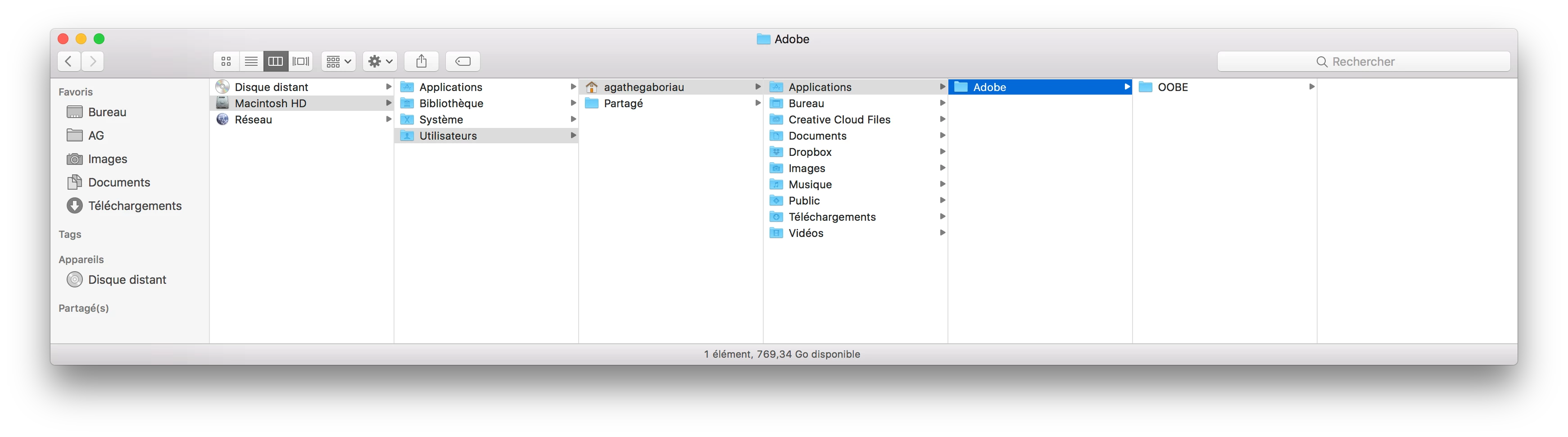
    I put it directly in "agathegaboriau" (my user name) ?


    You need to put it into the Libraries folder, not the Applications Folder, and into the correct folder as shown below, not sure what the French translation would be.

    //Users/[User Name]/Library/Preferences/Adobe Photoshop CC 2019 Settings/

    But as Macintosh has hidden the user Library Folder try alt-clicking onto the Window menu in the Finder to reveal it in the menu.

    1 reply

    c.pfaffenbichler
    Community Expert
    Community Expert
    October 20, 2018

    orders to transform the images completely changed with the new version of Photoshop!

    Is there a way to find old orders? ex: option + shift to turn proportionally from the Center became short option.

    I am completely lost and spend 3 hours to transform the layers as I want because I'm not at all

    The translation seems problematic but I guess you are asking about the new behaviour for transformations, which are proportional by default now.

    Check out this page

    New and enhanced features | Latest release of Photoshop CC

    and in particular check the »arrow« next to the line

    How do I turn off the new proportional scaling by default behavior while transforming layers?

    if you want to reinstate the obsolete behaviour.

    agatheg23938531
    Participating Frequently
    October 20, 2018

    hi ! yes you guessed my problem even if the translation is not good

    It doesn't work for me

    c.pfaffenbichler
    Community Expert
    Community Expert
    October 20, 2018

    Are you sure you placed the text file "PSUserConfig.txt" in the correct folder?

    It needs to be in the user-library, not the general library.

    And did you restart Photoshop afterwards?