
DFI_Jill
Participant
October 23, 2020
Answered

Pre-installed actions

  • October 23, 2020
  • 2 replies
  • 445 views

Hi!


 Where can I find info about pre-installed actions?  For example, there is an action in the "Production" folder called "reduced color palette."  I'd like to know how to use it, situations where it would be useful, etc.  Is there a resource where I can get information about various actions?
This topic has been closed for replies.
Correct answer jane-e

My apologies. I thought you were looking for a list of all the actions with their descriptions and uses, and I have never seen one. I was attempting to give you a way to explore them.


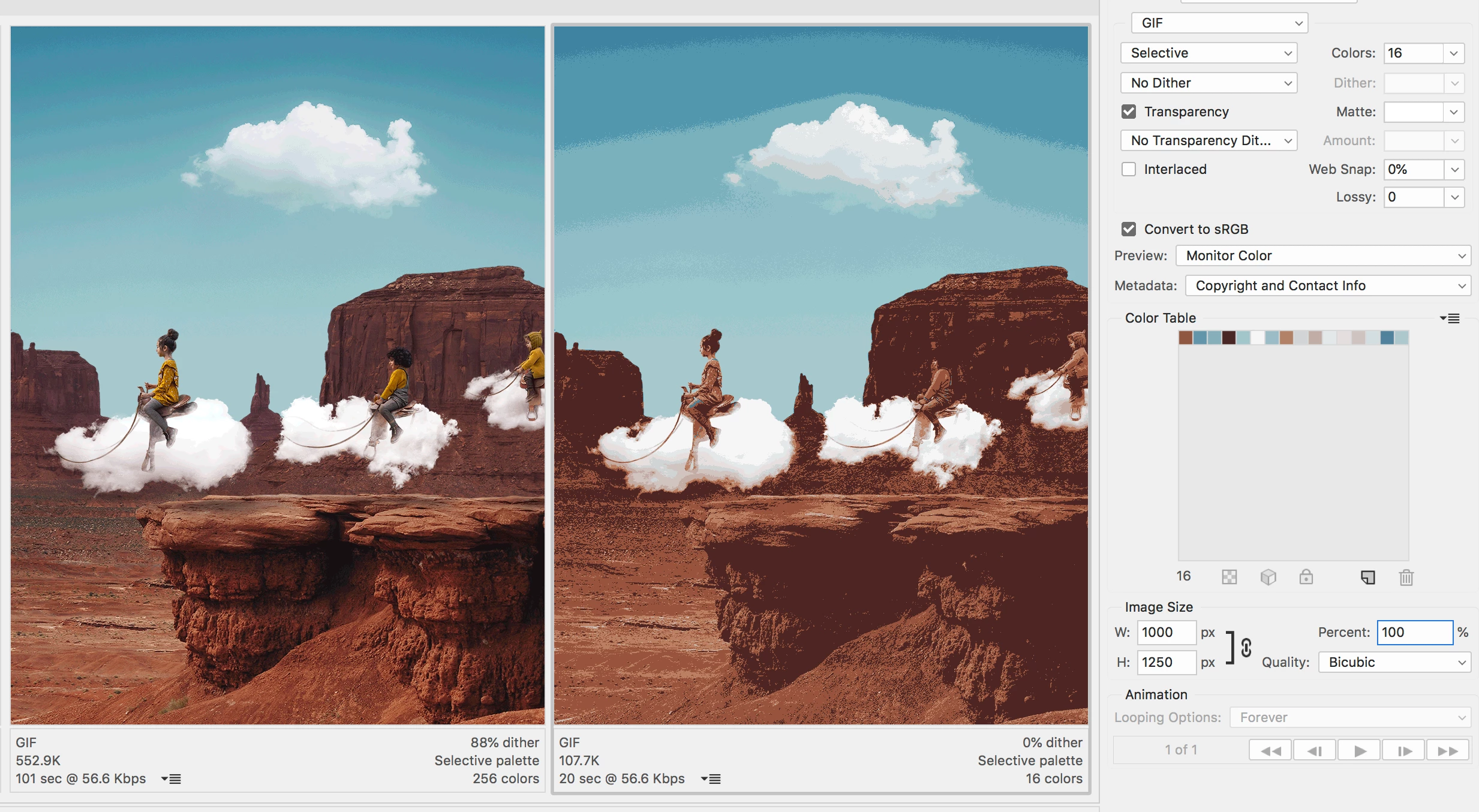
What this particular Action does is flatten the image, convert to Index mode, and bring up a dialog box where you can select the number of colors. You might use it for an image that is destined for the web. Reducing the colors can make a smaller file, which will download faster.


The image on the left has 256 colors in its table, the one on the right has a Color Table of 16 colors. Note the size difference under each image.


~ Jane

2 replies

jane-e
Community Expert
Community Expert
October 23, 2020

Hi

I am unaware of a "cheat sheet" that describe the various actions. What you might do is:


  1. Click the disclosure triangle to see what the action does.


  2. Look in your History panel
  3. Look at your Layers panel


Then close without saving to clear the History and try another one. You might also set the Playback Options from the Actions panel menu to step through the action.


Jane


DFI_Jill
DFI_JillAuthor
Participant
October 23, 2020
I don't think you understand my question.  I am not asking what the individual steps of the action are, or how to find the actual file on my hard drive.  
 
I'm asking about the practical application of the action - when, why, and how it might be incorporated into a workflow, what type of editing would call for it, etc.  Is it used to analyze an image?  Does it generate a palette for color grading?  Is it simply an effect that serves no practical purpose?  What does reducing color accomplish?  Is it used in graphic design or photography? If anyone uses this action, I am interested in finding out why and how you use it.  
 
Thanks
jane-e
Community Expert
jane-eCommunity ExpertCorrect answer
Community Expert
October 23, 2020

My apologies. I thought you were looking for a list of all the actions with their descriptions and uses, and I have never seen one. I was attempting to give you a way to explore them.


What this particular Action does is flatten the image, convert to Index mode, and bring up a dialog box where you can select the number of colors. You might use it for an image that is destined for the web. Reducing the colors can make a smaller file, which will download faster.


The image on the left has 256 colors in its table, the one on the right has a Color Table of 16 colors. Note the size difference under each image.


~ Jane

JJMack
Community Expert
Community Expert
October 23, 2020

JJMack