Answered
Prevent crop making me use flatten image in P'shop2020
When I crop an image in Photoshop 2020, it makes a new layer.
How do I disable that so that I don't have to flatten the image?

When I crop an image in Photoshop 2020, it makes a new layer.
How do I disable that so that I don't have to flatten the image?
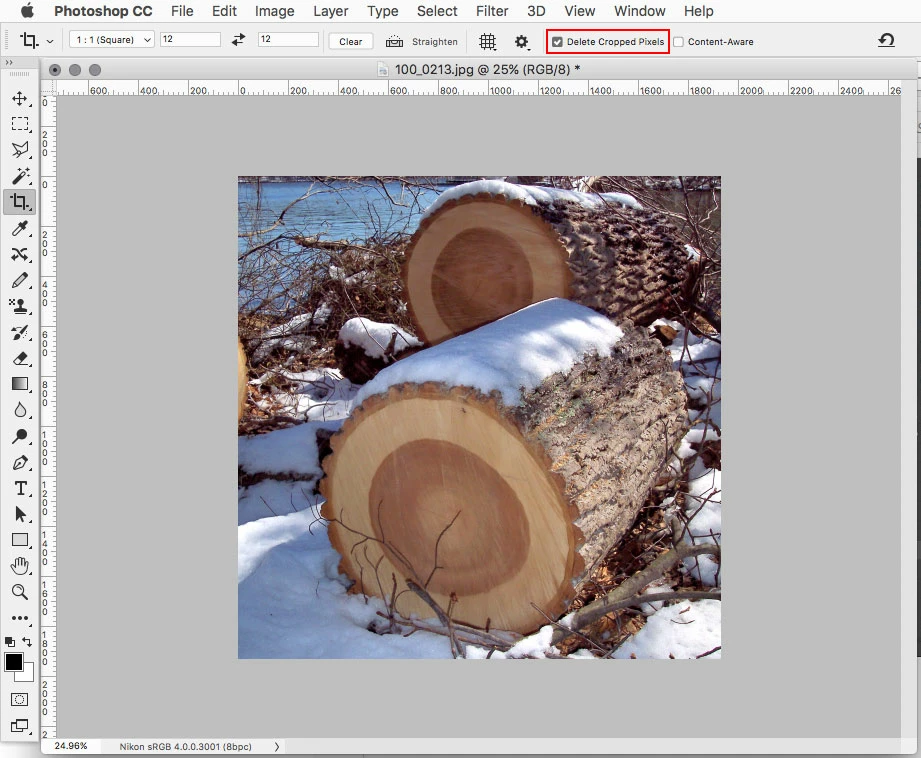
In the Crop Tool options check Delete Cropped Pixels
Already have an account? Login
Enter your E-mail address. We'll send you an e-mail with instructions to reset your password.
 AdChoices