Participating Frequently
February 16, 2018
Question

Print preview problem in Photoshop 19.++

  • February 16, 2018
  • 1 reply
  • 952 views

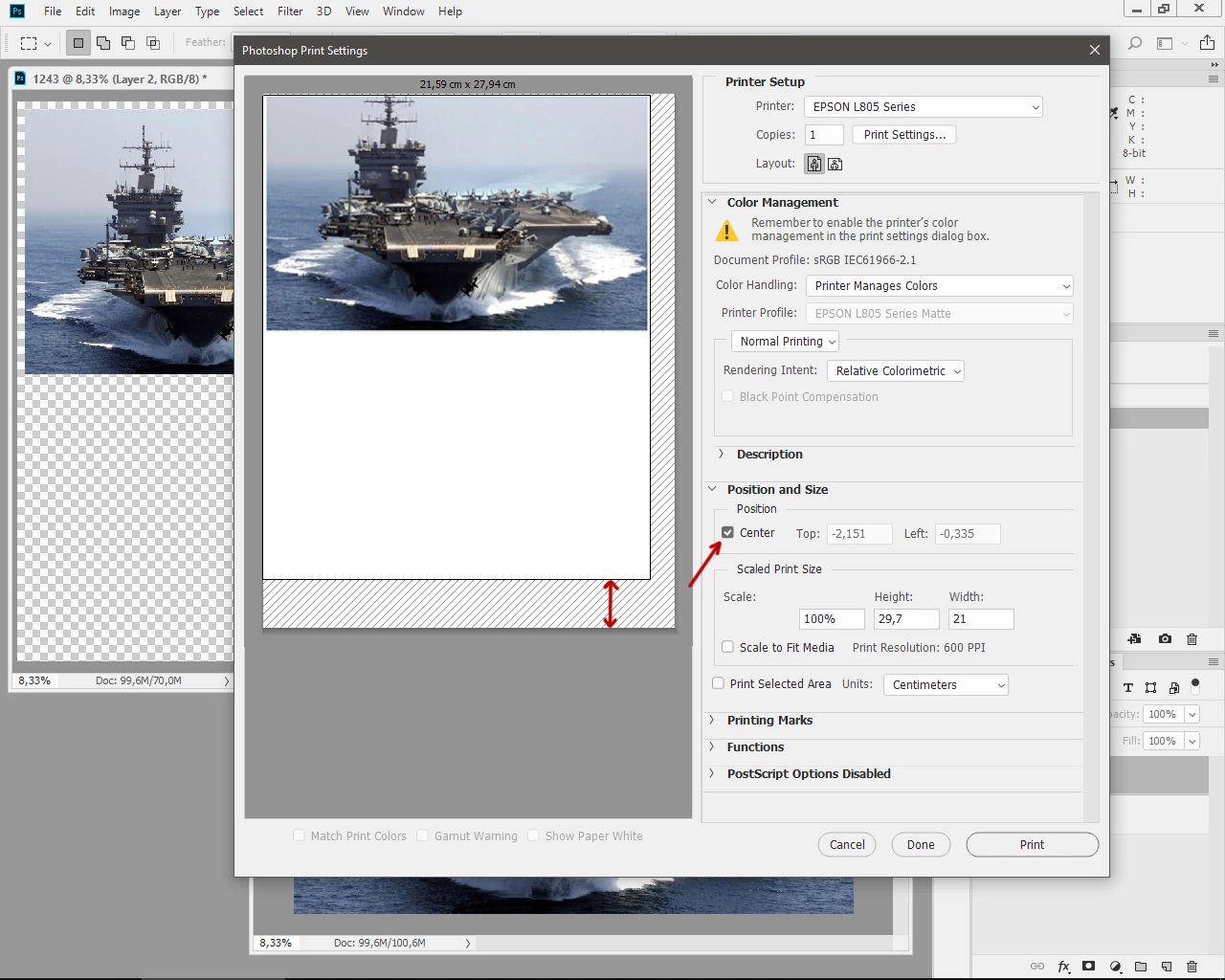
Greetings. After upgrading Photoshop to version 19, I ran into a problem. In the preview window, the image is shifted up, despite the fact that the "center" function is active. Last update 19.1.1 does not solve the problem.

This topic has been closed for replies.

1 reply

Derek Cross
Community Expert
Community Expert
February 16, 2018

Try resetting your Photoshop Preferences, which you can do under the General tab in Photoshop Preferences.

SdanichAuthor
Participating Frequently
February 16, 2018

After reboot the problem returned

Participating Frequently
July 5, 2018

I have the same problem. Every time I Print, the dialog comes up screwy, as you describe.   If I make any changes in the Print Settings, or change the Layout, the preview will correct itself. But the next time I come back, its screwed up again.  Pretty annoying. 

Jamie