Participant
February 4, 2020
Question

Printing in Photoshop Issue

  • February 4, 2020
  • 1 reply
  • 430 views

Hi there, I am having some issues printing from Photoshop and hope for some assistance. 


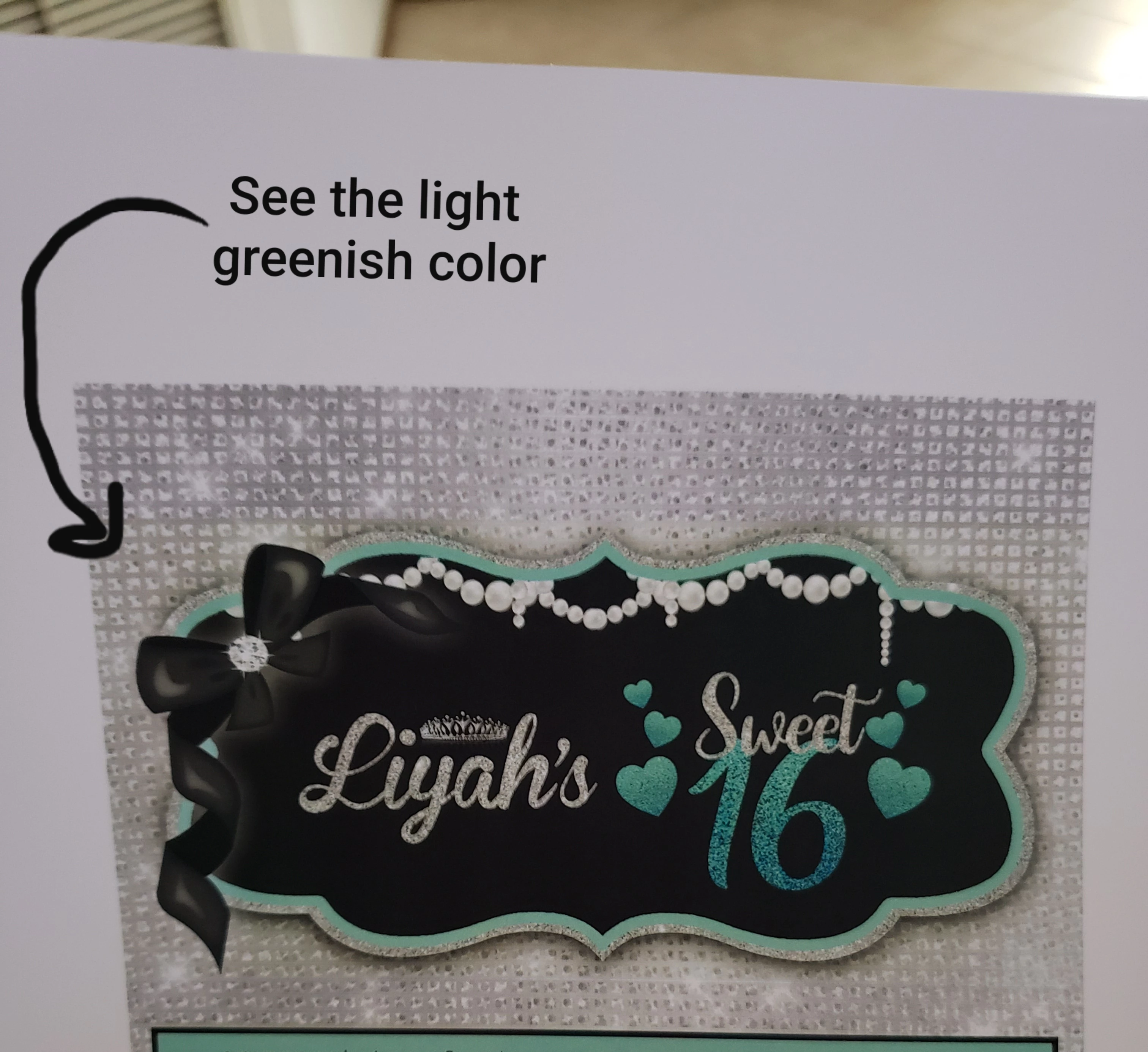
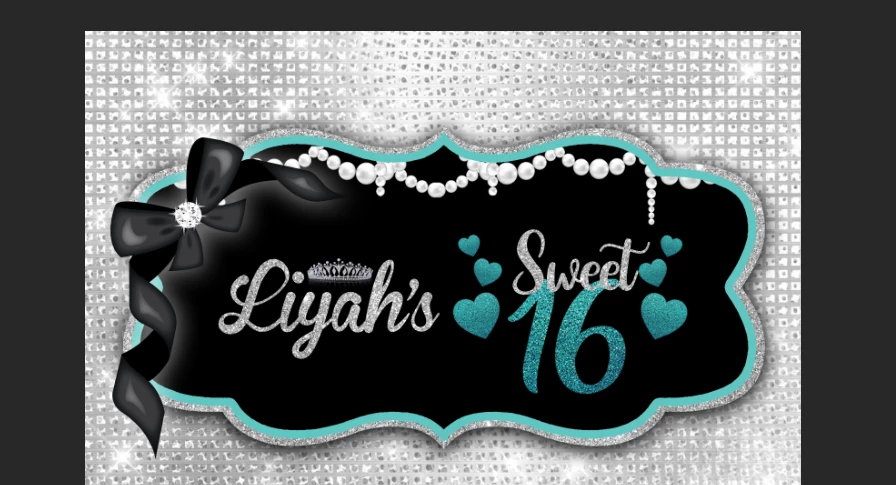
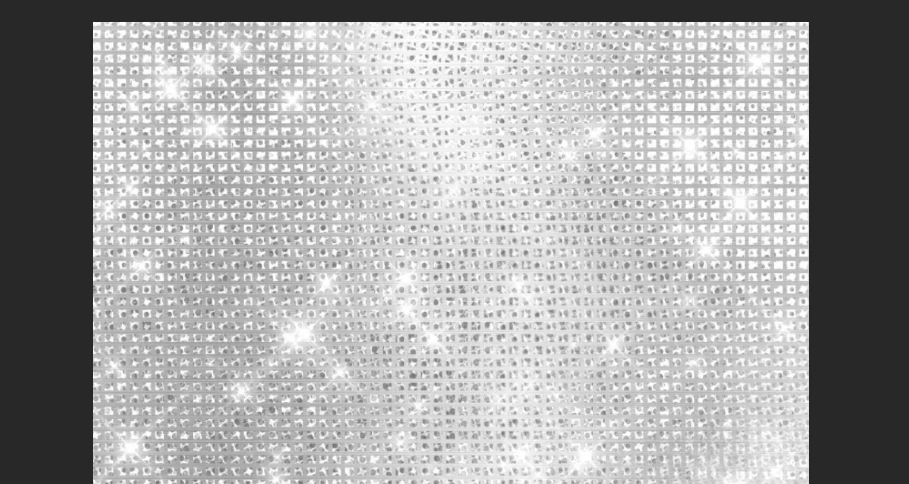
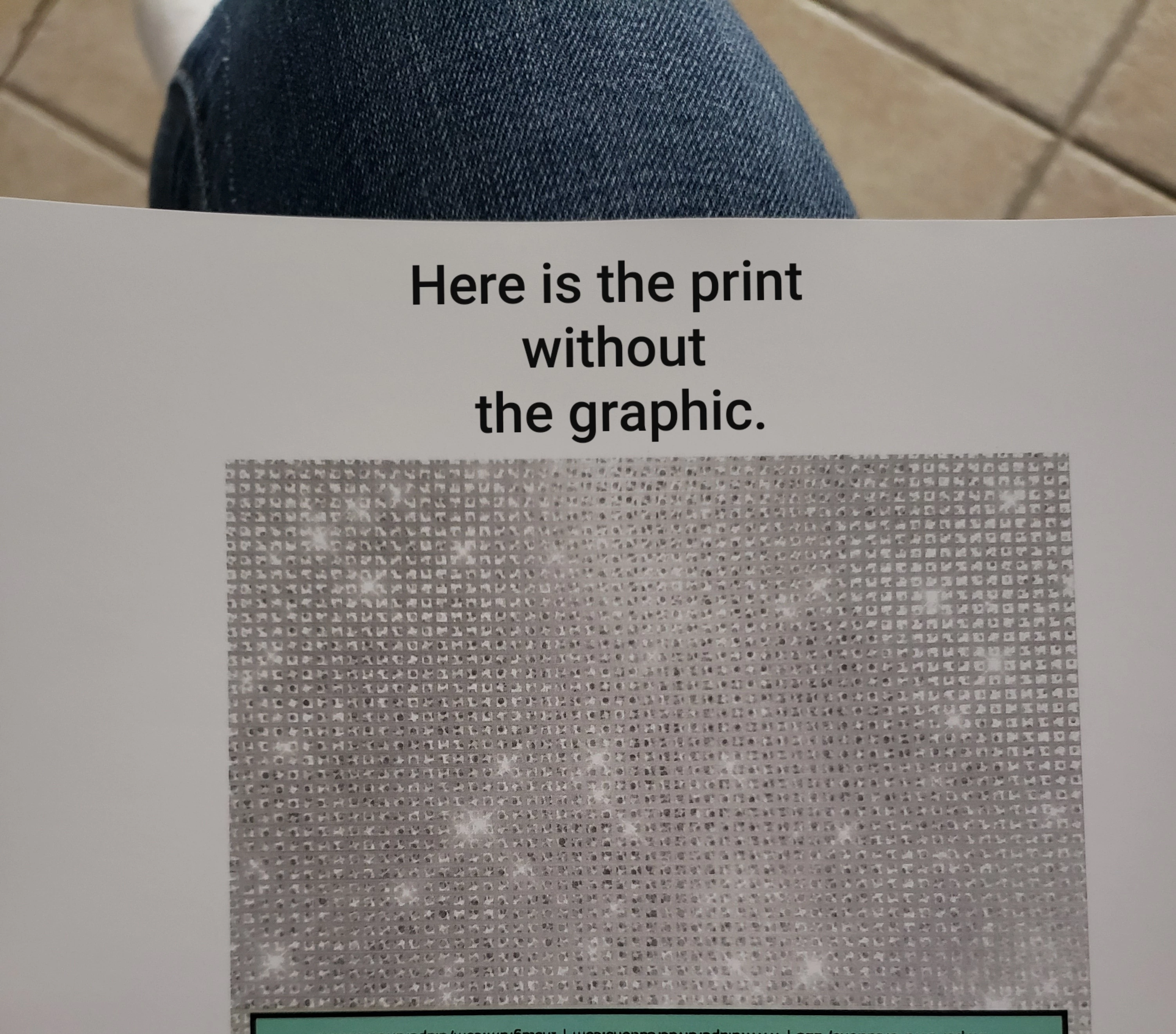
I am trying the print the 1st attachment. The background is gray and graphich is tealish, black, with pearls and silver glitter. Everytime I print, the gray area behind the graphic has some light greenish on it. So I wanted to see if it was the gray background the issue. I removed the graphic left the gray background on it's own and it printed gray without any other colors blended into it. I added back the graphic and printed again and there it goes again some parts of the gray has greenish. How can this issue be fixed. Anyone please help!

Attachments are the screenshot from Photoshop plus acutal printouts. 


This topic has been closed for replies.

1 reply

NB, colourmanagement
Community Expert
Community Expert
February 5, 2020

I don’t see any attachments, just images pasted in to the page. The actual files would perhaps help us to help you, please try again and click the chain (attach) icon rather than the picture (the picture means insert image, not attach image). 


I am presuming from what I see on screen that the silver woven sparkly background in your original is fairly close to neutral (you'd find out by going over it with the eyedropper and looking at the values in the info panel, neutral colours have equal RGB values.) 

So your issue seems to be mainly with printing near neutral colours, that’s often a sign of an inaccurate printer profile.

What happens when you print other images? Perhaps try printing this one as a test: CMnet Pixl AdobeRGB testimage


You could also exclude an image issue by printing another neutral image (any colour image with a full range of tones which has been converted to black and white would serve as a test image).  


It would help to know more:

Mac or Windows?

Are you flattening a copy of the file before printing?  It's good practice but I doubt it’s the cause of your issue.

What's the printer, the ink and the paper you're using?

Do you have a good icc profile for printer and paper?

- more here: https://www.colourmanagement.net/advice/about-icc-colour-profiles/

Do you print using "Photoshop manages colour"? Or printer manages colour?


It seems from your description,  that certain tones of grey or near neutral are printing OK, but some tones have a cast when printing, but that may not be consistent. 

Inaccuracy's not unusual if the ICC profile for paper and printer is not good. 


Are you actually meaning that the woven background prints fine when printed alone, then when the Sweet 16 graphic is added a greenish tint appears on the woven silver outside the area of the graphic?


I hope this helps


neil barstow, colourmanagement.net

[please do not use the reply button on a message in the thread, only use the one at the top of the page, to maintain chronological order]


Participant
February 5, 2020

Hi, thank you for your reply. 


Yes, that's correct. The woven background prints fine when printed alone, then when the Sweet 16 graphic is added a greenish tint appears on the woven silver outside the area of the graphic. Behind the Sweet 16 graphic, there's a square box that's greenish tint on the silver outside area. It seems as the green in the graphic is printing into the silver area. 

I tried to play with the settings to no avail. 

I am using a PC. Printer is HP Laser M477FNW.

I have attached a screenshot image of the settings when ready to print in Photoshop.


Participant
February 6, 2020

I removed the drop shadow and it still shows the greenish tint on the silver outside area. 

I added arrows to it. The greensish tint shows in a square as well at the bottom.

I have attached a photo image. 

This is so frustrating 😞


I ended up printing the file at Office Depot as it was so frustrated and the file printed perfect. I just can't seem to understand why at home with my laser printer it was printing with the greenish tint.