Participant
January 19, 2020
Answered

Printing Quality

  • January 19, 2020
  • 3 replies
  • 3308 views

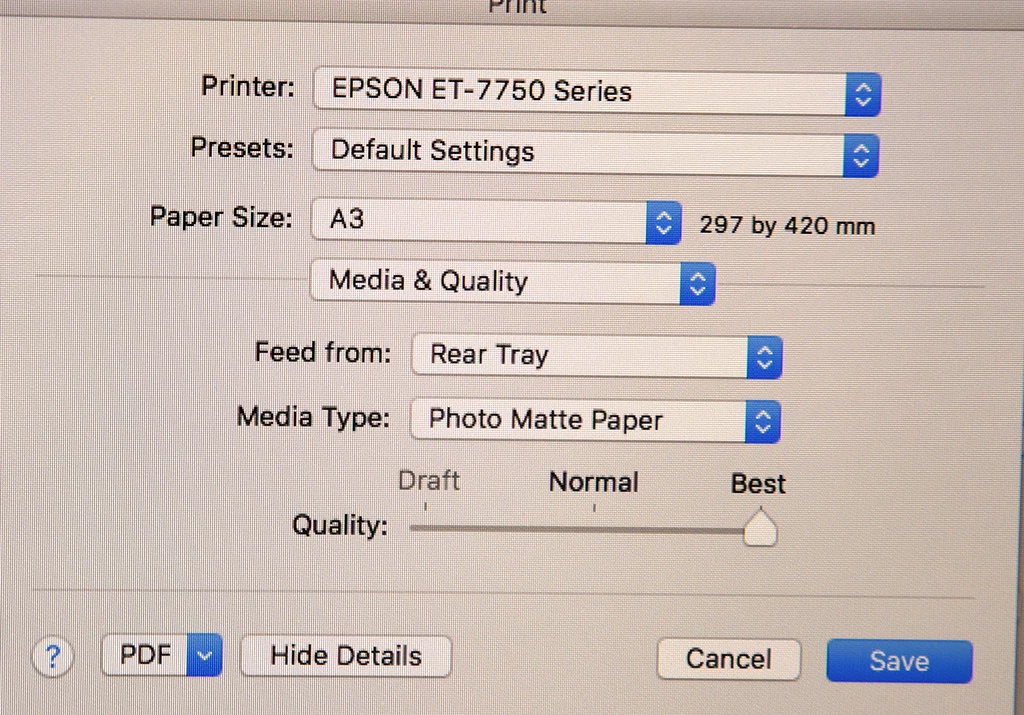
Why is it that when you come to "print" you get now a "simple" print mode - Draft - Normal -Best?

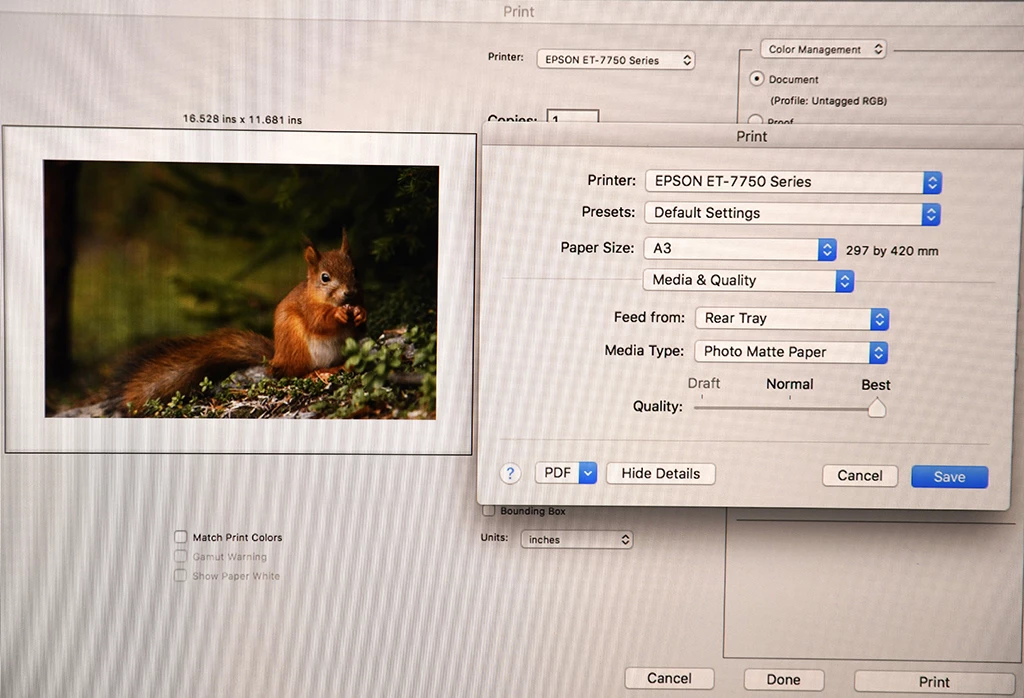
For example I us be able to control colour balance in print settings, now it come like this:


In the media and quality you cannot adjust colour cast for paper selection and the prints come out either magenta or blue cast.  How can this be adjusted. 

I use Epson ET-7750

Any suggestions welcome.

Thank you

This topic has been closed for replies.
Correct answer NB, colourmanagement

Hi,


Looks like a Mac? 


I've come across just this when working this on site with clients and first time spent a lot of time working out what was wrong.

At first I thought Epson had just come up with a new very simplified driver. But NO.


I'm pretty sure you're using the default OSX Gutenprint / Gimp print driver http://gimp-print.sourceforge.net/MacOSX.php, rather than an actual Epson driver software.


That Gutenprint/Gimp printer driver misses lots of features, to be fair, can be useful for unsupported old printers but the real Epson driver is far better if you can get it..


IN media settings you should be seeing actual manufacturers paper names such as "Premium Glossy" "Premium Luster" not generics like "matte" / "gloss" etc. 

You should be able to select the actual Epson driver / interface in system preferences / "printers and scanners", you'll likely see your printer listed there more than once. Try the others, when you see the actual Epson printer names you've hit gold.

Maybe you'll need to download and install the Epson driver software. if its not available for your version of OSX, then you're stuck with Gimp I'm afraid. 


I had a tough time with this a few years ago as the client was wanting to use wireless printing (which defaulted to the Gimp driver), wireless printing just couldn't be done with the Epson driver, we had to use a USB cable to connect the printer to get it working right. 


Having written that, I hope you're not using colour adjustments in the printer software to get your prints looking right? Photoshop is the place for that - and with a decent calibrated and profiled monitor display screen and a good printer/paper profile you'll get very close in print to what you see on screen 


I hope this helps

if so, please "like" my reply and if you're OK now, please mark it as "correct", so that others who have similar issues can see the solution

thanks

neil barstow, colourmanagement.net

[please do not use the reply button on a message in the thread, only use the one at the top of the page, to maintain chronological order]

3 replies

NB, colourmanagement
Community Expert
NB, colourmanagementCommunity ExpertCorrect answer
Community Expert
January 20, 2020

Hi,


Looks like a Mac? 


I've come across just this when working this on site with clients and first time spent a lot of time working out what was wrong.

At first I thought Epson had just come up with a new very simplified driver. But NO.


I'm pretty sure you're using the default OSX Gutenprint / Gimp print driver http://gimp-print.sourceforge.net/MacOSX.php, rather than an actual Epson driver software.


That Gutenprint/Gimp printer driver misses lots of features, to be fair, can be useful for unsupported old printers but the real Epson driver is far better if you can get it..


IN media settings you should be seeing actual manufacturers paper names such as "Premium Glossy" "Premium Luster" not generics like "matte" / "gloss" etc. 

You should be able to select the actual Epson driver / interface in system preferences / "printers and scanners", you'll likely see your printer listed there more than once. Try the others, when you see the actual Epson printer names you've hit gold.

Maybe you'll need to download and install the Epson driver software. if its not available for your version of OSX, then you're stuck with Gimp I'm afraid. 


I had a tough time with this a few years ago as the client was wanting to use wireless printing (which defaulted to the Gimp driver), wireless printing just couldn't be done with the Epson driver, we had to use a USB cable to connect the printer to get it working right. 


Having written that, I hope you're not using colour adjustments in the printer software to get your prints looking right? Photoshop is the place for that - and with a decent calibrated and profiled monitor display screen and a good printer/paper profile you'll get very close in print to what you see on screen 


I hope this helps

if so, please "like" my reply and if you're OK now, please mark it as "correct", so that others who have similar issues can see the solution

thanks

neil barstow, colourmanagement.net

[please do not use the reply button on a message in the thread, only use the one at the top of the page, to maintain chronological order]

Participant
January 26, 2020

Thank you all for replying. This has been helpful. Yes I do use Mac so I am sorry for those using Windows.

what I did do was to delete printer and then re install . The settings then returned to normal. Wondered if this was due to updating software? 

Thank you again everyone.

davescm
Community Expert
Community Expert
January 19, 2020

Those are Epson print driver options - not Photoshop options.


Ideally you want to download an ICC profile for your printer and paper combination (from Epson or the paper manufacturer) then you :

a. Set the printer driver to the settings for that paper as prescribed by Epson/Paper manufacturer

b. Turn off colour management in the Print driver.

c. Turn on Photoshop manages colours in the Photoshop print dialogue and select the profile for the printer and paper in the same dialogue.


Dave


NB, colourmanagement
Community Expert
Community Expert
January 20, 2020

Hi davescm,


I believe that the issue is that's not the Epson driver he's using, hence the missing manufacturer paper names its Gimp/Gutenprint, which misses lots of Epson driver features as he has discovered . 


I hope this helps


neil barstow, colourmanagement.net

[please do not use the reply button on a message in the thread, only use the one at the top of the page, to maintain chronological order]

JJMack
Community Expert
Community Expert
January 19, 2020

Print device drivers often change Print quality options settings that are possible for different quality paper. If the Colors are coming out off.  Make sure that both the Print drive and Photoshop are not trying to manage printer colors.  Reset you Preferences and do a nozzle check.  Also post screen captures not unusable pictures my eyes are old.


JJMack