Participant
July 12, 2018
Answered

Pro Q: What photoshop function is this? Contours?

  • July 12, 2018
  • 2 replies
  • 645 views

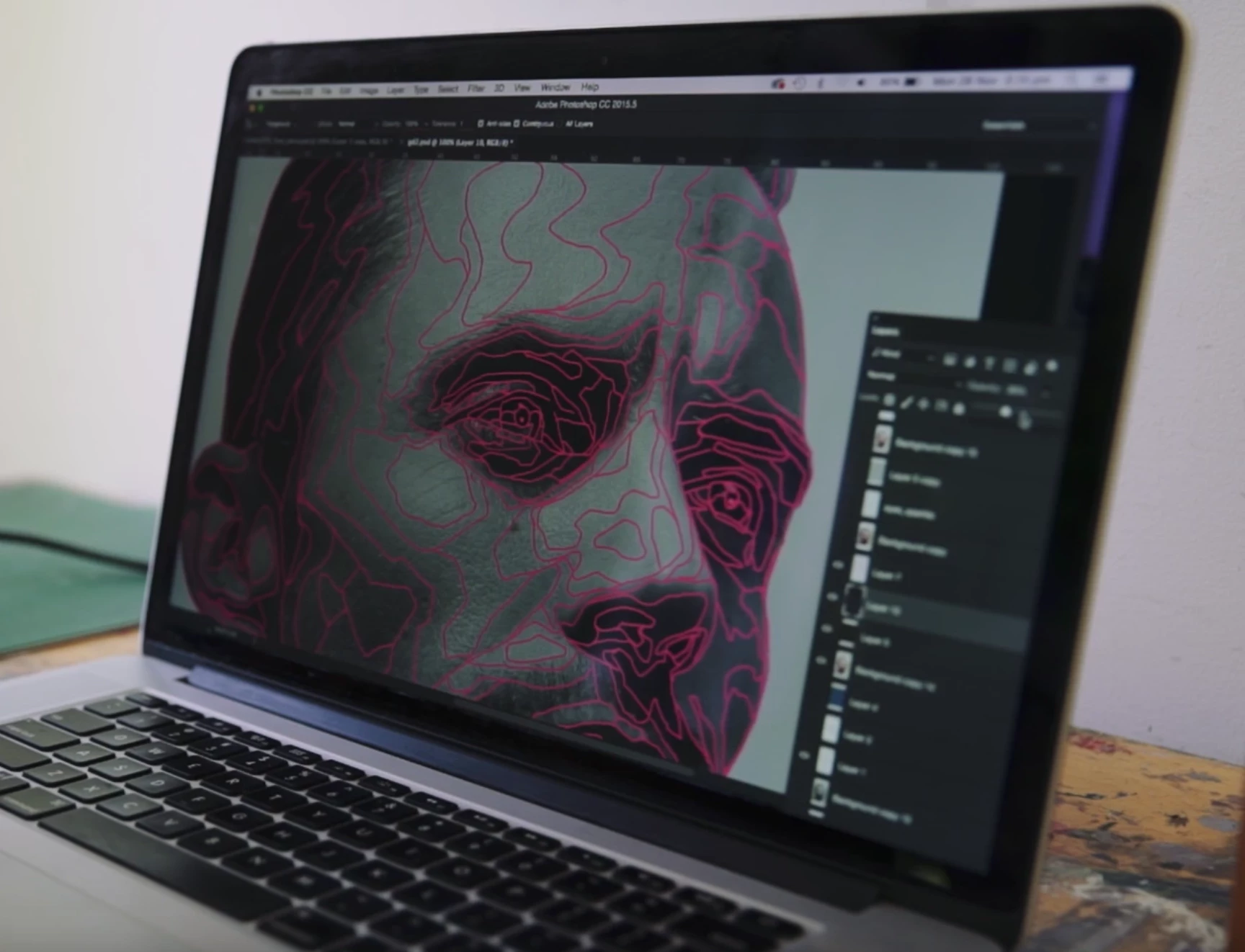
Hi folks! What photoshop function should I use to replicate the pink lines on this image? They are drawn to capture different levels of color. Thanks so much!

This topic has been closed for replies.
Correct answer Barb Binder

Oops, sorry. I misunderstood the question. Did you try duplicating the layer and playing with Filter > Stylize > Trace Contours? (You may get better results with the filter if you convert the duplicate layer to grayscale first.)

~Barb

2 replies

Barb Binder
Community Expert
Barb BinderCommunity ExpertCorrect answer
Community Expert
July 12, 2018

Oops, sorry. I misunderstood the question. Did you try duplicating the layer and playing with Filter > Stylize > Trace Contours? (You may get better results with the filter if you convert the duplicate layer to grayscale first.)

~Barb

~Barb at Rocky Mountain Training
Participant
July 12, 2018

No problem. This is actually a still from a video. I am trying to replicate the same style in another piece.

John Waller
Community Expert
Community Expert
July 12, 2018

Feel free to post a screenshot next time rather than an actual photo of the screen.

How to take a screenshot on your Mac - Apple Support

Gives us a clearer idea of what you're aiming for

Barb Binder
Community Expert
Community Expert
July 12, 2018

You can draw them with the Pen tool, but there's learning curve to using the Pen. There are a number of tutorials you can find to explain how via a Google search.

~Barb

~Barb at Rocky Mountain Training
Participant
July 12, 2018

Would the pen tool do it in an automated way, though? This is simply for an underdrawing of a painting. I want it to automatically select the different light areas as it has done in the image. Thanks for replying!