
Answered
Problem inverting a single channel

Hi Doc_Pit
There are two kinds of channels: color and alpha.
The color channels store colors. A couple of examples:
There are other color modes.
Alpha channels are also saved selections.
Make a selection > Go to Selection > Save Selection > Name it > It will show up as an alpha channel.
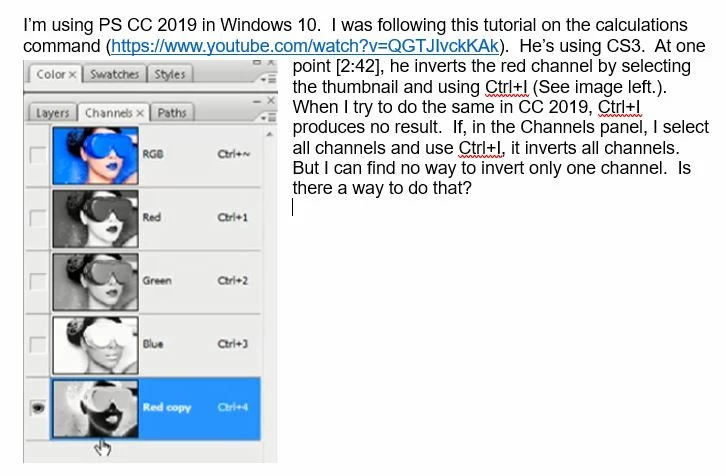
What the tutorial is showing you is called channel masking, meaning make a selection out of a color channel. (Stay with me; I’ll keep it simple!) The idea is that you pick the color channel with the best contrast and copy it. It then stops being a color channel, and becomes an alpha channel. You can leave it named “Red Copy”, but most people would rename it. In the tutorial, I imagine you then go on to clean up the alpha channel to make it more pure black and pure white.
As soon as it is an alpha channel, whether you got it by making and saving a selection or by copying a color channel and cleaning it up, you can go to Select > Load Selection and find it listed there. Copying it converts it to an alpha channel.
Back in the days of CS3, I watched Deke McClelland’s 33 hour tutorial on Channels and Masks several times. This, as I said, is a very brief explanation, but there is more when you are ready for it. It’s fun stuff!
Does this make sense?
Already have an account? Login
Enter your E-mail address. We'll send you an e-mail with instructions to reset your password.
 AdChoices