Doc_Pit
Inspiring
May 3, 2018
Answered

Problem modifying gradients in the gradient editor
  • May 3, 2018
  • 1 reply
  • 1902 views

This topic has been closed for replies.
Correct answer Jeff Arola

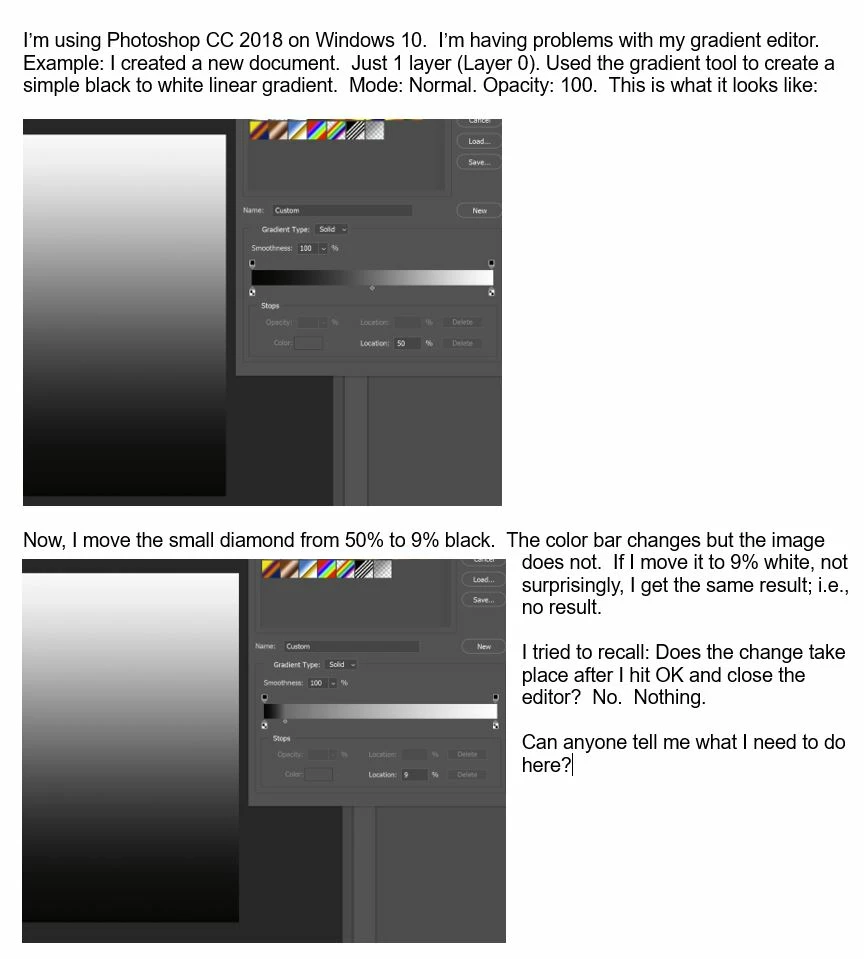
The Gradient Tool is a one time thing.

In other words once you draw out a gradient, you can't edit it with the gradient editor.

Try using a Gradient Fill Adjustment Layer. Then you can edit the gradient with the gradient editor and see the changes.

Layer>New Fill Layer>Gradient.

Or you could use a Gradient Overlay Layer Style.

Layer>Layer Style>Gradient Overlay.

1 reply

Jeff Arola
Community Expert
Jeff ArolaCommunity ExpertCorrect answer
Community Expert
May 3, 2018

The Gradient Tool is a one time thing.

In other words once you draw out a gradient, you can't edit it with the gradient editor.

Try using a Gradient Fill Adjustment Layer. Then you can edit the gradient with the gradient editor and see the changes.

Layer>New Fill Layer>Gradient.

Or you could use a Gradient Overlay Layer Style.

Layer>Layer Style>Gradient Overlay.

Doc_Pit
Doc_PitAuthor
Inspiring
May 3, 2018

Thanks, very much.  Now it all makes sense.  I always started with the gradient layer and used the editor.  I just thought it would be quicker and easier to start by drawing the gradient with the tool.  It never occurred to me that a gradient created with the tool could not be edited.  Thanks, again.