

PaulieDC
Inspiring
January 21, 2024
Question

Problem: PS 2024 - Reproducible

  • January 21, 2024
  • 4 replies
  • 322 views

When working on an image in PS 2024, I will often select a section, open the Camera Raw Filter and make my edit. Try it with the Lasso tool and select TWO sections, such as eyes in a portrait, and try to open the ACR filter... it'll open, the cursor changes to the Zoom Tool and Photoshop totally locks locks up. I can repeat this over and over. Never did it in 2023 and previous versions.


===========================

UPDATE (30 minutes later):  I tried the ACR Filter with a single selection (one eye basically), and while it works, you do NOT see the result in the preview image in ACR! The image does not change (I removed some red in the eyes and lids with the Color Mixer in ACR). However, whern I clicked OK, the change did apply to the main image in Photoshop. I remember when Print Preview in Photoshop was borked for over a year which was a nightmare when doing large format inkjet prints, I hope this gets fixed sooner.

===========================


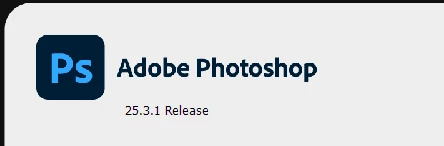
Adobe Version:
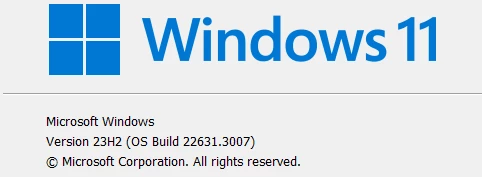
Windows Version:
 System (Laptop):

 

Yes I've rebooted and it's not a hardware limitation as you can see.


If anyone has a chance, please try it. Would also be interesting to know if it does this in the Mac version.


Thanks!

This topic has been closed for replies.

4 replies

PaulieDC
PaulieDCAuthor
Inspiring
January 21, 2024

OK, I will when I get back to my computer. There is always the chance that the Nvidia drivers maybe causing this, I'm on the latest studio driver but anything can happen. I'm using the mobile RTX 3060.


After mentioning the GPU, I realize I probably should've checked the windows event logs first. So I'll do a complete sweep of settings and everything and see if I can figure out what's doing it.

PaulieDC
PaulieDCAuthor
Inspiring
January 21, 2024

Appreciate you replying. I'll delete and reinstall everything and see if that fixes it.

Ged_Traynor
Community Expert
Community Expert
January 21, 2024

@PaulieDC have you tried resetting the ACR preferences

D Fosse
Community Expert
Community Expert
January 21, 2024

This sounds  like a GPU issue. Please post Help > System Info.


It works normally here with two active selections, no freezing, no crashing.


With two lasso selections, the ACR filter opens the full area covered by both selections, similar to what you get with Image > Crop in the same situation. The ACR adjustment is fully visible in the ACR window. When committed, the adjustment is confined to the two previously selected areas. 


This is Windows 10 pro, PS 25.3.1, ACR 16.1