
Problem: When saving a JPEG, Quality: 7 is smaller than Quality: 6
Hi guys,
How do I report a bug to the Photoshop team?
I have noticed a recurring problem when saving a JPEG (save as)
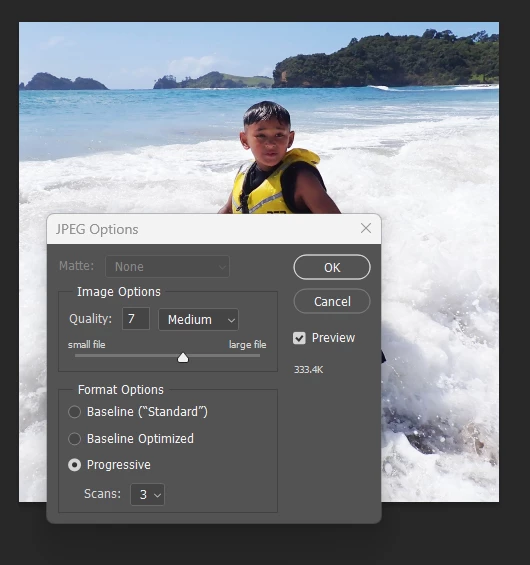
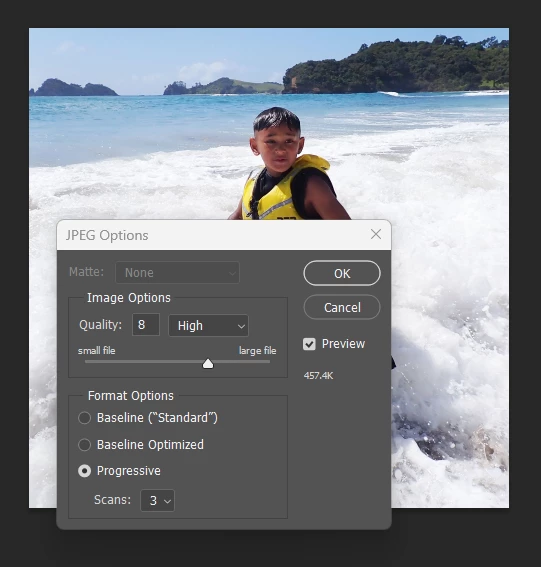
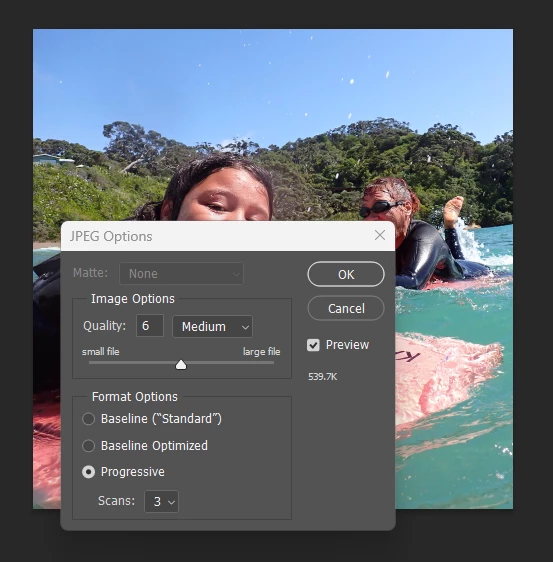
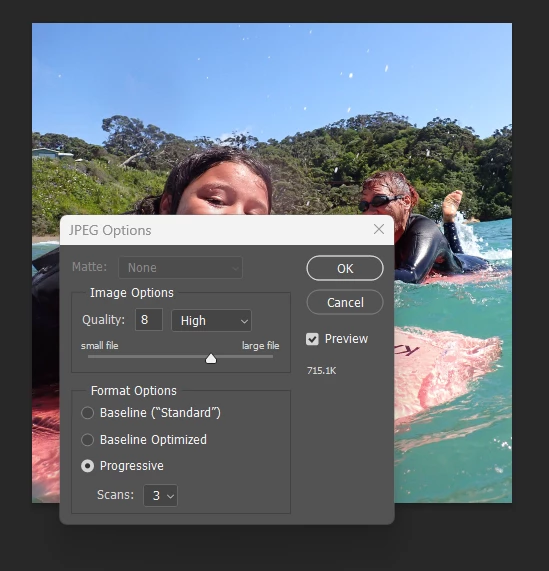
In the 'JPEG Options' window, when I change the 'Quality' number, the file size for Quality:7 is always smaller than Quality:6
(I'll include screenshots below)
The other 'Quality' numbers (1-12) have corresponding file sizes that follow a logical progression of smallest to largest file size. It's just Quality: 7 that is the exception. It is consistently smaller than 6.
EXAMPLE PHOTO #1
(Showing file size at Quality 6, 7, 😎
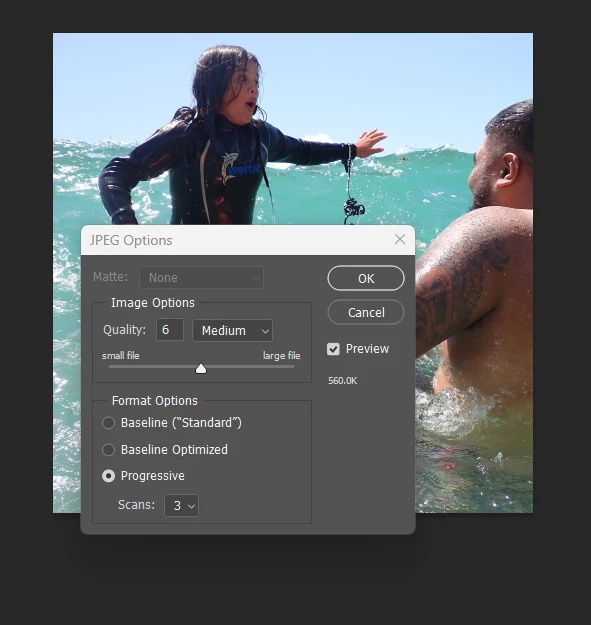
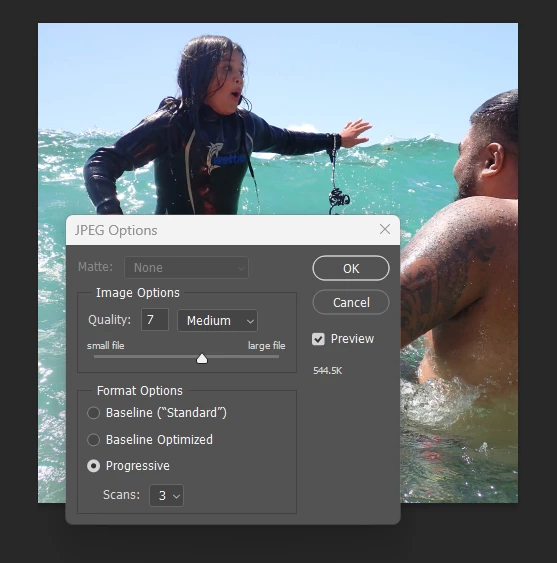
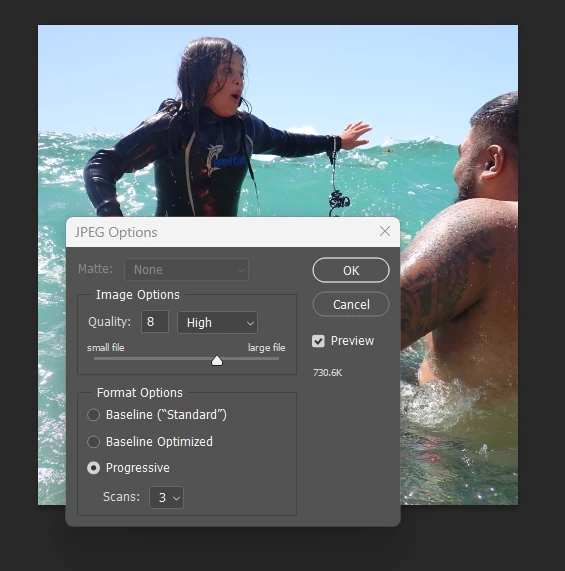
EXAMPLE PHOTO #2
(Showing file size at Quality 6, 7, 😎
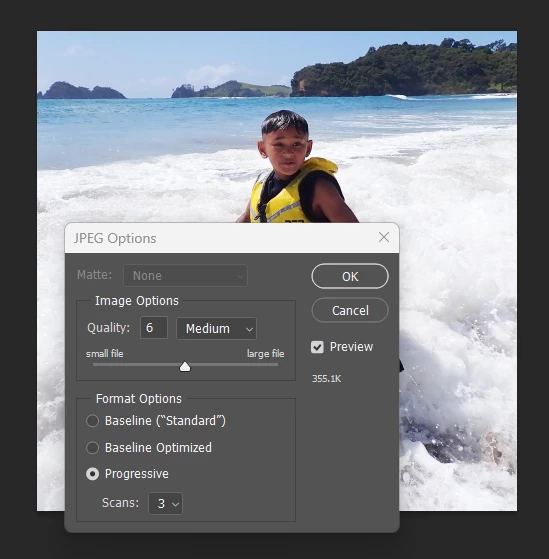
EXAMPLE PHOTO #3
(Showing file size at Quality 6, 7, 😎
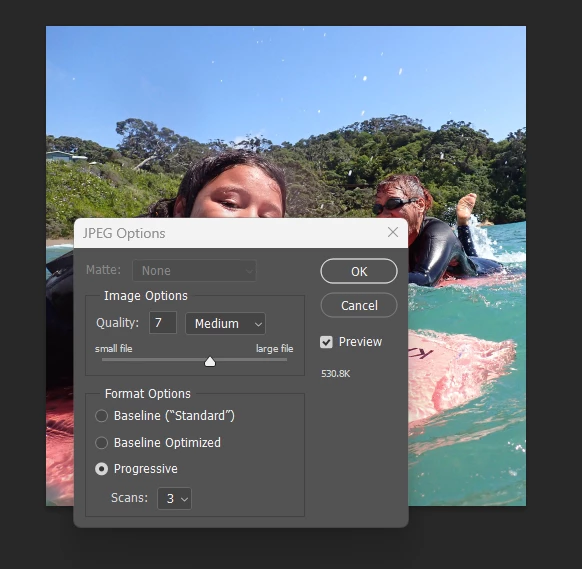
Extra info:
I'm using Adobe Photoshop 2024 (Creative Cloud) on a Windows desktop.
Note: I use computers every day and Photoshop most days, so I'm used to trouble-shooting problems. I would appreciate if replies to this post would please skip comments like "Did you try turning it off and turning it back on again?" Cheers ears.
Kind regards,
Bex
 AdChoices