
Answered
Problem with batch in Photoshop CC 2017
I want to create an action batch to edit RAW images in camera raw filter but the action stops at the opening the image!! What can I do to make it work??

I want to create an action batch to edit RAW images in camera raw filter but the action stops at the opening the image!! What can I do to make it work??
It's hard to say what the issue is without seeing the action and batch settings?
Also, which operating system are you using?
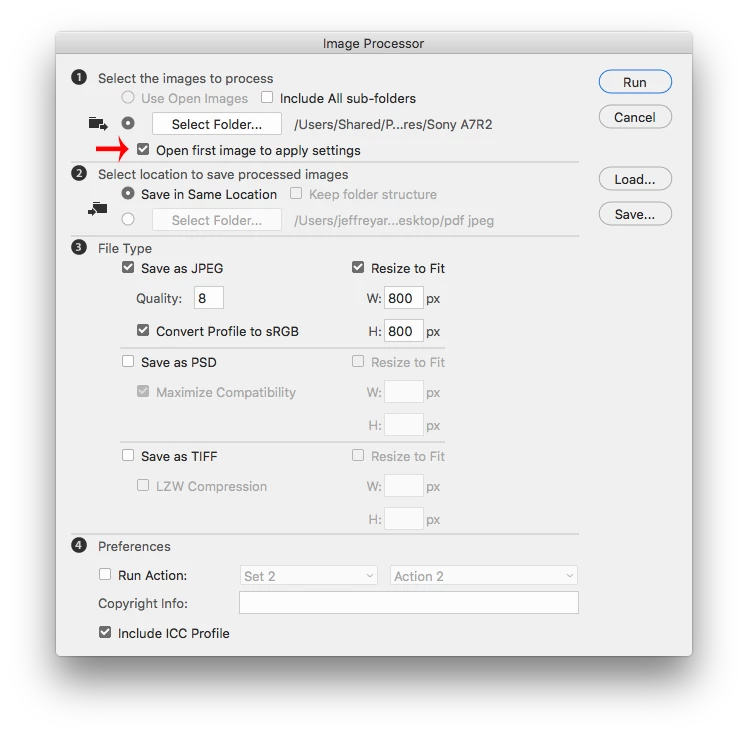
It might just be easier to use the Image Processor and check Open first image to apply settings, which opens the camera raw dialog with the first image, you make your settings and then the rest of the images are processed with the same settings.
File>Scripts>Image Processor
Already have an account? Login
Enter your E-mail address. We'll send you an e-mail with instructions to reset your password.
 AdChoices